
Participant
June 27, 2020
Answered

Error while converting text to shape

  • June 27, 2020
  • 5 replies
  • 16426 views

I am just trying to convert my text to shape, everytime I try an error message comes up saying object not converted. I am about to lose my mind trying to figure out why it is saying this. It wont create outlines either. I tried clicking expand that didn't help. Its just simple plain text. It wont work. Let me know. 
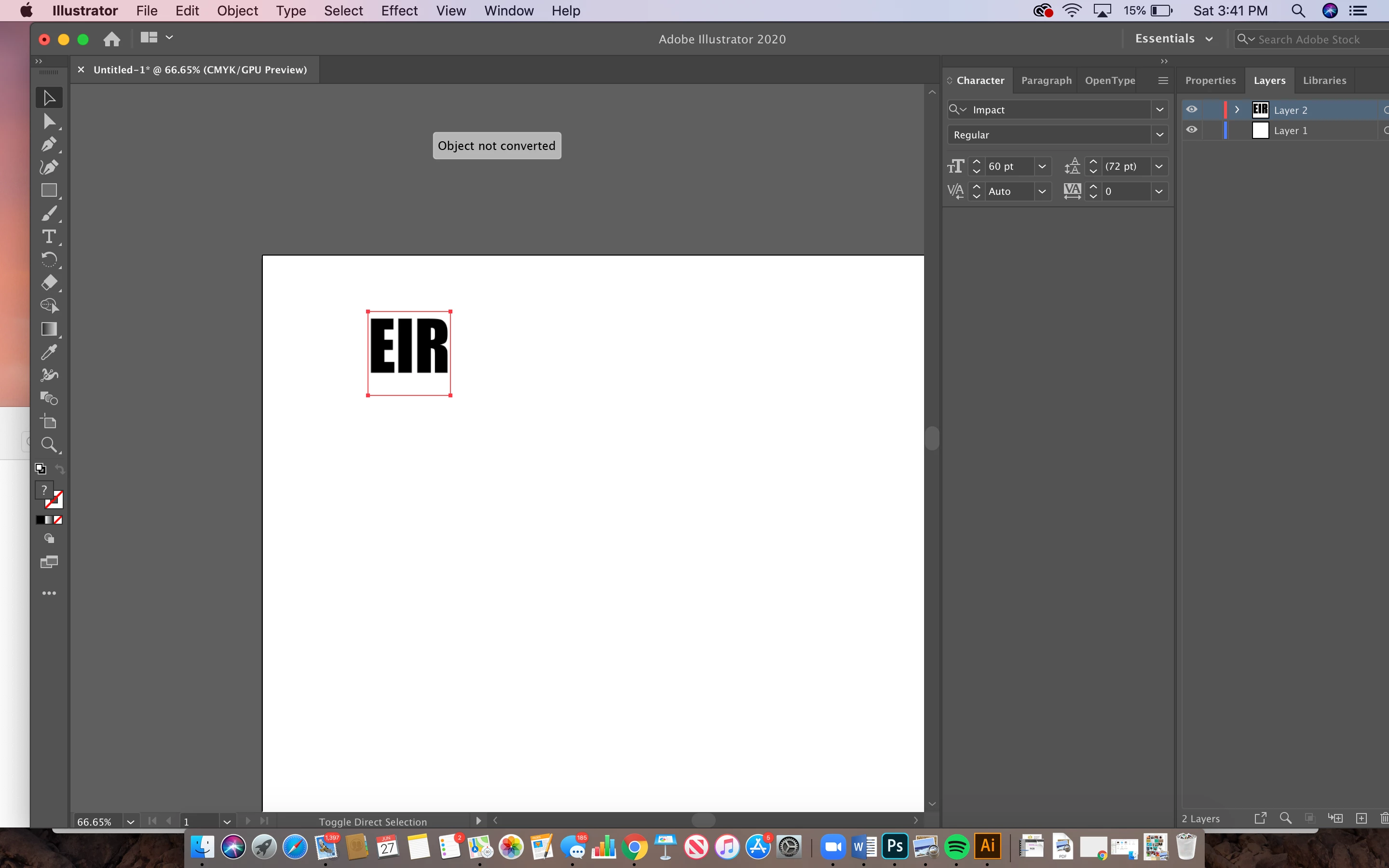
 

{Renamed by MOD}

This topic has been closed for replies.
Correct answer Monika Gause

Everyone was assuming that the original poster used Type > Create Outlines (which would have been correct), but re-reading this I think that perhaps they used  Object > Shape > Convert to shape (which converts live shapes to paths).


So for next time: To outline text use Type > Create Outlines and it's always a good idea to consult the documentation https://helpx.adobe.com/illustrator/how-to/text-basics.html

5 replies

Monika Gause
Community Expert
Monika GauseCommunity ExpertCorrect answer
Community Expert
September 24, 2022

Everyone was assuming that the original poster used Type > Create Outlines (which would have been correct), but re-reading this I think that perhaps they used  Object > Shape > Convert to shape (which converts live shapes to paths).


So for next time: To outline text use Type > Create Outlines and it's always a good idea to consult the documentation https://helpx.adobe.com/illustrator/how-to/text-basics.html

JPHiggs
Known Participant
September 23, 2022

I know this is a bit late but for future others with the same problem... I finally resolved this same issue by selecting the offending text and then going to Object: Expand Appearance - then I was able to convert and work with the text as objects.

Monika Gause
Community Expert
Community Expert
February 25, 2021

Please show a screenshot with Layers panel. Seelct the object and in the layers panel menu select "Find object"

Participant
June 12, 2021

Same issue and have tried so many things... I need to be able to convert this text to a shape.

Ashutosh_Mishra
Inspiring
July 11, 2020

Hi there,


Thanks for reaching out. I hope your issue is resolved by now. We'd appreciate if you can mark the appropriate response correct. If you used any other method, you may share it with us here. It'll help other users with similar concern.

If you still have issues, try checking out this help article. Let us know if it helps.


Regards,

Ashutosh

Legend
June 27, 2020

It seems you are selecting something else, an square with no fill/stroke.

(Press Ctrl+Y to enter Outline View, to check it).


Click somewhere else with the Type tool, and press ESC.

You will see a different bounding box or selection.