
Participant
September 9, 2022
Answered

Error with Fills

  • September 9, 2022
  • 1 reply
  • 185 views

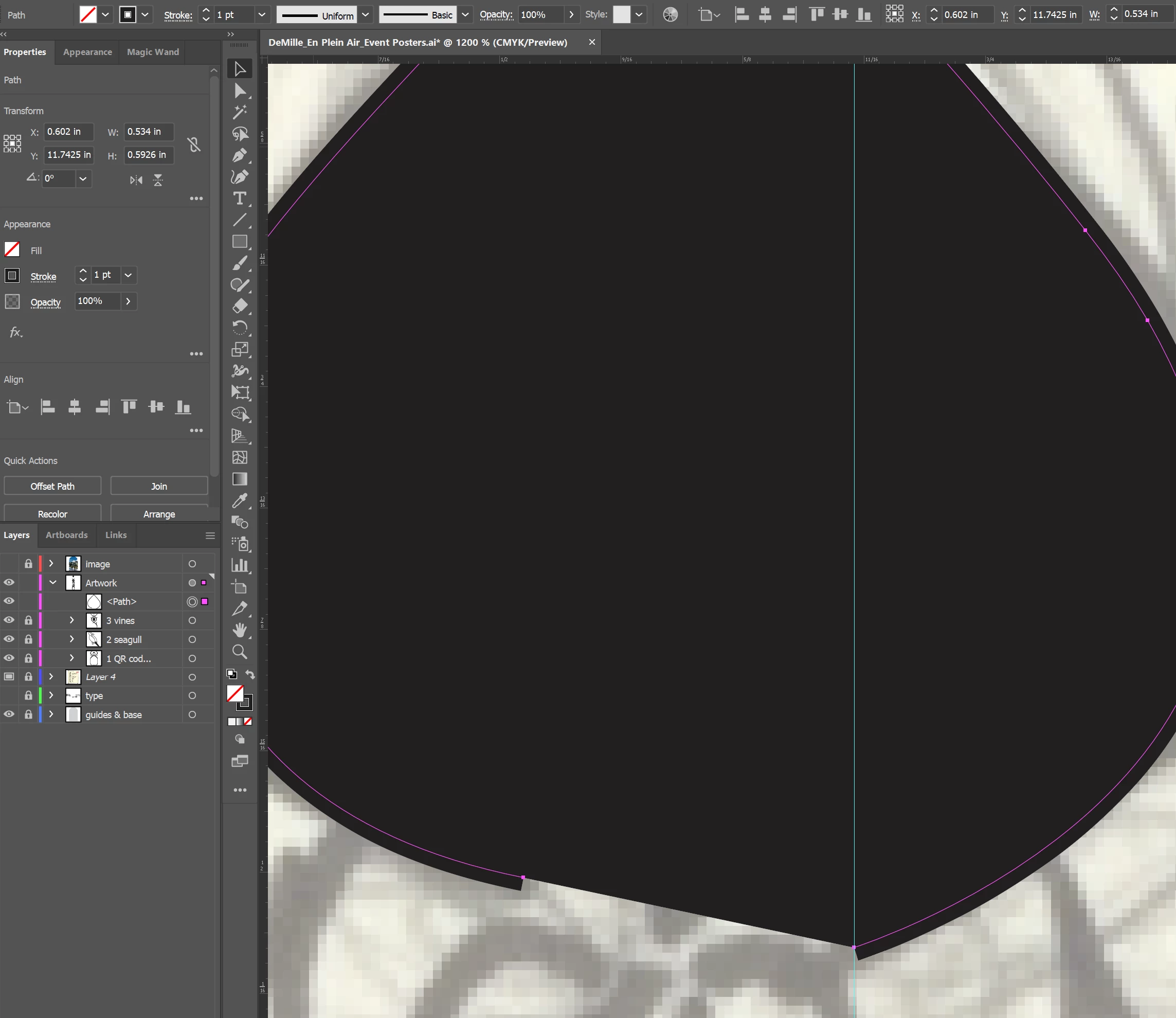
All of the new objects I create are shown with a fill, even when the fill is turned off. I can change the fill color, but am unable to remove the fill. I uninstalled and reinstalled Ai, the issue is still there. There was an update I installed earlier today. Is there an issue with my settings, or an issue with Ai. How do I fix this?
 

This topic is closed to new replies. Start a new post to keep the conversation going.
Correct answer Ton Frederiks

Check the Appearance panel for a fill (maybe on the layer)

1 reply

Ton Frederiks
Community Expert
Ton FrederiksCommunity ExpertCorrect answer
Community Expert
September 9, 2022

Check the Appearance panel for a fill (maybe on the layer)