
Error working on Adobe Illustrator CC
Good afternoon
After 10 minutes of working in adobe illustrator is blocked and does not let you select any options.
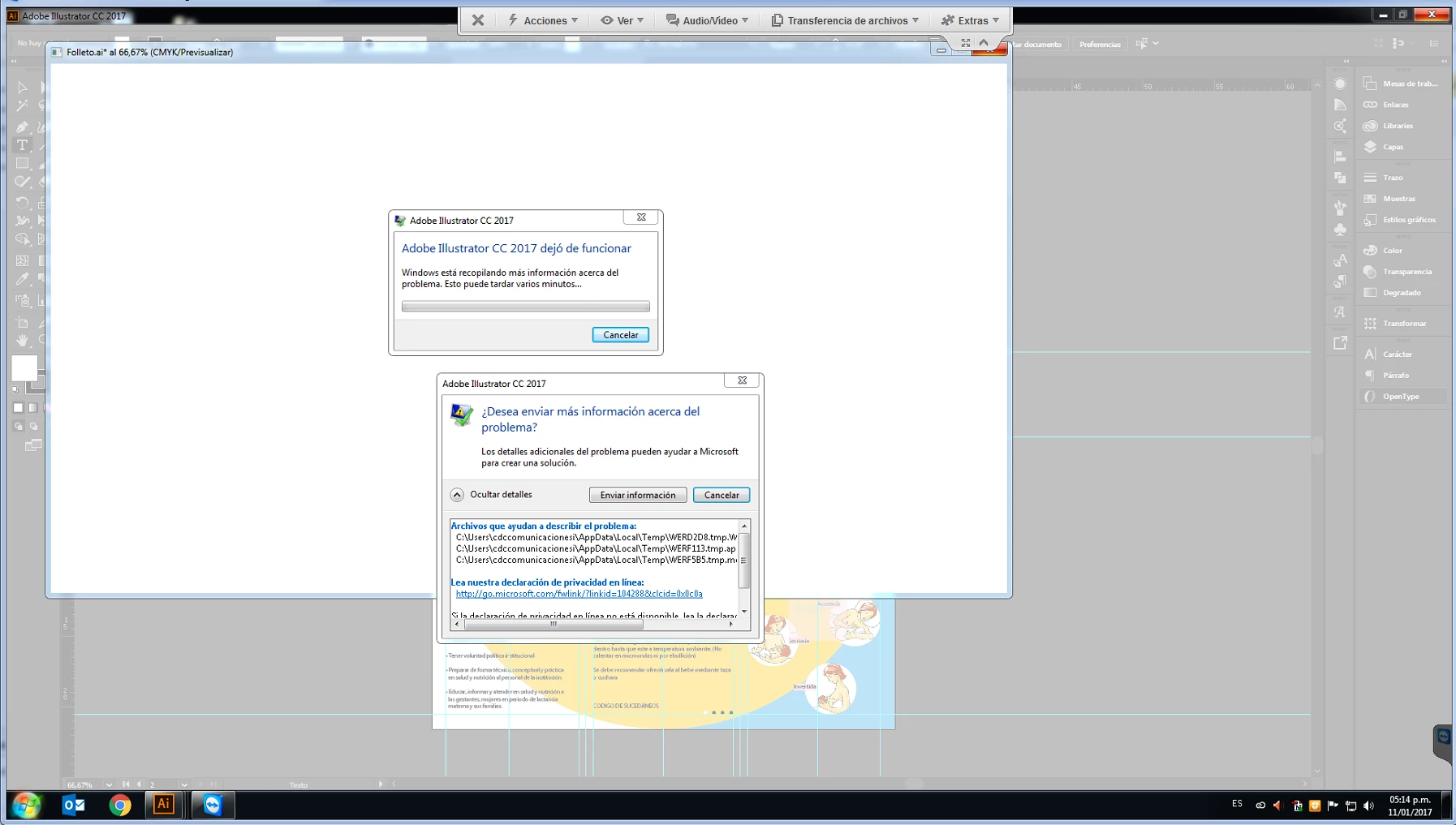
Shortly shows the memnsaje "stopped working" and generates the following error message:
Archivos que ayudan a describir el problema:
C:\Users\cdccomunicacionesi\AppData\Local\Temp\WERD2D8.tmp.WERInternalMetadata.xml
C:\Users\cdccomunicacionesi\AppData\Local\Temp\WERF113.tmp.appcompat.txt
C:\Users\cdccomunicacionesi\AppData\Local\Temp\WERF5B5.tmp.mdmp
Lea nuestra declaración de privacidad en línea:
http://go.microsoft.com/fwlink/?linkid=104288&clcid=0x0c0a
Si la declaración de privacidad en línea no está disponible, lea la declaración de privacidad sin conexión:
C:\Windows\system32\es-ES\erofflps.txt
Current computer configuration:
Processor: intel xeon
Ram: 8GB
HDD: 500Gb
Video card: 1Gb
We have already tried several options:
- Install again
- Install windows again
- increase memory from 8 GB to 16 GB
- Change of computer
None of the above has worked.
I appreciate your help with the solution.
Cordially
Mesa de ayuda CDC
 AdChoices