Tonio9078
Participant
July 25, 2018
Answered

Es posible borrar parte de un vector con un pincel?

  • July 25, 2018
  • 3 replies
  • 517 views

Buenas!

Tengo que decir que llevo mucho tiempo utilizando photoshop, pero ahora necesito transformar un logo (png) a vector para mantener siempre la calidad.

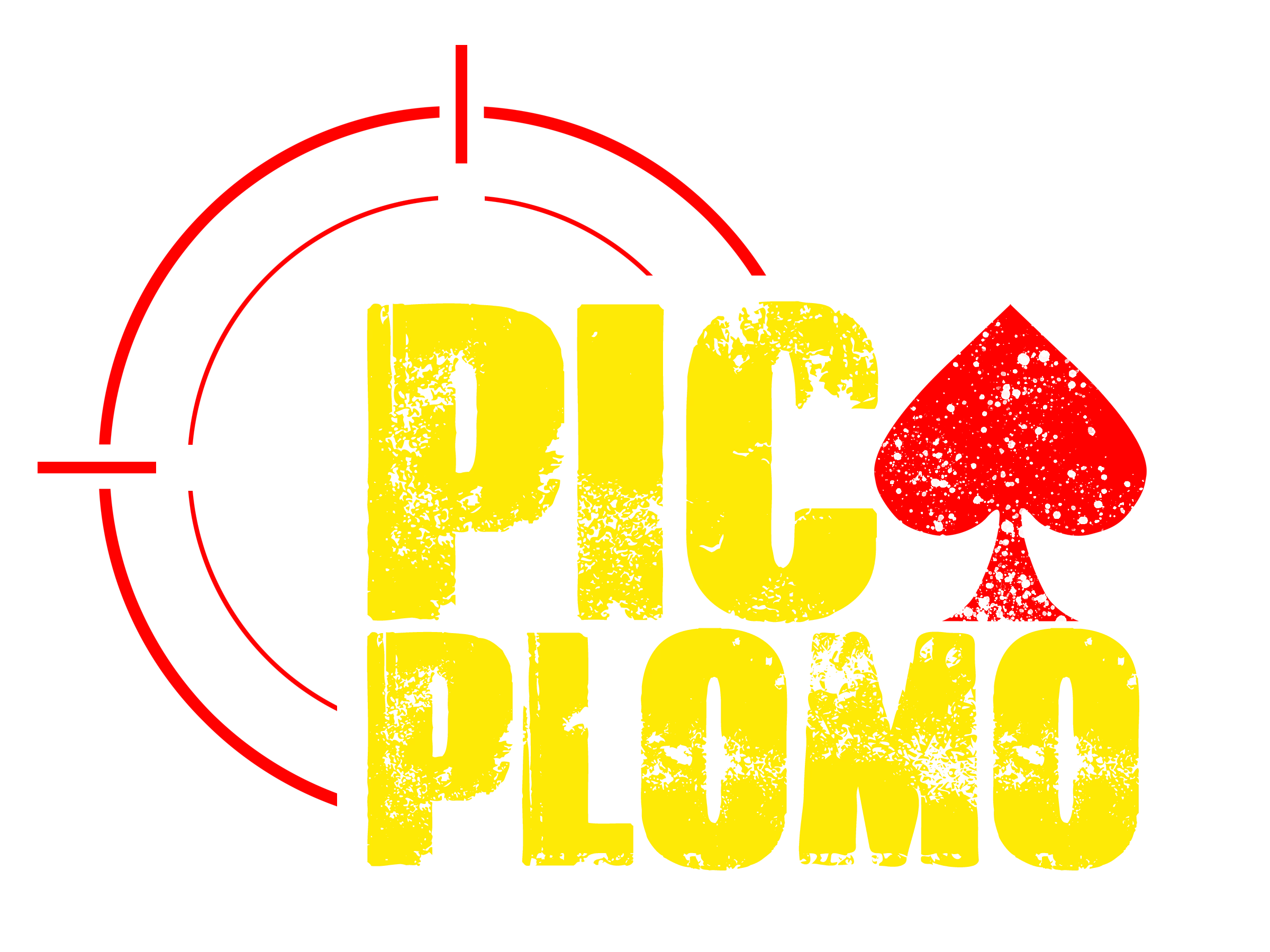
El caso es que está todo hecho, la fuente, la mirilla y la pica son vectores, solo falta una cosa y es el ''arte'' de la pica con los agujeros transparentes.

En illustrator está la pica pero normal, toda roja, lo que quiero hacer es esos mismos agujeros y que se mantenga como vector.

Es posible?

Espero me podáis echar una mano!

Gracias!
    This topic has been closed for replies.
    Correct answer Ton Frederiks

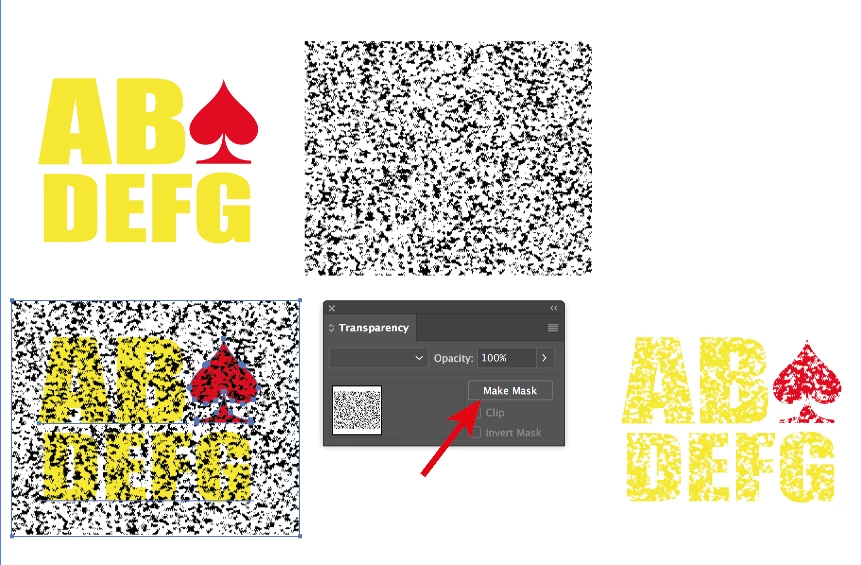
    If you want the texture to put holes in your logo.

    Put the texture on top, select both and choose Make Mask

    3 replies

    Tonio9078
    Tonio9078Author
    Participant
    July 25, 2018

    Hi guys,

    Thank you for your advices, it work with the Mask .

    Sorry for the spanish, I thought that the post was going to be published in the Spanish forum .

    Ton Frederiks
    Community Expert
    Community Expert
    July 25, 2018

    Good to hear that (and there is a translate button).

    Ton Frederiks
    Community Expert
    Ton FrederiksCommunity ExpertCorrect answer
    Community Expert
    July 25, 2018

    If you want the texture to put holes in your logo.

    Put the texture on top, select both and choose Make Mask

    barbara_a7746676
    Community Expert
    Community Expert
    July 25, 2018

    The question is a little unclear to me because I am not a Spanish speaker and the translation is not the best.  I think you want to make the 'holes', the texture, in the letters into vector objects.

    You can do that with Image Trace.

    Select the raster image and click Image Trace.

    Adjust the settings in the Image Trace panel.

    When the art looks the way you want it, click Expand.

    The raster image will be converted to vector objects.