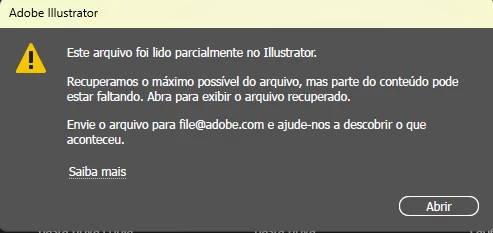
@Alessa381989258bbd Sometimes when Adobe Illustrator crashes, I would open the 'recover file', and rename it to a different file name. One of the Apple techies told me to rename it because if you use the same file name, it's agood chance it will crash again. Of course, I had to test that out. And sure enough, it does. Once, I rename it something else, it's fine. So, now, when I have any 'recover' files, I just rename it. Granted, sometimes, the file can be corrupted, and there isn't much can be done. Hence, why I save different versions and change the autosave from an hour to 10 minutes sometimes
I understand technical issues can be frustrating. Would you mind providing some details about the circumstances under which these files were saved or edited and the location of the files where they were stored? For example, were there any unexpected Illustrator crashes, sudden app closures, system shutdowns, or power cuts during the editing process?
Also, kindly share a link to a sample file after uploading to Dropbox/Google Drive/etc. so we can check it on our end. Although we cannot guarantee a successful recovery, we will try our best to do so.



 AdChoices