Participant
April 1, 2021
Answered

Everything went darker illustrator (images and colors)

  • April 1, 2021
  • 2 replies
  • 1067 views

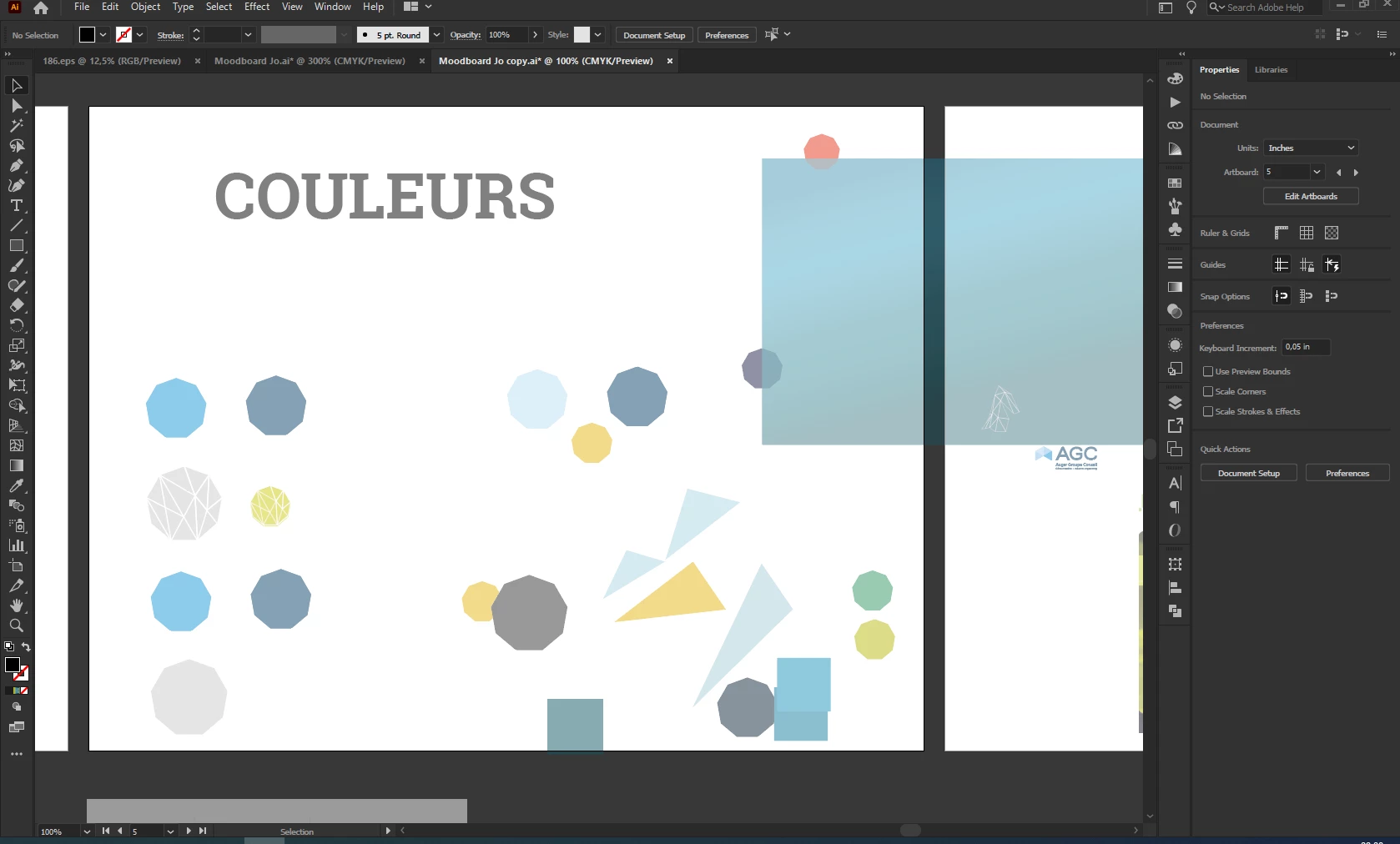
Hi! I am using the latest version of Illustrator. Suddenly, everything went darker and transparent (even if the opacity is at 100%.) The other opened files are ok! What happened?
Here is an exemple of the problem on this file...
Thanks for your help 🙂 


This topic has been closed for replies.
Correct answer Ton Frederiks

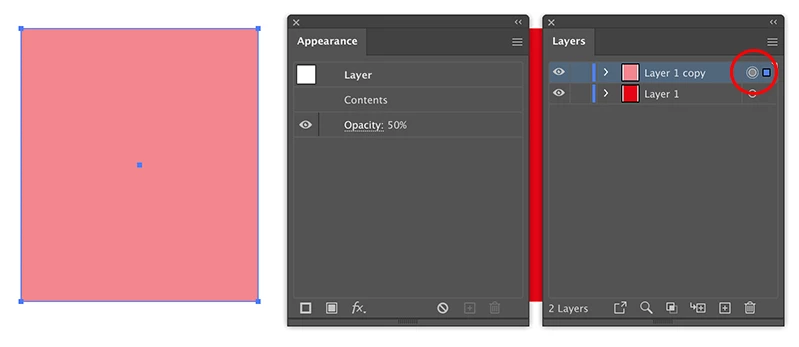
The layer can have a reduced opacity. 

Click the dot in the Layers panel for the layer with the reduced opacity objects.

Open the Appearance panel and check the layer opacity. Change it or choose Clear Appearance from the Appearance panel menu.

2 replies

Ton Frederiks
Community Expert
Ton FrederiksCommunity ExpertCorrect answer
Community Expert
April 1, 2021

The layer can have a reduced opacity. 

Click the dot in the Layers panel for the layer with the reduced opacity objects.

Open the Appearance panel and check the layer opacity. Change it or choose Clear Appearance from the Appearance panel menu.

Mylenium
Legend
April 1, 2021

Check your hardware acceleration settings, update your graphics driver.


Mylenium