Participant
November 4, 2020
Answered

evolve distort

  • November 4, 2020
  • 1 reply
  • 310 views

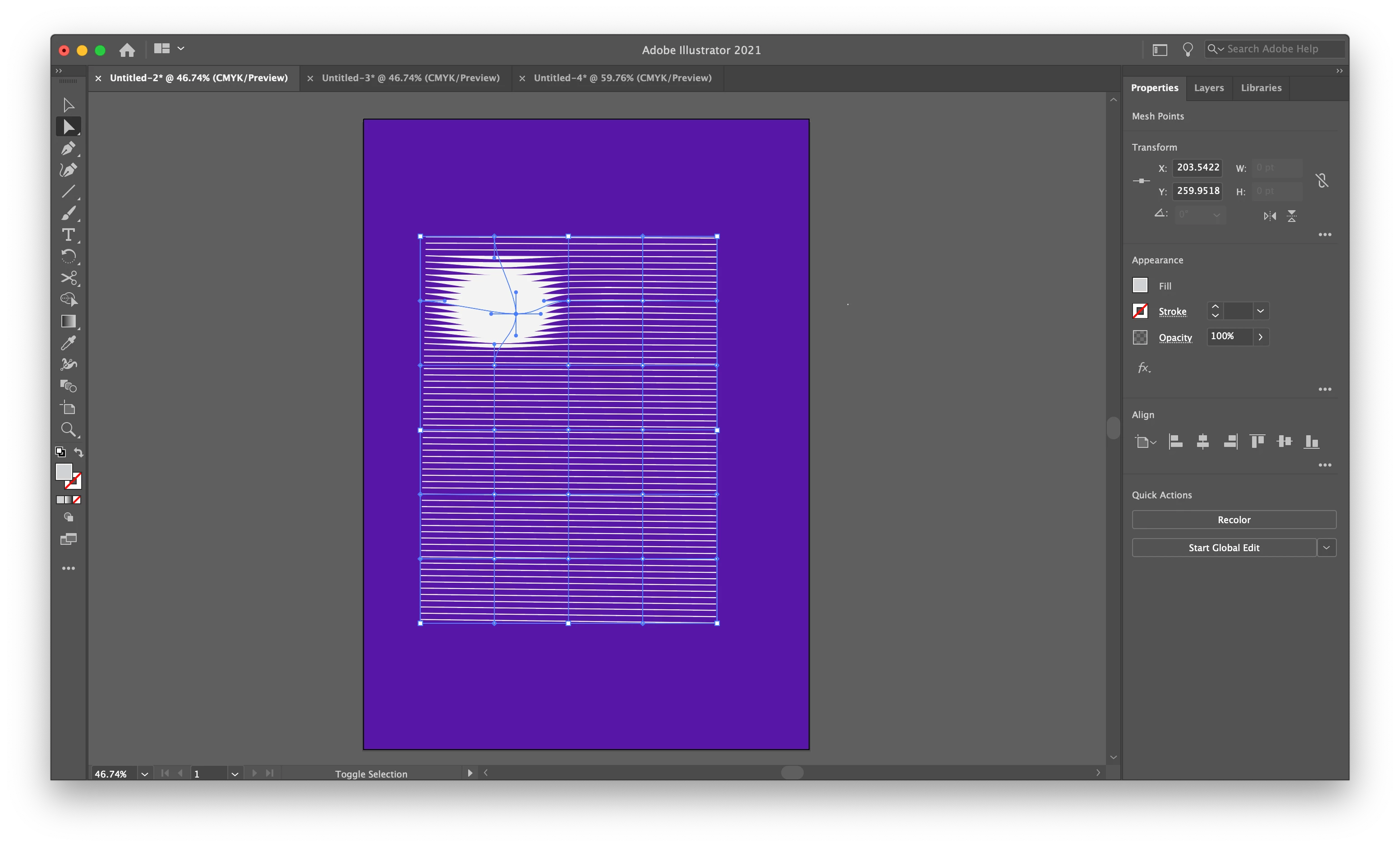
For the adobe illustrator envolope distort. When i use mesh for some reason it does this, and I don't know how to undo it (like the thick part). Thanks to anyone who helps me in advance
Moved from Using the Community (which is about the forums) to a better forum... Mod
To find a forum for your program please start at https://community.adobe.com/

This topic has been closed for replies.
Correct answer Myra Ferguson

Use the Direct Selection tool to select one of your paths. Then you should be able to see what's applied to it in the Appearance panel or the Appearance section of the Properties panel.

1 reply

Myra Ferguson
Community Expert
Community Expert
November 4, 2020

If I make a bunch of lines either as a blend or as a Transform effect and then apply an Envelope Distort using a mesh, I don't get the thick part when I move a similar point. I'm wondering if that's due to how you constructed the lines or any effect that might be applied to them.

Participant
November 4, 2020

Ya i think at one point I accidently applied some sort of effect cuz it didn't do that before. But I just don't know what effect or how to undo it

Myra Ferguson
Community Expert
Myra FergusonCommunity ExpertCorrect answer
Community Expert
November 4, 2020

Use the Direct Selection tool to select one of your paths. Then you should be able to see what's applied to it in the Appearance panel or the Appearance section of the Properties panel.