

Answered
Execute Action in Script
I have over 4000 single file and all of them are the same layername and group items.
As following screenshot, I want to write script and this script opens file and execute action that is recorded by me before. I coded but it has problem. It says this action can not run something like that.
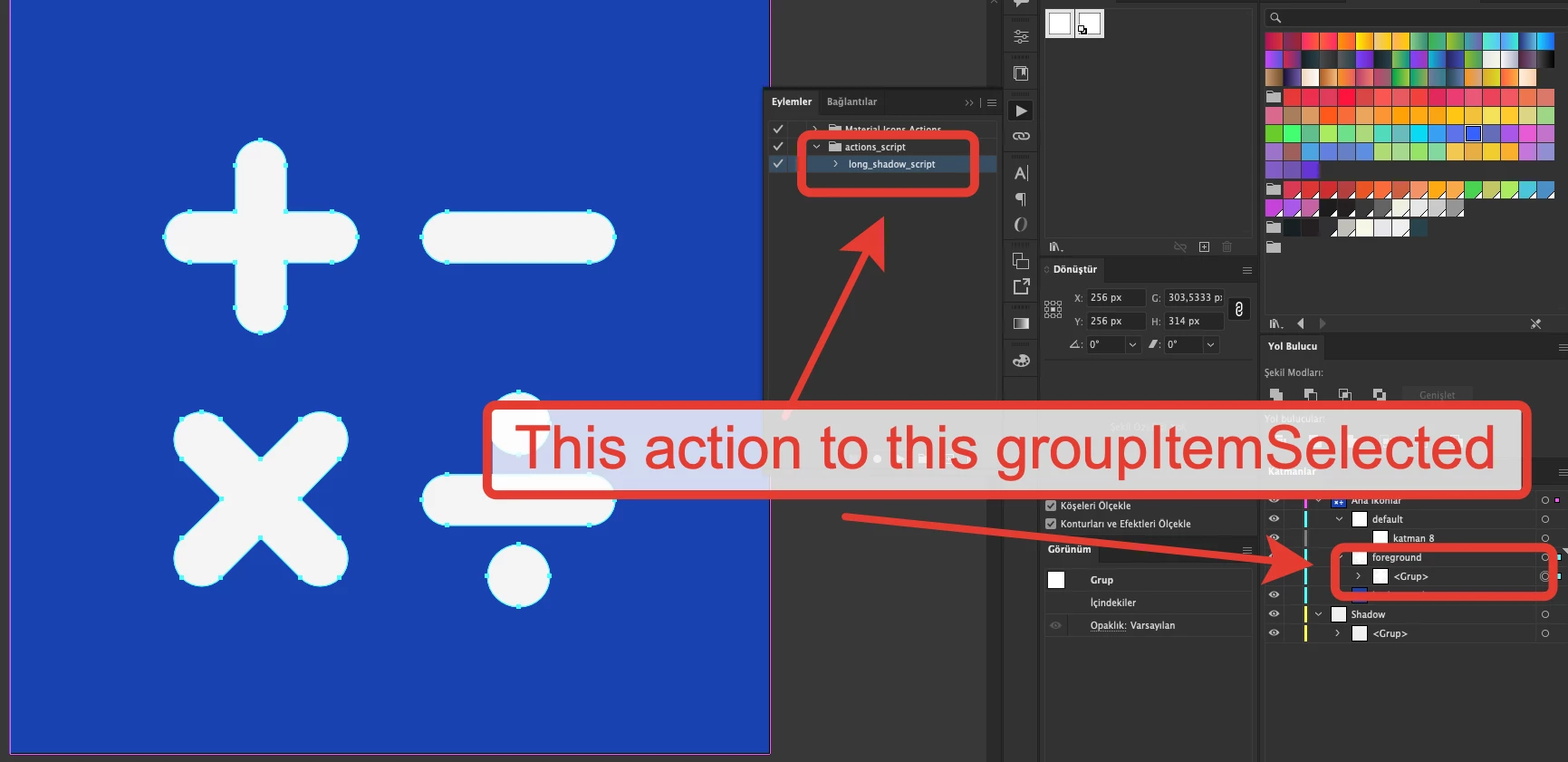
Here is my code;
var sourceFolder, fileType, targetFile,destFolder, gridLayers,j,materialGridLayer;

// Select the source folder.
sourceFolder = Folder( '~/Desktop/Icon Pack/Export' );

// If a valid folder is selected
if ( sourceFolder != null )
{
    files = new Array();
    fileType = ( '*.ai' );

    // Get all files matching the pattern
    files = sourceFolder.getFiles( fileType );

    if ( files.length > 0 )
    {
        for ( i = 0; i < files.length; i++ )
        {

            sourceDoc = app.open(files[i]); // returns the document object
            var mainLayers = sourceDoc.layers;

            try
              {


                sourceDoc.activeLayer = mainLayers.getByName('Ana Ikonlar');    // variant 2

                var aLay = sourceDoc.activeLayer;

                var foregroundLayer =aLay.layers.getByName('foreground');

                var groudItemLayer = foregroundLayer.groupItems[0];

                groudItemLayer.selected = true;

                apps.doScript('actions_script','long_shadow_script');

                }
              catch(f)
              {

              }
            sourceDoc.close(SaveOptions.SAVECHANGES);
        }
    }
    else
    {
        alert( 'Problem!!!' );
    }
}  AdChoices