Participant
October 28, 2025
Answered

Expand Stroke - Broken / Glitch

  • October 28, 2025
  • 1 reply
  • 94 views

Hey Illustrators,


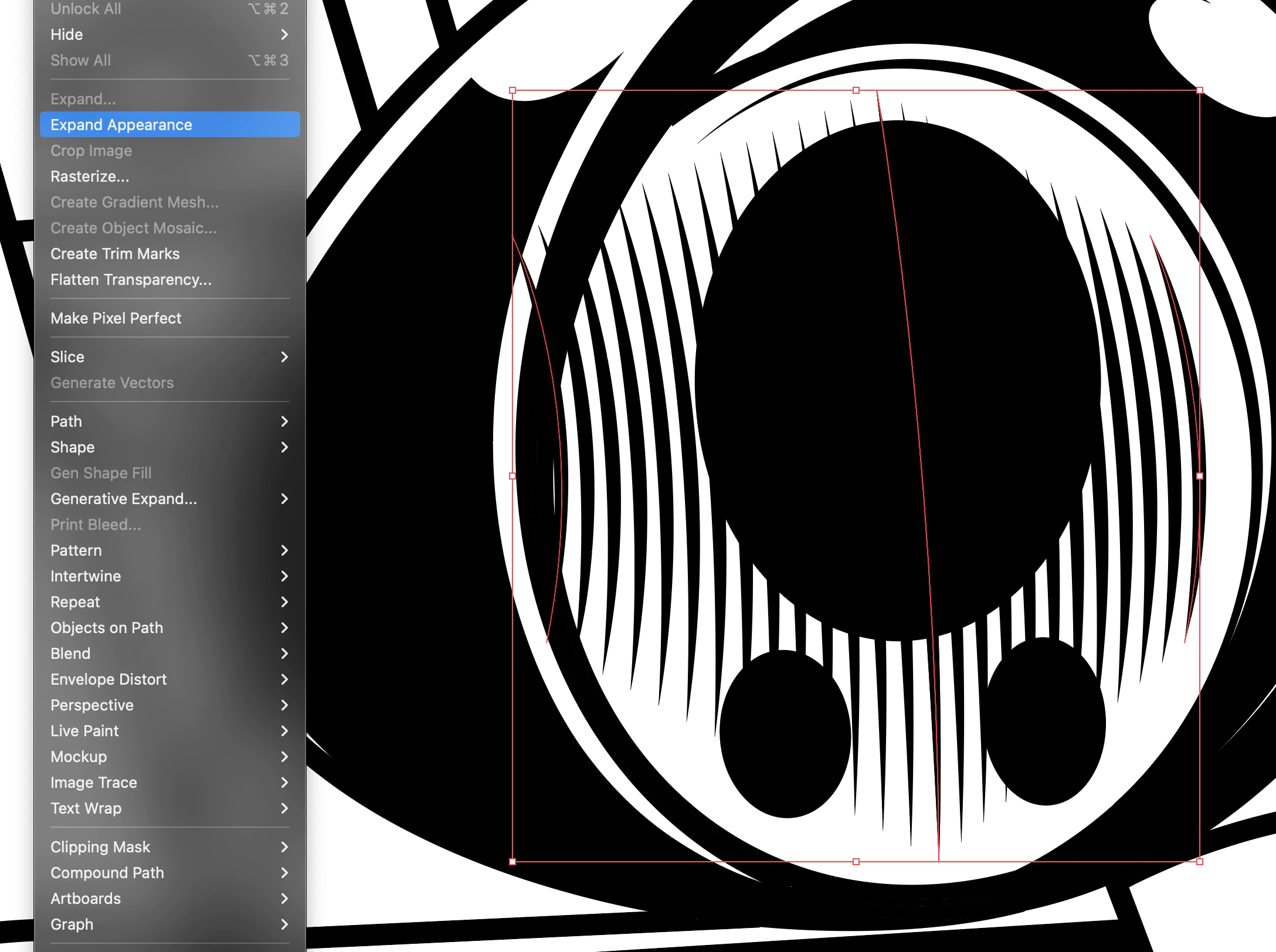
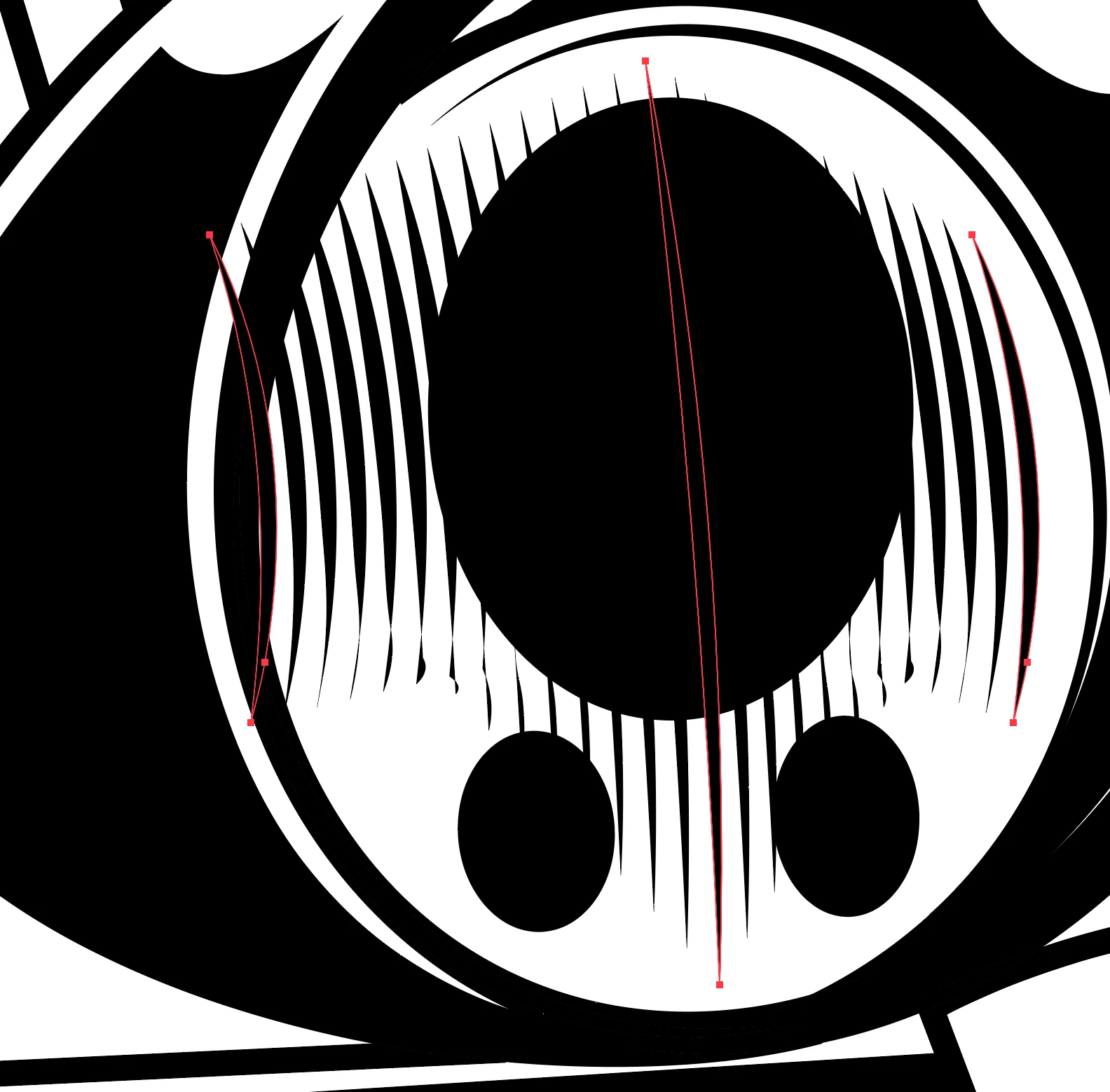
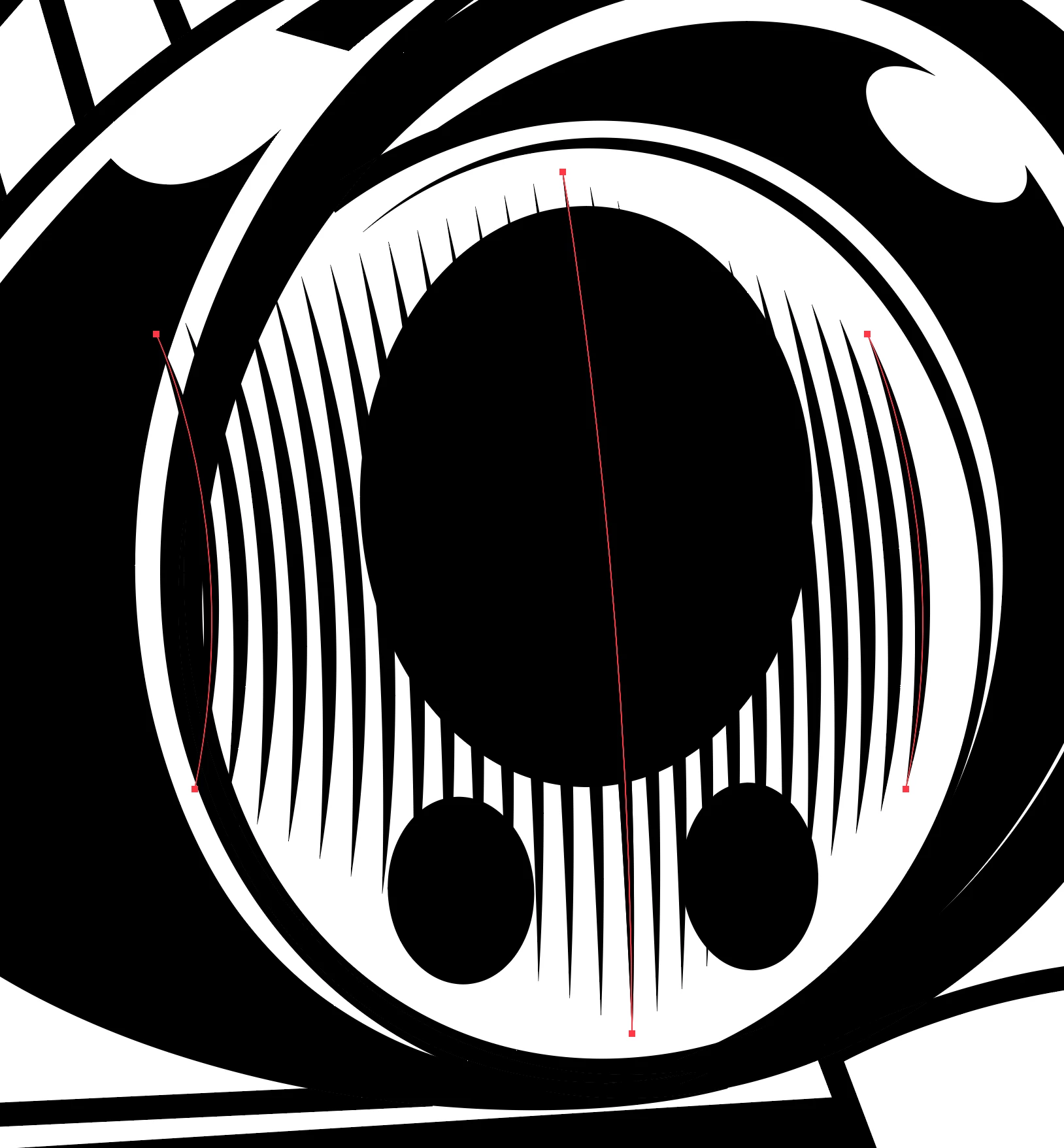
I am having an issue when using a regular stroke and expanding once stroke / blend has been applied. In screen shots below it shows the stroke fine when it is a stroke (roughly 1-1.5pt with sharp tip option) once expanded it goes all messed. 

Does anyone know a solution to this?


Ty, 
Correct answer Bobby Henderson

Have you tried scaling the graphic to a larger size? It's possible Illustrator might do a more accurate job expanding the stroke if the element was made 200% or 400% larger. Strokes and effects can be scaled with the objects.

1 reply

Bobby HendersonCommunity ExpertCorrect answer
Community Expert
October 28, 2025

Have you tried scaling the graphic to a larger size? It's possible Illustrator might do a more accurate job expanding the stroke if the element was made 200% or 400% larger. Strokes and effects can be scaled with the objects.

Participant
October 28, 2025

Thanks Bobby, that seems to have done the trick on this! Appreciate it. 

Community Expert
October 28, 2025

Glad to help. B-)