
Participant
September 28, 2020
Answered

Export from InDesign to PDF, when opened in Illustrator items missing

  • September 28, 2020
  • 2 replies
  • 1385 views

I have a client sending me a PDF, looks fine in Acrobat and Photoshop, but when opened in Illustrator there are items missing.  I have opened thei Indesign file and cannot see anything wrong, checked the layers are all set to print, overall i am at a loss and would appreciate any assistance.

Thank you.
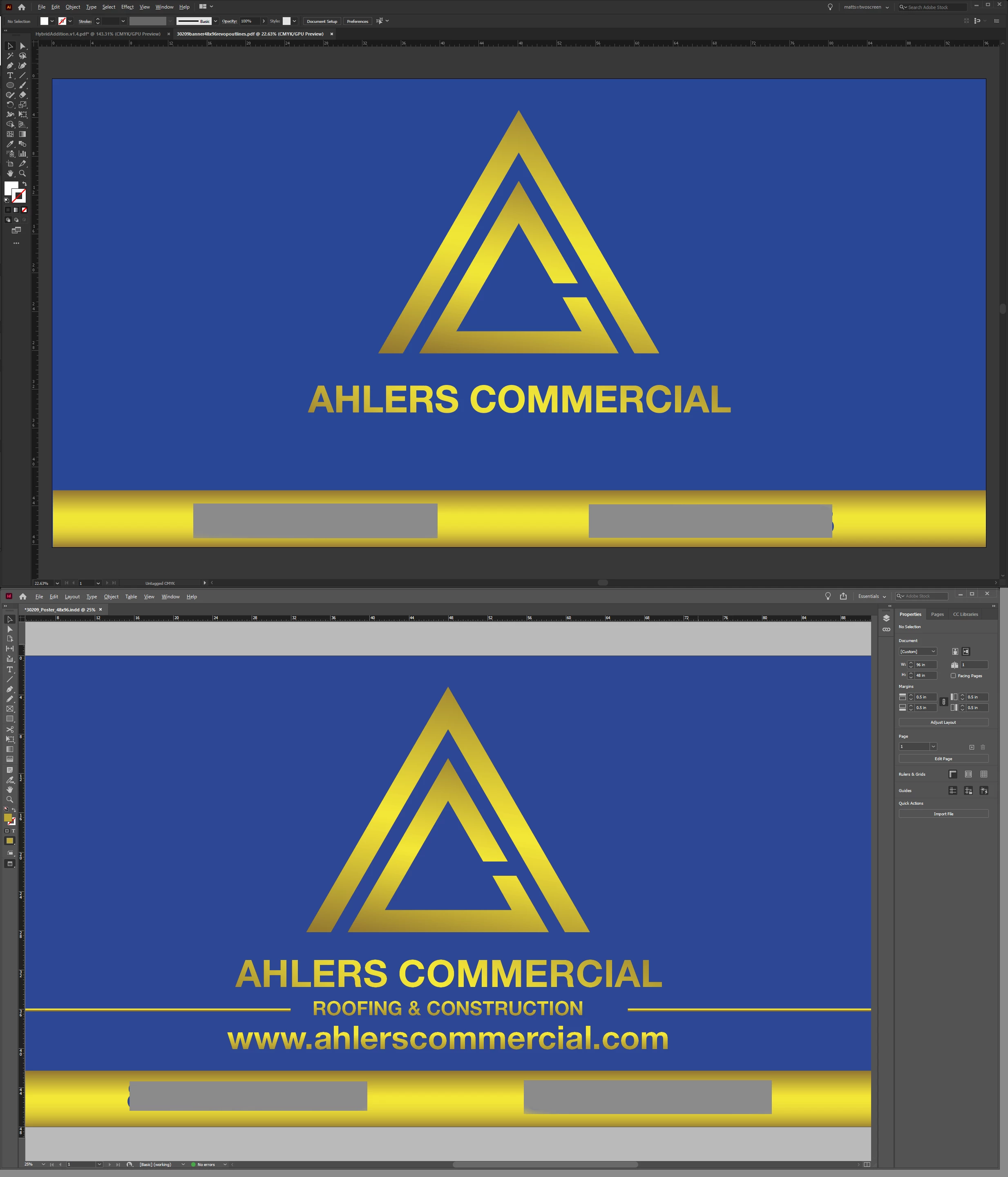


I have attached the files in question

This topic has been closed for replies.
Correct answer Monika Gause

Outlining this only exports the vectors partially with no fills. Font changes do nothing. 

Wonderful ideas, but sadly on the production end of thing, completely unrealistic. PDF is sadlly the universal document format all the various softwares communicate in and like i said, generally without error. 

Thanks for trying.


Gradients between Illustrator and InDesign are not fully compatible.

The gradients in your problem objects are applied in a way that tends to not work. You have moved the gradient stops away from the far end(s). Move them to the far ends and then it might work better.


BTW: this is a user forum. More than 90% of the time you are talking to other users here. Only people marked as "Staff" are staff. No need to tell me about "the production end of thing" ...

2 replies

Participant
August 30, 2024
Screenshot_20240830_130456_Clip_Studio.png
Monika Gause
Community Expert
Community Expert
August 30, 2024

What are we supposed to see in your screenshots?

Monika Gause
Community Expert
Community Expert
September 28, 2020

Illustrator is not a general purpose PDF editor.

PDF wasn't even meant for editing.


So you get what you get. You can try if it gets better when you place the PDF in a new Illustrator file, but that's it.

Participant
September 28, 2020

Transporting of vector files in PDF format is pretty much an industry standard and the only real way to transport files between InDesign and Illustrator. I deal with several thousand PDF files for dozens of sources every month in illustrator and this is a very rare occurance, especially with a Adobe product, so I am trying to figure out the issue so I can deal with it in the future.

Really hoping someone knows what the problem is with the InDesign/pdf file.

Monika Gause
Community Expert
Community Expert
September 28, 2020

Opening of PDFs in Illustrator is an industry standard? Then maybe we are talking about different industries.

https://prepression.blogspot.com/2014/09/the-ten-commandments-of-pdf.html


The issue might be Helvetica Neue. It gets discussed in this forum frequently.

So you might want to try outlining the text in InDesign before saving the PDF.