felixj79420163
Known Participant
August 30, 2023
Question

Export Pixels Inaccurate

  • August 30, 2023
  • 3 replies
  • 737 views

I'm trying to export pixel art and every time I try, it puts some pixels in the wrong place. 


This is a screenshot of what I'd like to export:
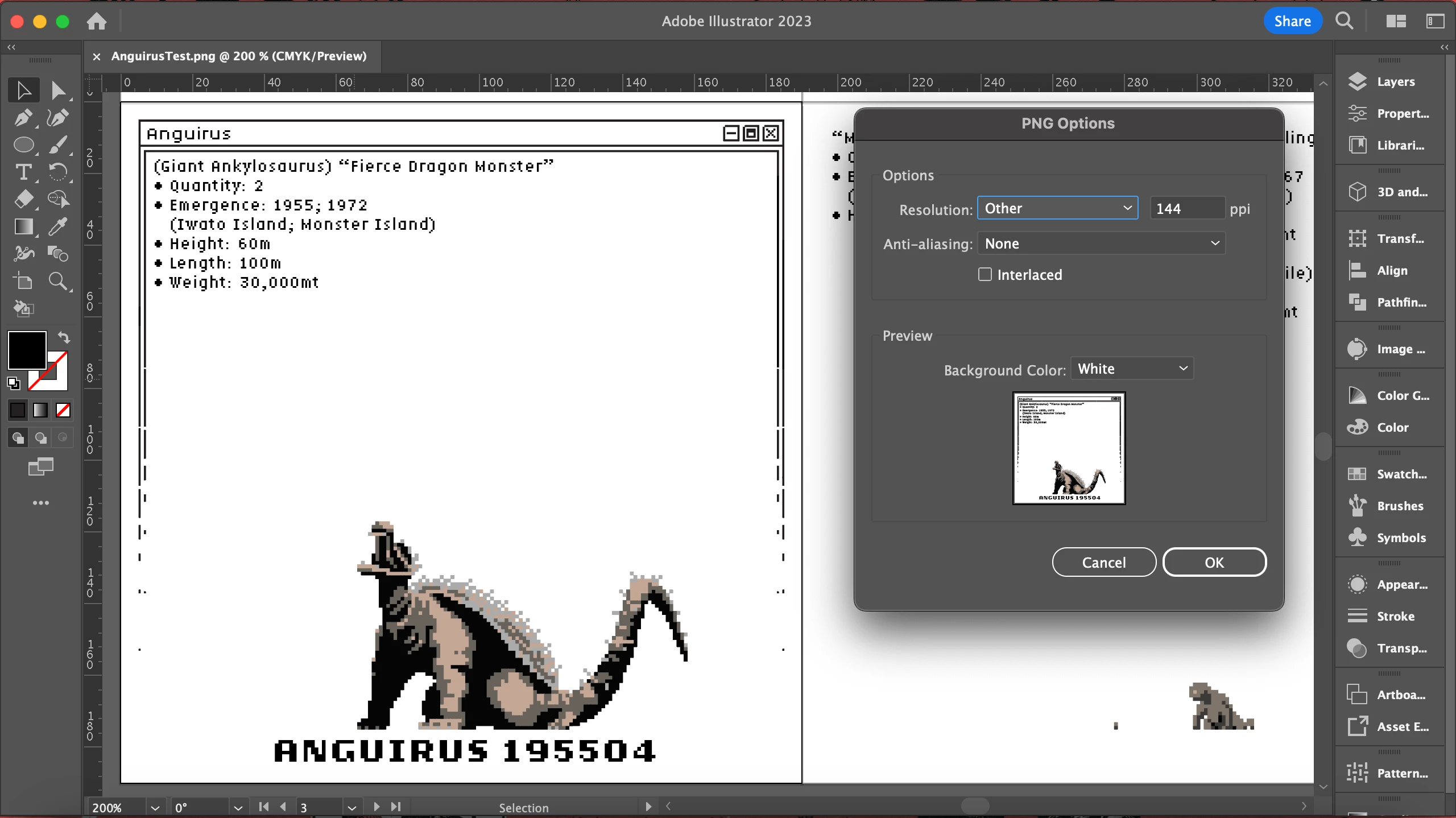
 

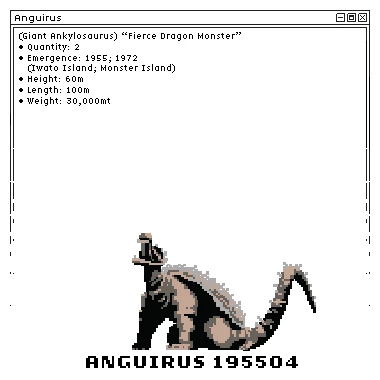
This is what a png without anti-aliasing after being exported looks like.

There's different detail even though its the same amount of pixels. For example, look at the parentheses in the pixelated text. 
Thanks!

This topic has been closed for replies.

3 replies

Ton Frederiks
Community Expert
Community Expert
September 2, 2023

Felix, I found a quick way to correct your current inaccurate object dimensions and positions (with the exception of text).

John Wundes has created these 2 scripts:

setAllTheThings.jsx to make all your squares 2 x 2

and pixelAlign.jsx to align the resulting squares to the pixelgrid.

I applied both scripts and the export was pixel perfect.

Scripts: 

https://github.com/johnwun/js4ai/blob/master/setAllTheThings.jsx

https://github.com/johnwun/js4ai/blob/master/pixelAlign.jsx

Ton Frederiks
Community Expert
Community Expert
August 31, 2023

Are your Rulers set to Global Rulers and is the X/Y 0/0 point at the upper left corner?

felixj79420163
Known Participant
August 31, 2023
Not in the pictures. i tried this and it had the same result

Felix Janssen
Ton Frederiks
Community Expert
Community Expert
August 31, 2023

Can you share an example problem Illustrator file?

Either attach an Illustrator file saved as PDF or share the .AI file using filesharing; CC files, DropBox, Google, WeTransfer...

Monika Gause
Community Expert
Community Expert
August 31, 2023

Is the screenshot perfectly aligned to the pixel grid?

And not scaled?

felixj79420163
Known Participant
August 31, 2023
Correct

Felix Janssen
felixj79420163
Known Participant
August 31, 2023
I’m using snap to grid

Felix Janssen