
Exporting 100% Black | CMYK Color Mode | Recolor Artwork !?
Hey everyone!
I'm dealing with an 80 artboards file with multiple layers and groups. The file is complete and need to be exported for screen viewing, after having already exported a PDF for printing (printed the pages and everything went smoothly).
Unfortunately, when exporting the PDF all of the blacks are a bit dull, especially when it comes to hatches and fills. My guess is that I've made a mistake using a Black that's not completely black:
C: 0
M: 0
Y: 0
K: 100
instead of
C: 100
M: 100
Y: 100
K: 100
Unfortunately Illustrator doesn't work like InDesign and even by changing the single swatch named Black (not a global one) I can't really make any changes to the objects in the file.
I've also tried recoloring my artwork, but it doesn't seem to do anything.
This is my swatch list for the file:
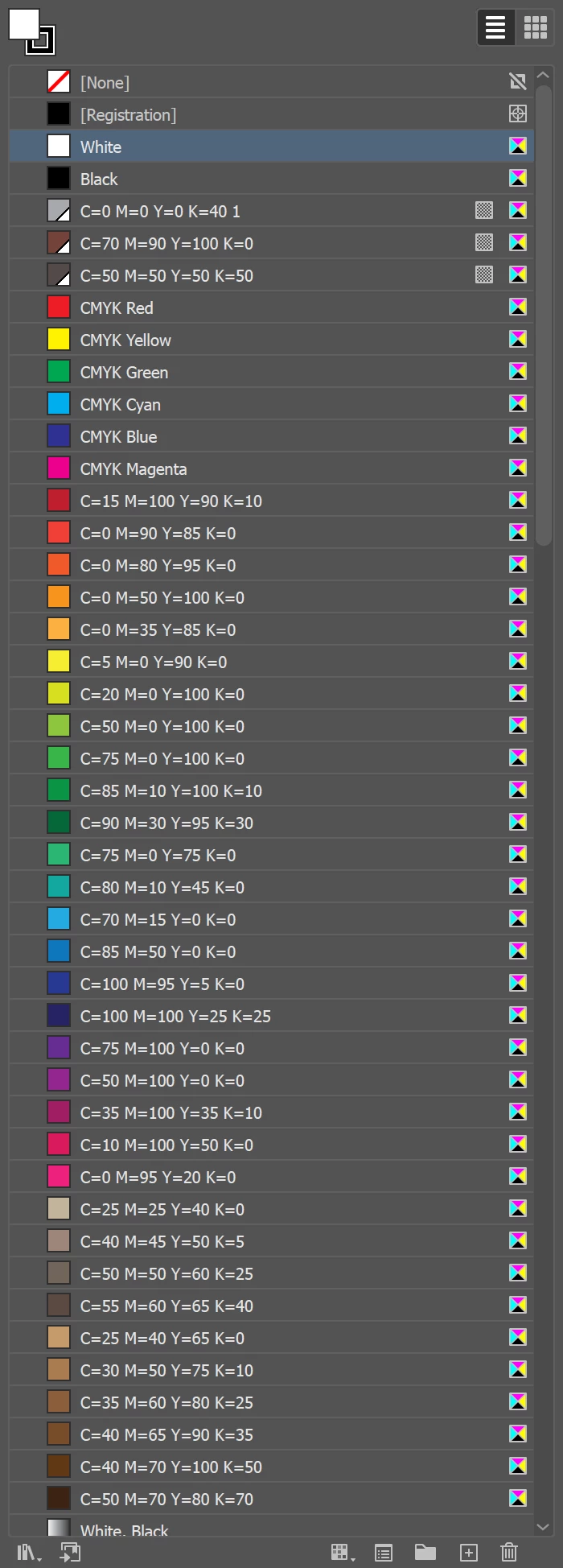
Also, I can't select all of the black objects, because:
- I'm dealing with a lots of groups
- I need to change both fills and strokes
- I have multiple layers
Any hints?
 AdChoices