


Expoted file does not have the right CMYK color
Hi there,
I am new to Color Space so this might be an easy question for expert…
I am trying to export a document with CMYK color, but the exported file does not have the right code. I looked through bunch of websites, and I think I have the right settings, but it’s still not working, so any help would be appreciated.
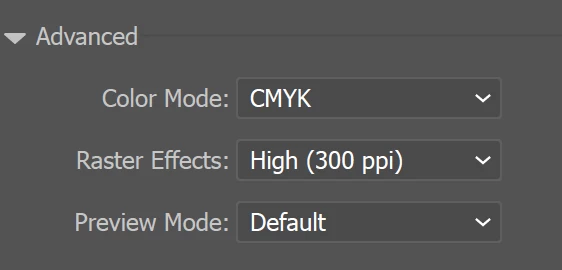
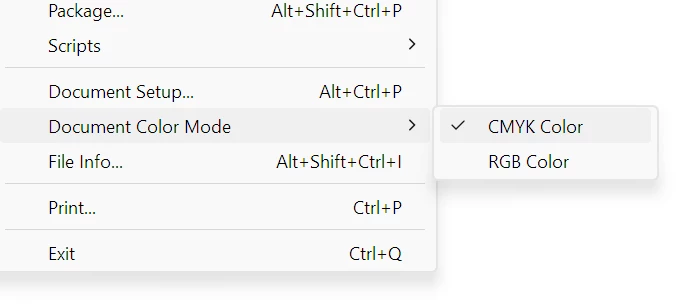
Under File → Document Color Mode, it is set to CYMK Color.
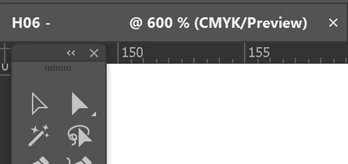
The file tab shows CMYK as expected:
Then, I draw a black line with the following CMYK value
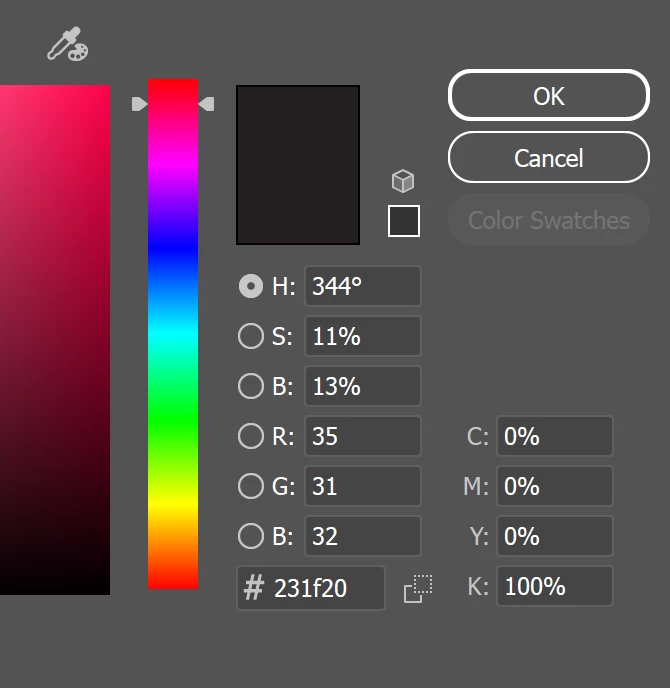
Illustrator draws a line as expected and using the Color Picker tool from PowerToy, it also shows correct value.

After reading some documentation, it seems that TIFF and PDF file format supports CMYK, so first I exported in in TIFF format.

As you can see, it’s slightly off. Then I exported to PDF file and did the same thing:

Not only that, these two black are different either.
I played with a few other settings, but nothing seems to be working. So now I am not sure what to do. If anyone is expert in this area, could you spot and see what I am doing wrong.
If any expert can chime in here and provide some insights, that would be greatly appreciated.
Thank you.
 AdChoices