Participant
August 9, 2022
Answered

Extra bit appears when joining objects

  • August 9, 2022
  • 1 reply
  • 852 views

Hi,

Really hoping someone can help because this is driving me up the wall. 

Whenever i join these 2 objects an extra little bit appears that is not part of the shape.
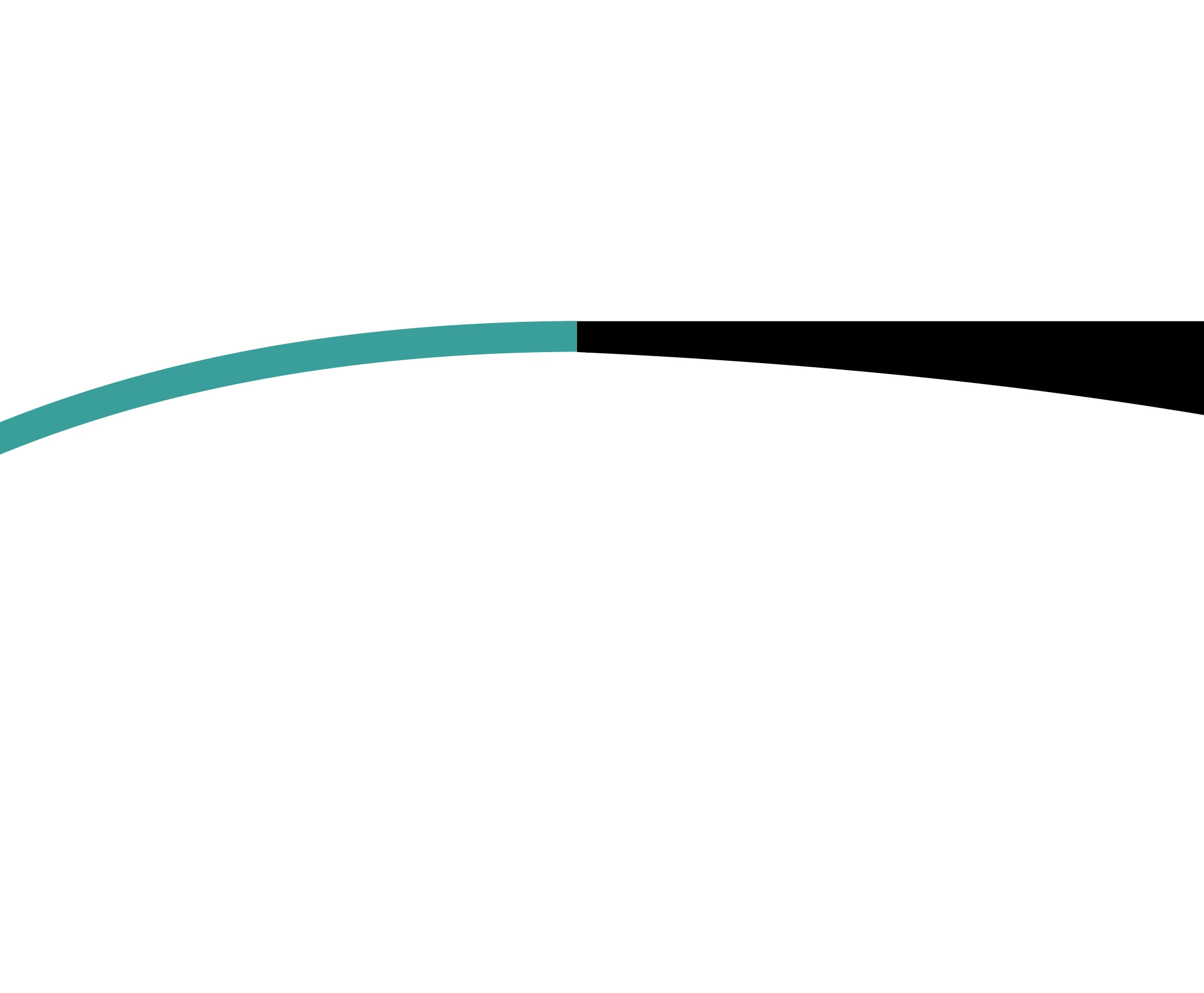
It doesn't matter if I use shape builder or pathfinder, I get the same result. I have also gone through path>join to make sure they are complete shapes. I can't erase it either because its not part of the shape.


I have restarted Illustrator completely, updated it and tried copy and pasting the objects into a new document and it still happens. 


Please help me.

This topic has been closed for replies.
Correct answer Anshul_Saini

Hi @H.Mac,


We are sorry for the trouble. This is expected behaviour on the CPU view. The CPU view shows correct output, whereas the GPU view is used for performance and real-time drawing, which can sometimes show incorrect output on a higher zoom level. You can quickly switch between GPU & CPU view using the ctrl/cmd + e shortcut. You will not see this abnormality in the exported file or while printing if it is showing up correctly in the CPU view.


I hope that clarifies!


Regards,

Anshul Saini

1 reply

tromboniator
Community Expert
Community Expert
August 9, 2022

Please try pressing cmd/ctrl+E or go to View menu > View using CPU and see if that makes the shapes appear correctly. There seems to be a game of Leapfrog that goes on as Adobe Illustrator, operating systems, and graphics cards try to improve yet manage to leave each other behind. Or something like that.


Peter

H.MacAuthor
Participant
August 16, 2022

Thanks, that did fix it however then the whole document becomes slow. 

Anshul_Saini
Community Manager
Anshul_SainiCommunity ManagerCorrect answer
Community Manager
August 16, 2022

Hi @H.Mac,


We are sorry for the trouble. This is expected behaviour on the CPU view. The CPU view shows correct output, whereas the GPU view is used for performance and real-time drawing, which can sometimes show incorrect output on a higher zoom level. You can quickly switch between GPU & CPU view using the ctrl/cmd + e shortcut. You will not see this abnormality in the exported file or while printing if it is showing up correctly in the CPU view.


I hope that clarifies!


Regards,

Anshul Saini