
erinw27742352
Participating Frequently
December 11, 2017
Question

Extra lines (not visible in .ai or .pdf) show when printing

  • December 11, 2017
  • 5 replies
  • 4457 views

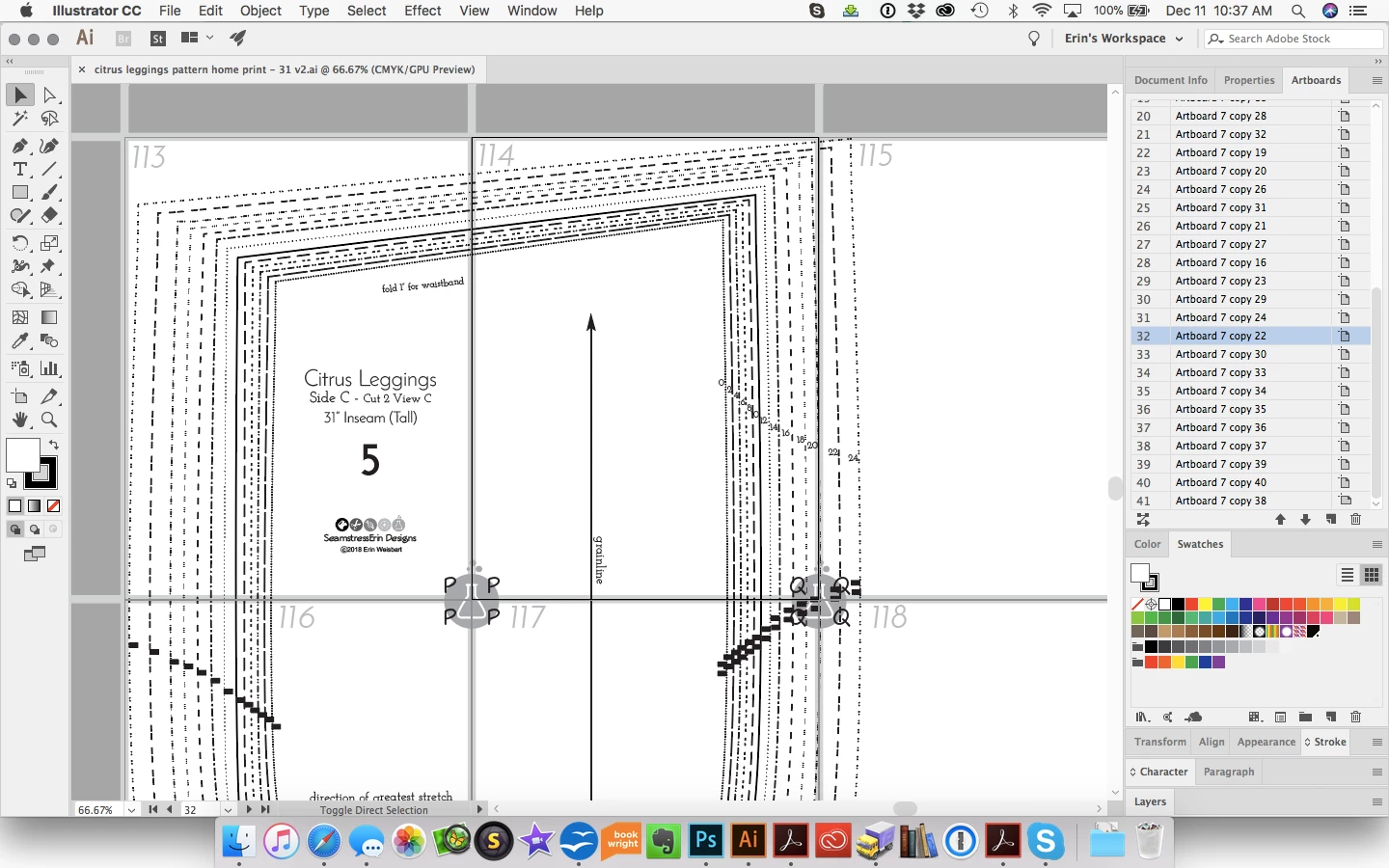
I have an illustrator file that I've saved as a pdf for print. The .ai and .pdf look fine but when it is printed a whole extra set of lines appears. How do I get those lines to show in the .ai so I can delete them? How do I make sure there aren't other such lines?

Thanks - Erin

What it should look like:
What prints:

This topic has been closed for replies.

5 replies

Participant
November 21, 2023

Hi!
I'm facing the same issue. If there was any resolution to this issue at all?
Thank you!

Monika Gause
Community Expert
Community Expert
November 21, 2023

What exactly is in the file?

Which Illustrator version, system and printer is it?

Do you use Acrobat for printing?

Please show a photo of the print.

Participant
November 21, 2023

I'm using the 2015 version od Illustrator.  The issue is that additional lines appear once the document is printed, but these lines are not visible in the AI or PDF. The person who printed it used Adobe Acrobat Pro, but generally, I don't have control over the printing process. These digital patterns are sold worldwide, and I want to ensure this problem is avoided regardless of the printing program used. For example, when I use Adobe Acrobat to print, these lines do not show up.

Michael Riordan
Inspiring
December 12, 2017

Like the others, I'm having a bit of a problem understanding why the numbering sequence is off but by looking at the screen shot it appears that the problem is on the same artboards 31 32 but I'm not able to reproduce the problem. I did notice that the paths are drawn with extra anchor points sitting on top of each other or very near each other at nearly every anchor that I looked at. You might try cleaning that up.

erinw27742352
Participating Frequently
December 13, 2017

I'm so sorry. The files I initially uploaded were from the wrong folder. I've uploaded new files (the ones that actually have the problem) and have changed the links in my previous message. The numbering sequence should be as described now.

sharp_hands16B8
Community Expert
Community Expert
December 11, 2017

I see all the lines when I open the AI file.

erinw27742352
Participating Frequently
December 11, 2017

All of the lines in your screenshot should be there. It's specifically pages 113/144 (artboards 31/32) that have the mystery extra lines.

Kurt Gold
Community Expert
Community Expert
December 12, 2017

The PDF you provided contains only 110 pages.

Therefore I cannot take a look at the issues on page 113, 114 or 144.

sharp_hands16B8
Community Expert
Community Expert
December 11, 2017

In Illustrator, under View, can you choose Outline View and send us a screenshot?

Do you see the lines there? This looks like a merchandising/fashion template file often not drawn in Illustrator. These other apps will often generate compound paths, or clipping masks, that are hidden until something goes wrong on print. This can also be affected by the printer you output from. If it's not postscript for example, or something else like that which has an independent RIP device.

Check outline view and see if those extra lines are visible there.

If so, for testing purposes, Select All, and go to Object in the menu, come down to Clipping Mask, and choose Release. See if the lines show up then.

erinw27742352
Participating Frequently
December 11, 2017

Here's the outline view. The extra lines aren't there. No clipping masks are in use anywhere. I drew everything in the file natively in .ai. It's not imported from any other program.

Kurt Gold
Community Expert
Community Expert
December 11, 2017

Can you share the .ai file and .pdf file?

Monika Gause
Community Expert
Community Expert
December 11, 2017

Which PDF viewer app has been used to print that result?

Acrobat?

erinw27742352
Participating Frequently
December 11, 2017

I don't know what apps have been used but I have had a variety of testers tell me that they are getting the same result. I need to be sure that the lines won't print for anyone, no matter what the app is used as these are part of digital patterns that I sell and I have no control over what programs my customers use to print (though I do recommend Acrobat).

The lines are not visible when I open the .pdf file in Acrobat or Preview.