


Participating Frequently
April 22, 2025
Question

Extra pixel when exporting an artboard

  • April 22, 2025
  • 1 reply
  • 190 views

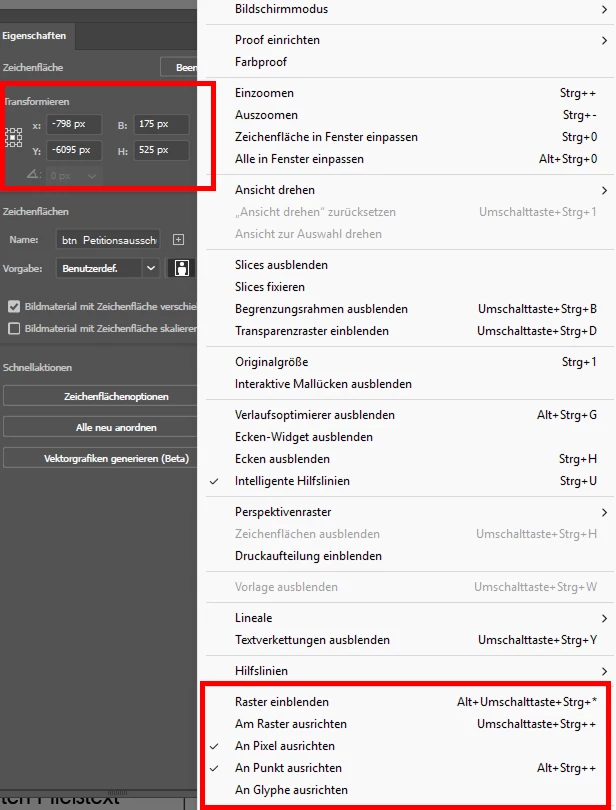
I am trying to export some artboards in 175x525 px.

I made sure that

- "align to pixel" is enabled

- the size of the artboard exactly is round,  no decimals

- the position of the artboard is round, no decimals

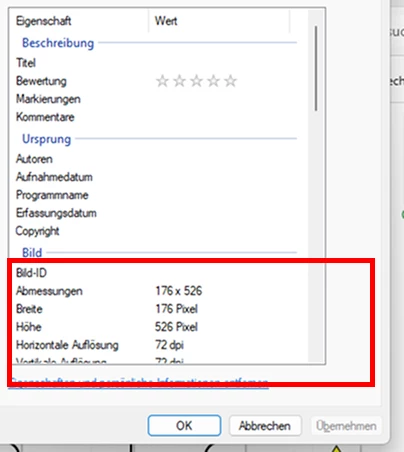
when I export it via "export fro screens", the exported image is not 175x525 px, but 176x526, e.g. with one extra pixel each side, which makes it impossible to use in other software where I need precise sizes. What am I missing, why is this happening? How do I fix it?
 

1 reply

Anubhav M
Community Manager
Community Manager
April 22, 2025

Hello @17665550,

Could you try the suggestions shared in this community post (https://adobe.ly/4jGZjYB) and let us know if they help?

Looking forward to hearing from you.

Anubhav

Me0D45Author
Participating Frequently
April 22, 2025

Thank you for linking it! 

I have tried the following:


B) set your artboard reference point to the top left corner and you can then deal with whole numbers instead of messing around with decimals.


and it fixed hte issue, but it means I have to go through tens of artboards manually and fix the reference point for each of them? I am glad that there is some kind of solution, but it is a lot of manual work, is there a way to avoid it in the future and not adjust every artboard manually? (I work with big files with hundreds of images)

Ton Frederiks
Community Expert
Community Expert
April 22, 2025

For multiple artboards, you can use Rearrange All Artboards with a spacing that does not contain fractions.