HawkenKing
Known Participant
January 4, 2017
Answered

extrude and bevel broken in latest version (shots and steps to recreate)

  • January 4, 2017
  • 1 reply
  • 1220 views

for some reason, it doesn't draw the side walls. You can reproduce this by selecting an object, go to 3D > extrude & bevel and set the vertical axis rotation to 0.

Screen shots with a simple rectangle and boolean box. You can see the sides are not being drawn. Once the effect is completed, and appearance is expanded, the sides do not exist.
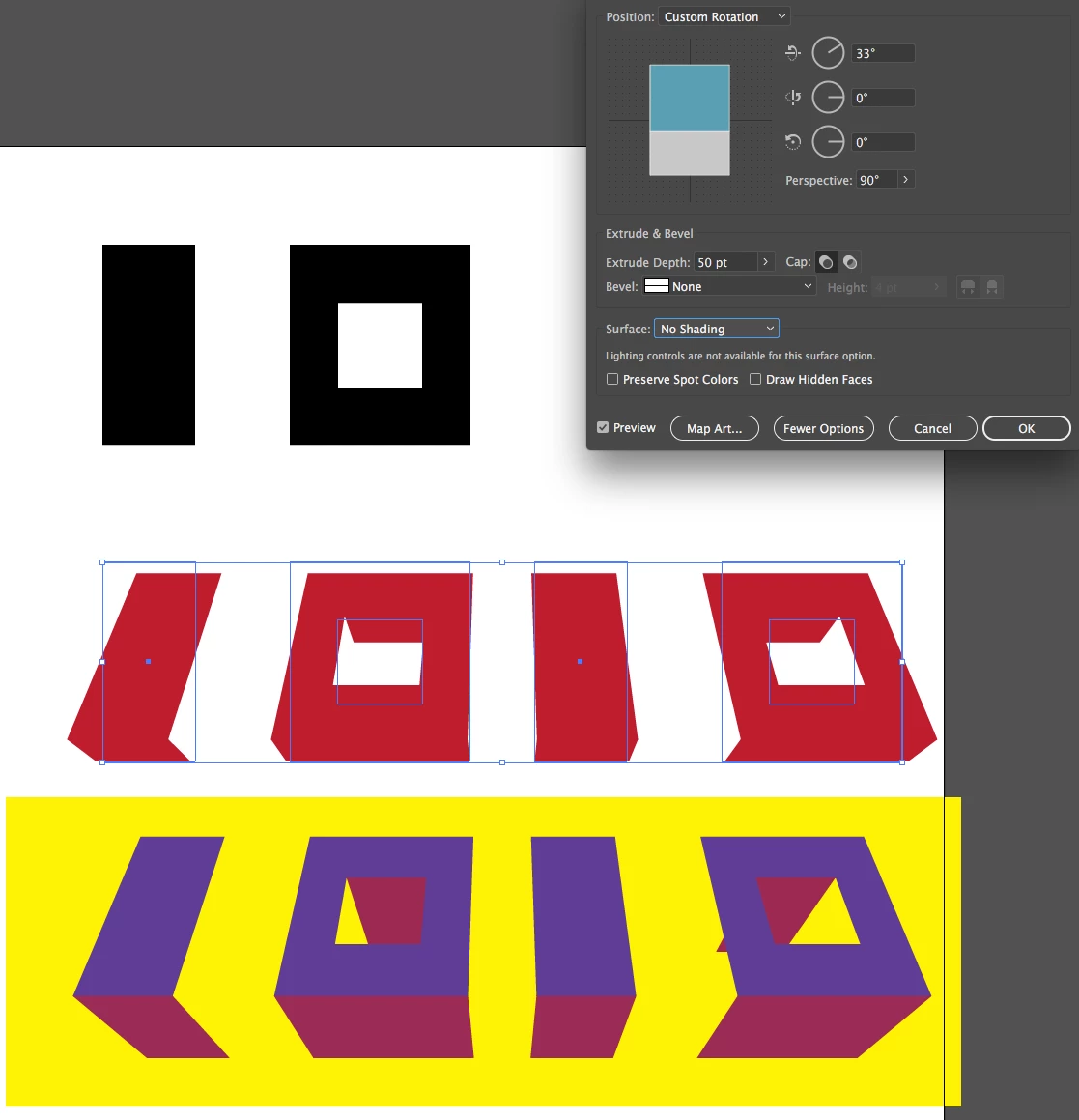
Also it sometimes shows wireframes even though not in wireframe mode.
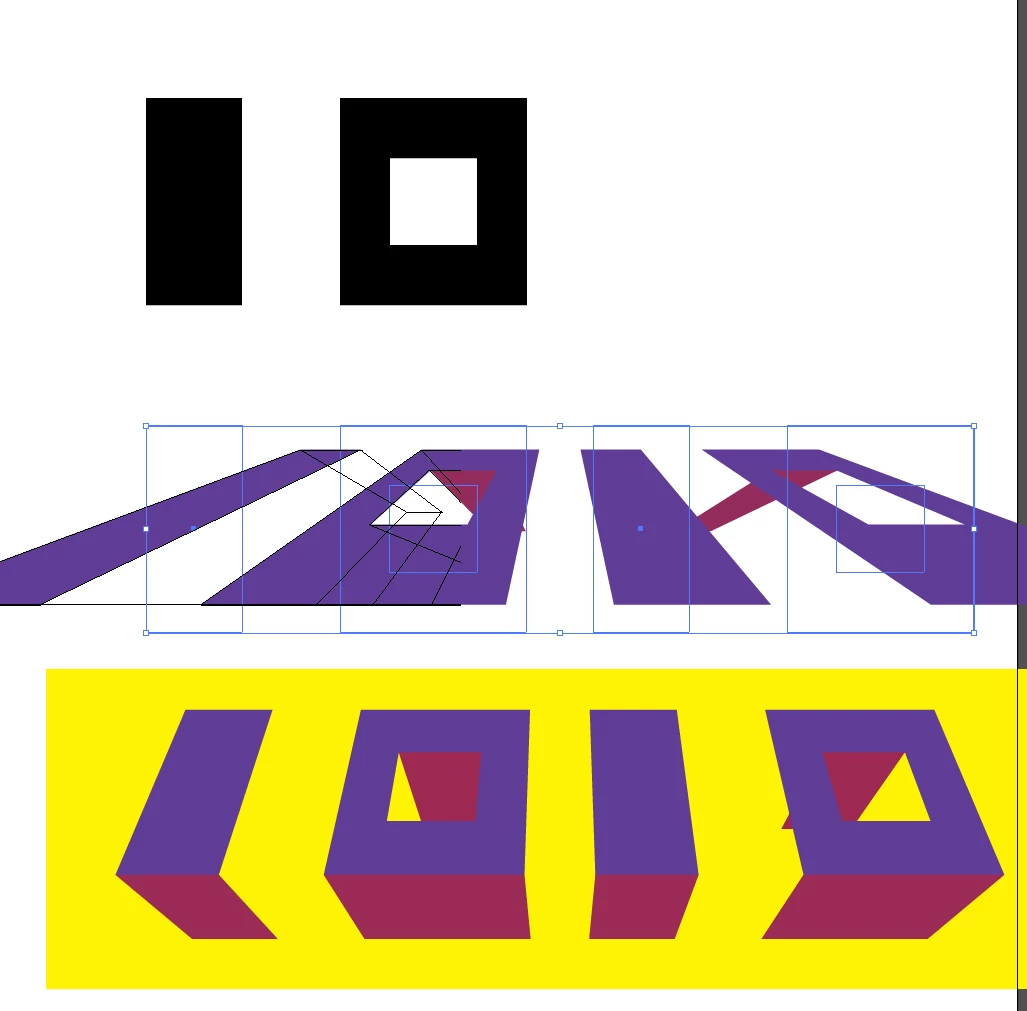
This topic has been closed for replies.
Correct answer Ton Frederiks

Yes I know, but it has been like that since at least version CS4 (the earliest version I still can check).

You may want to report it here:

Illustrator Feature Request/Bug Report Form

1 reply

Ton Frederiks
Community Expert
Community Expert
January 4, 2017

It is not new for the latest version, you can give the Y axis is small value like 0,1 and the sides will appear.

HawkenKing
Known Participant
January 4, 2017

version 21.0.0

(latest version on CC)

giving the vertical axis a fractional number does provide a temporary hack, however it's not a fix as you get a slight rotation.

Ton Frederiks
Community Expert
Ton FrederiksCommunity ExpertCorrect answer
Community Expert
January 4, 2017

Yes I know, but it has been like that since at least version CS4 (the earliest version I still can check).

You may want to report it here:

Illustrator Feature Request/Bug Report Form