
Inspiring
December 16, 2024
Question

Eyedropper Tool Not Picking Up Strokes

  • December 16, 2024
  • 2 replies
  • 240 views

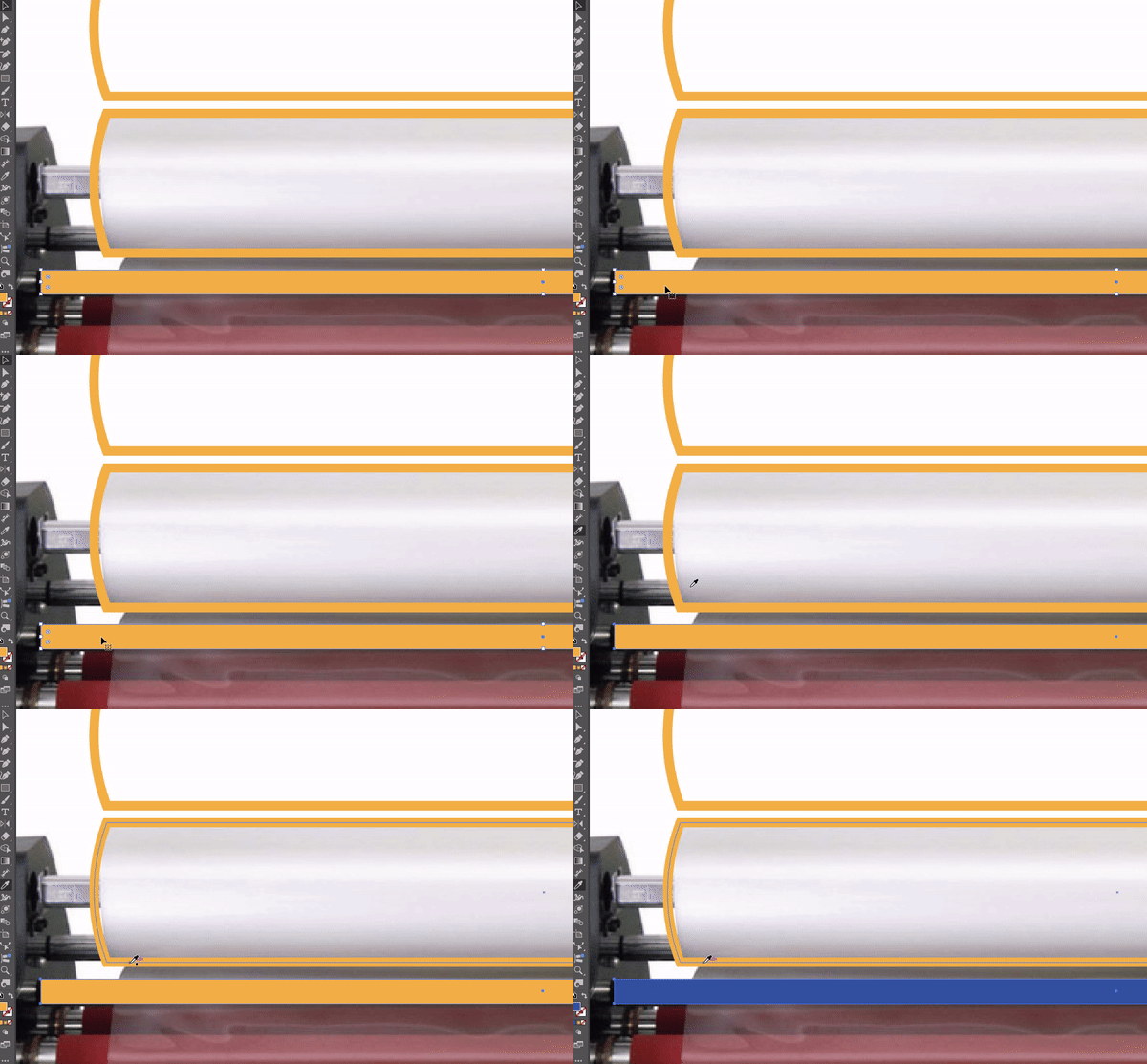
I pressed some combination of keys which broke my eyedropper tool. Now it refuses to pick up strokes (but can pick up fills just fine).


I restarted Illustrator, but that didn't fix it. I wasn't paying close attention when the switch occurred, but it may have been some combo of <, >, /, [, ], or shift. Any ideas what hotkey combination I pressed and/or how to fix it?
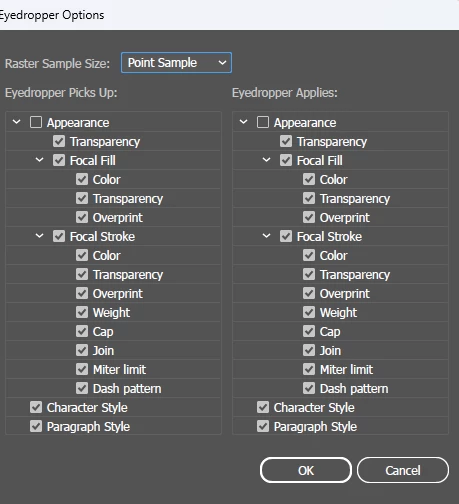
Here are my current settings:
 

This topic has been closed for replies.

2 replies

Kurt Gold
Community Expert
Community Expert
December 16, 2024

Well, the Appearance checkbox in the Eyedropper Options dialog is always turned off as soon as you expand its section. And always turned on when retracted. In fact, that Appearance checkbox is a misleading expander of the entire section. What matters are the options below the main Appearance entry.


Laurie, you may want to share this sample Illustrator file. It's not quite obvious why you get the blue colour when using the eyedropper on the yellow stroked path.

Laurie SAuthor
Inspiring
December 17, 2024

This occurred in a cloud file, so I duplicated it to save locally so I could share. When I did this, unfortunately (or fortunately?) the problem went away. I returned to the original cloud file which still behaves in odd ways:

  • Picks up stroke color and applies as fill
  • Picks up an object's layer color (blue, red, etc)
  • Picks up colors within a gradient (not the gradient itself)


The eyedropper tool has worked perfectly fine in new documents (cloud and local), so I guess I will just delete the file and let this one remain a mystery.

Monika Gause
Community Expert
Community Expert
December 16, 2024

turn on appearance in both columns