Z4cK
Participant
May 15, 2026
Answered

Eyedropper Tool Samples Wrong Fill Color Instead of Visible Stroke in Illustrator

  • May 15, 2026
  • 2 replies
  • 38 views

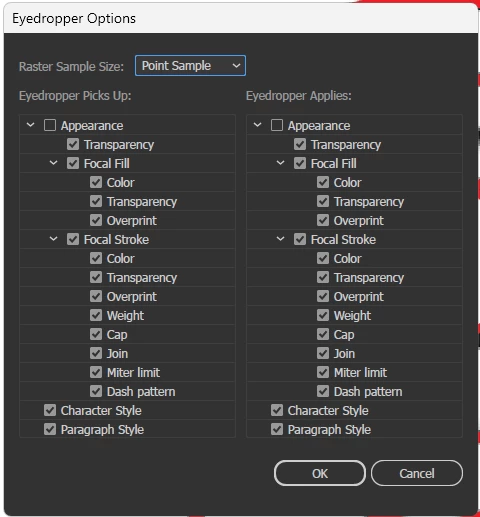
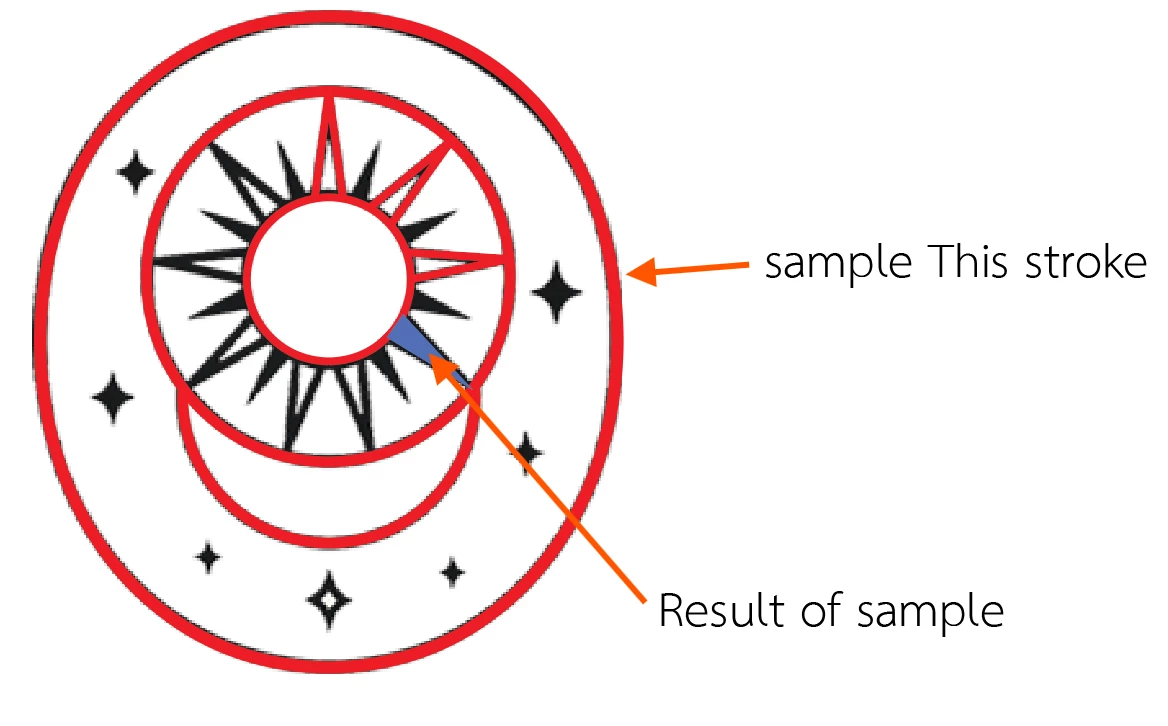
I want to sample the red stroke color from an object, but when I use the Eyedropper, it samples the blue color of the object’s bounding box instead.

Instead of changing the stroke color to red, it changes the fill color to blue.


    Correct answer Ton Frederiks

    @Z4cK Thanks, it looks like the image in the top layer: Mark is preventing this.

    If I turn it off, I can pick up the stroke color.

    2 replies

    Ton Frederiks
    Community Expert
    Community Expert
    May 15, 2026

    @Z4cK Good to hear that helped.

    Ton Frederiks
    Community Expert
    Community Expert
    May 15, 2026

    Is it a particular document? If not did you restart, reset Preferences?

    https://helpx.adobe.com/illustrator/using/video/setting-preferences-video.html

    Z4cK
    Z4cKAuthor
    Participant
    May 15, 2026

    Yes, it only happens with this specific document. I’ve already tried resetting preferences and closing/reopening the document, but the issue still remains.

    Ton Frederiks
    Community Expert
    Community Expert
    May 15, 2026

    @Z4cK Can you share that document, but first have a look at the Appearance panel for multiple strokes.