


Participant
January 20, 2025
Question

Eyedropper tool won't work in "Recolor Artwork" > "Advanced Options" for PC

  • January 20, 2025
  • 3 replies
  • 696 views

Hello, we recently came across a funny issue with the feature "Recolor Artwork" in Illustrator for PC. 


When ever we want to use the eyedropper tool in the advanced options for each of the colors, it will not work. BUT it will work if I select a color that's behind the popup window?? Not sure how to explain clearly, but please see gifs below.
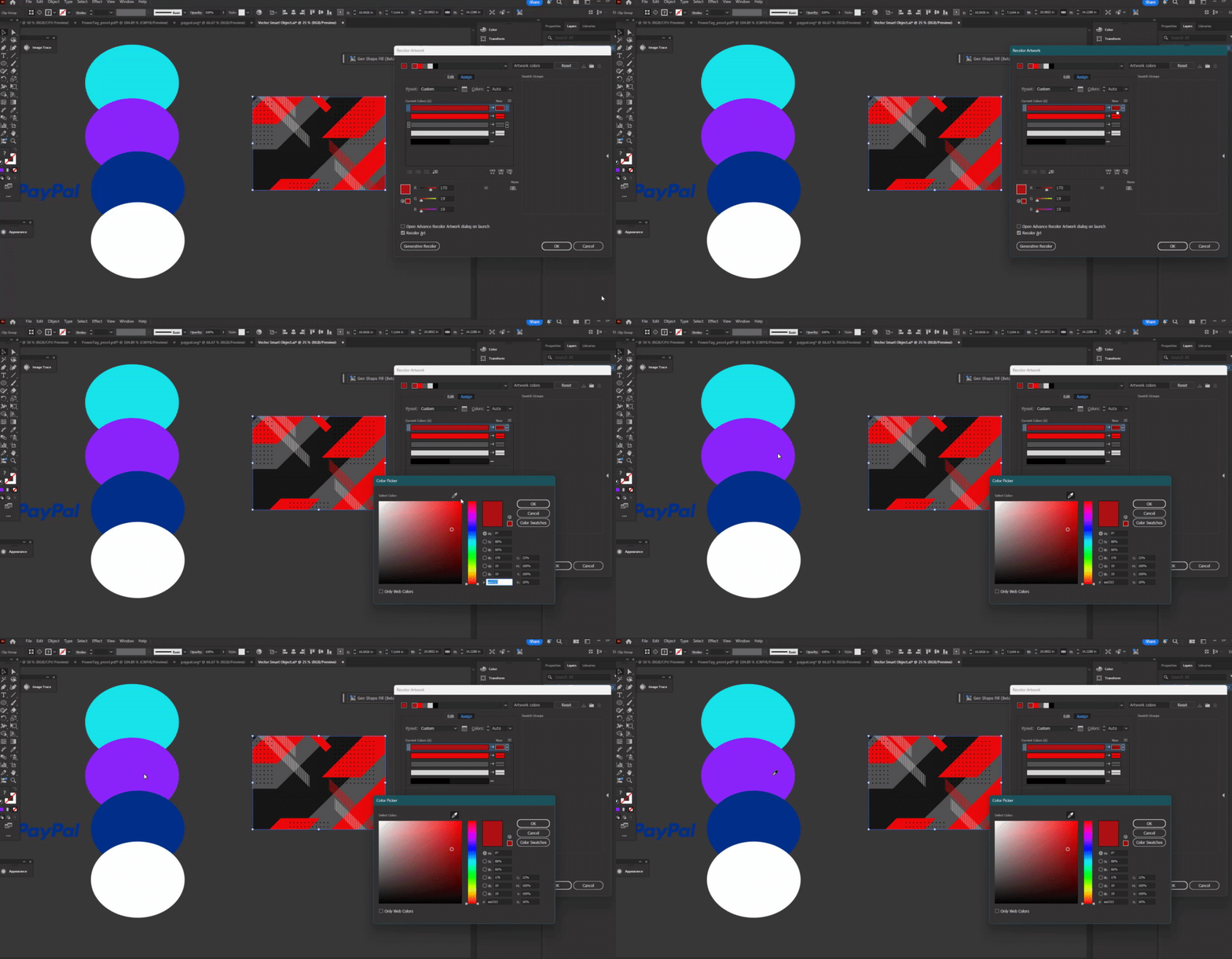
the weird thing: it only lets me eyedrop if the popup window is on top of the thing I want to eyedrop from....(see below)
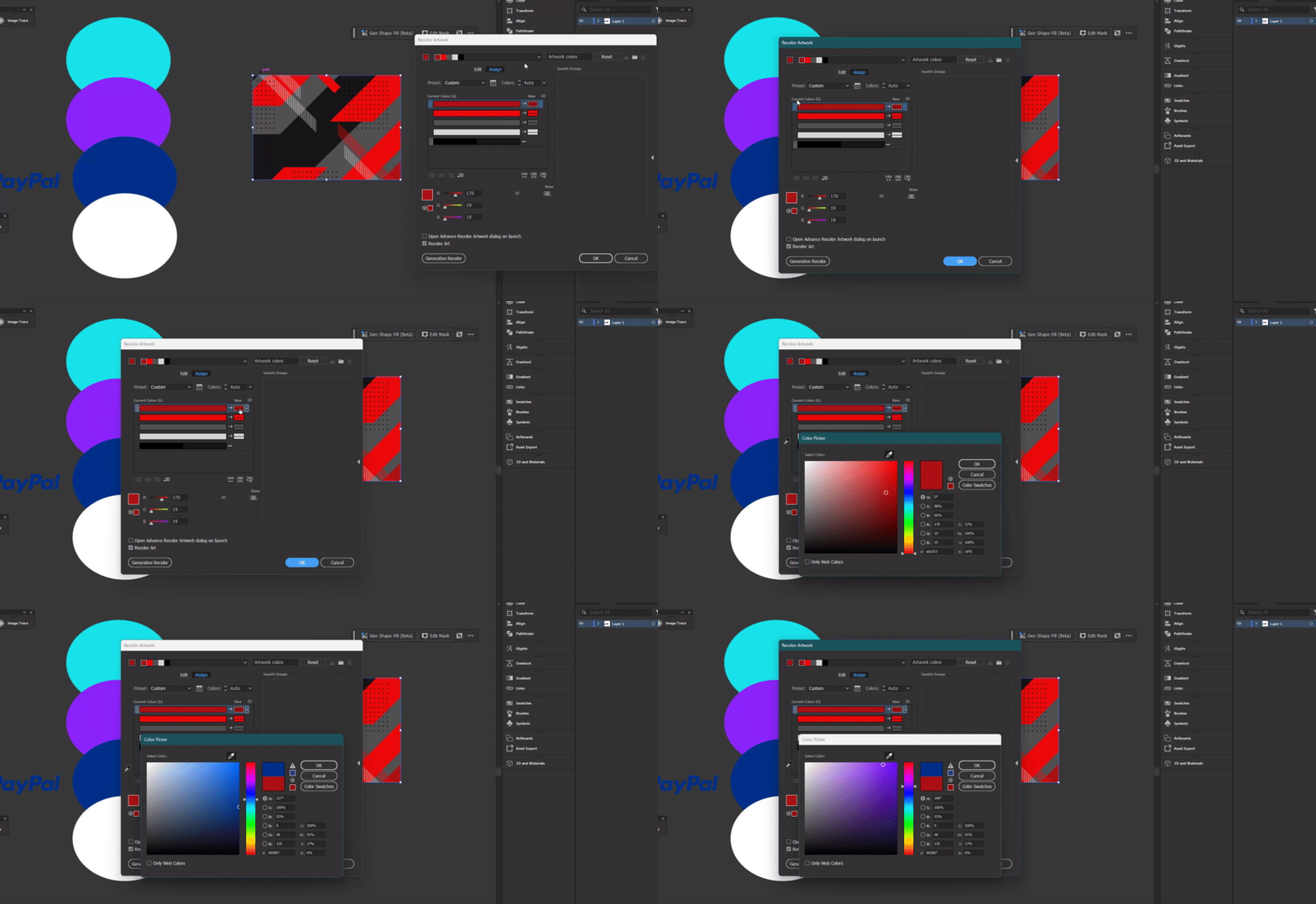
 

I don't know if I'm using this wrong or not seeing something or if this is just a bug for PC. My colleagues who use Mac computers don't seem to have this issue, but PC users do. 


3 replies

Anshul_Saini
Community Manager
Community Manager
January 24, 2025

Hi @Pamela316184660hug,


Thank you for sharing the details. I appreciate @Kurt Gold confirming this behavior on his system—it indeed seems unusual. Anubhav and I are both unable to reproduce this on Windows 11 and macOS Sequoia.


To help us investigate further, could you please:

1. Share your system information. You can do this by pressing Win + R, type msinfo32, and export the file under File > Export.

2. Check if Hardware Acceleration is enabled in Windows’s settings. If it is, try turning it off and see if this resolves the issue.


These steps will help us understand the cause better. Let me know how it goes!


Best regards,
Anshul Saini

Participant
February 28, 2025

Hello @Anshul_Saini 

The issue still seems to be there after trying #2

I've attached my system information below 


sorry for late reply

Anshul_Saini
Community Manager
Community Manager
March 17, 2025

Thanks for getting back to us and sharing your system information. Since we’re still unable to reproduce the issue on our end, could you please create a small screen recording showing the issue from scratch and share a sample file as well? This will help us log the bug with the product team.


I appreciate your help with this.


Best,

Anshul

Kurt Gold
Community Expert
Community Expert
January 21, 2025

Pamela, I can confirm this malfunction (Illustrator 29.2.1, Windows 10 Pro - Version 22H2).


Pretty weird, indeed. Probably a bug.

Anubhav M
Community Manager
Community Manager
January 20, 2025

Hello @Pamela316184660hug,

I tried replicating this behavior on my end but could not. Would you mind running Illustrator under Safe Mode (Windows) and disabling any plugins to check if it helps?

If the problem persists, kindly confirm the exact version of the OS/Illustrator and if you have multiple monitors so I can check this with the team.

Looking forward to hearing from you.

Anubhav

Participant
January 21, 2025

Hello @Anubhav M 

I tried doing what you suggested, but I'm still having the same issue. I'm using Illustrator 29.2.1, the latest version. 

I also only use one monitor.


Thanks for your help