Answered
F1
I'd like to use the F1 key for something other than the Discover panel. Can I do that?

I'd like to use the F1 key for something other than the Discover panel. Can I do that?
Press ctrl + alt + shift + K to access the shortcut,
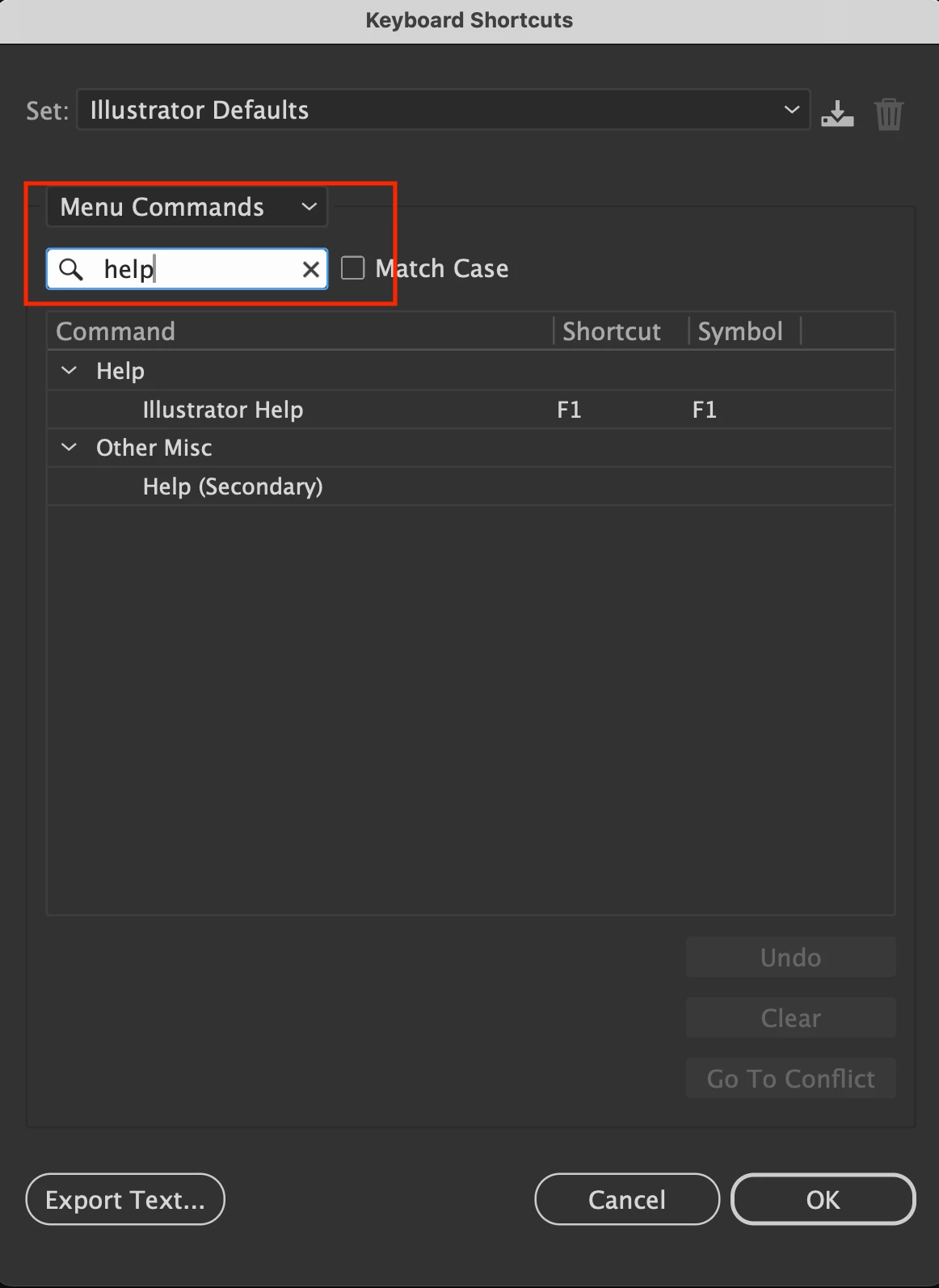
then select the Menu command for Help as shown in the screenshot , you will notice that the F1 is assigned to Help
you can select any command and change it to F1 ,
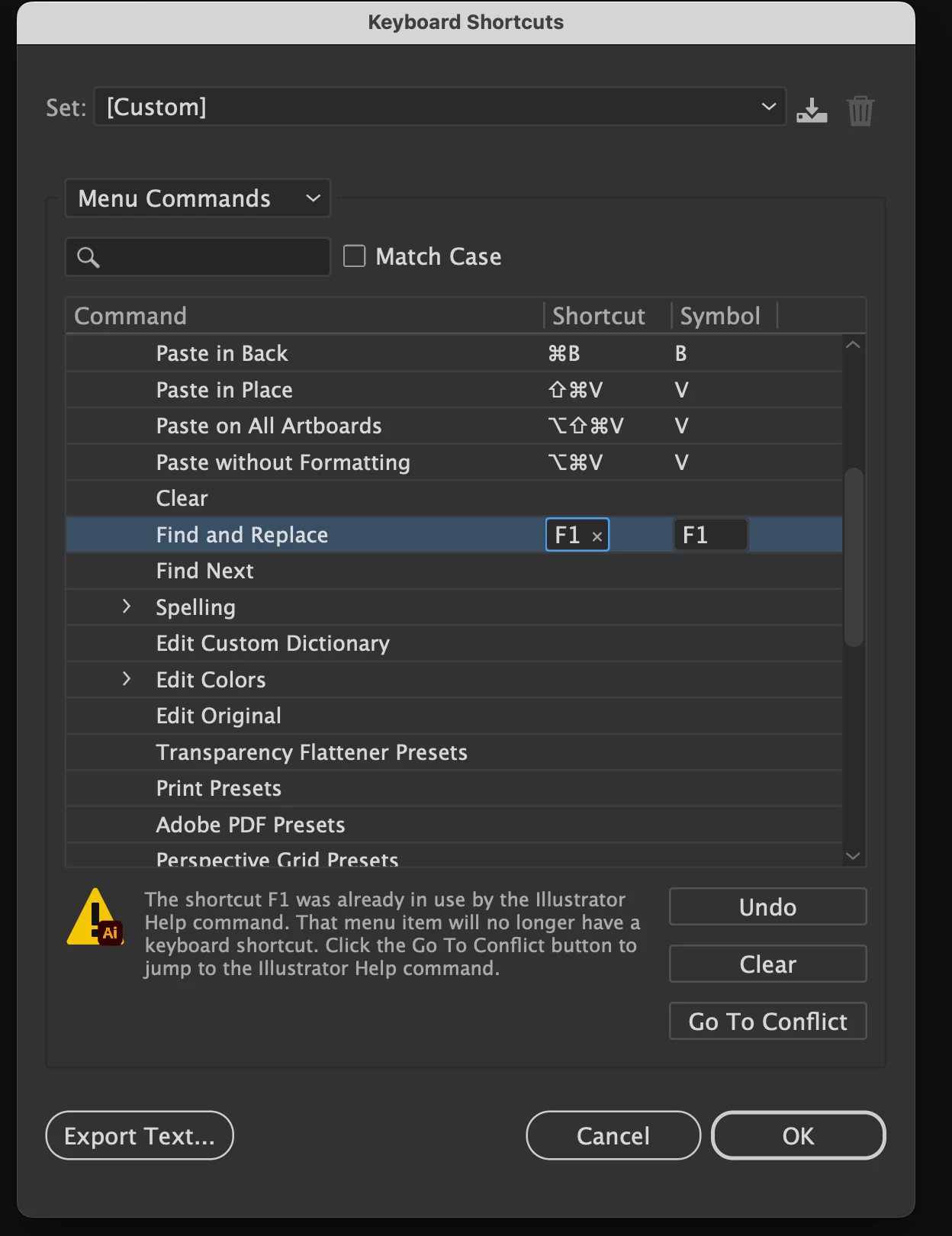
for example If I want to use F1 for Find and replace, just click on the command and press F1 you will be notified that the command is already assigned for the Help and it will no longer be available which is okay, then press Ok
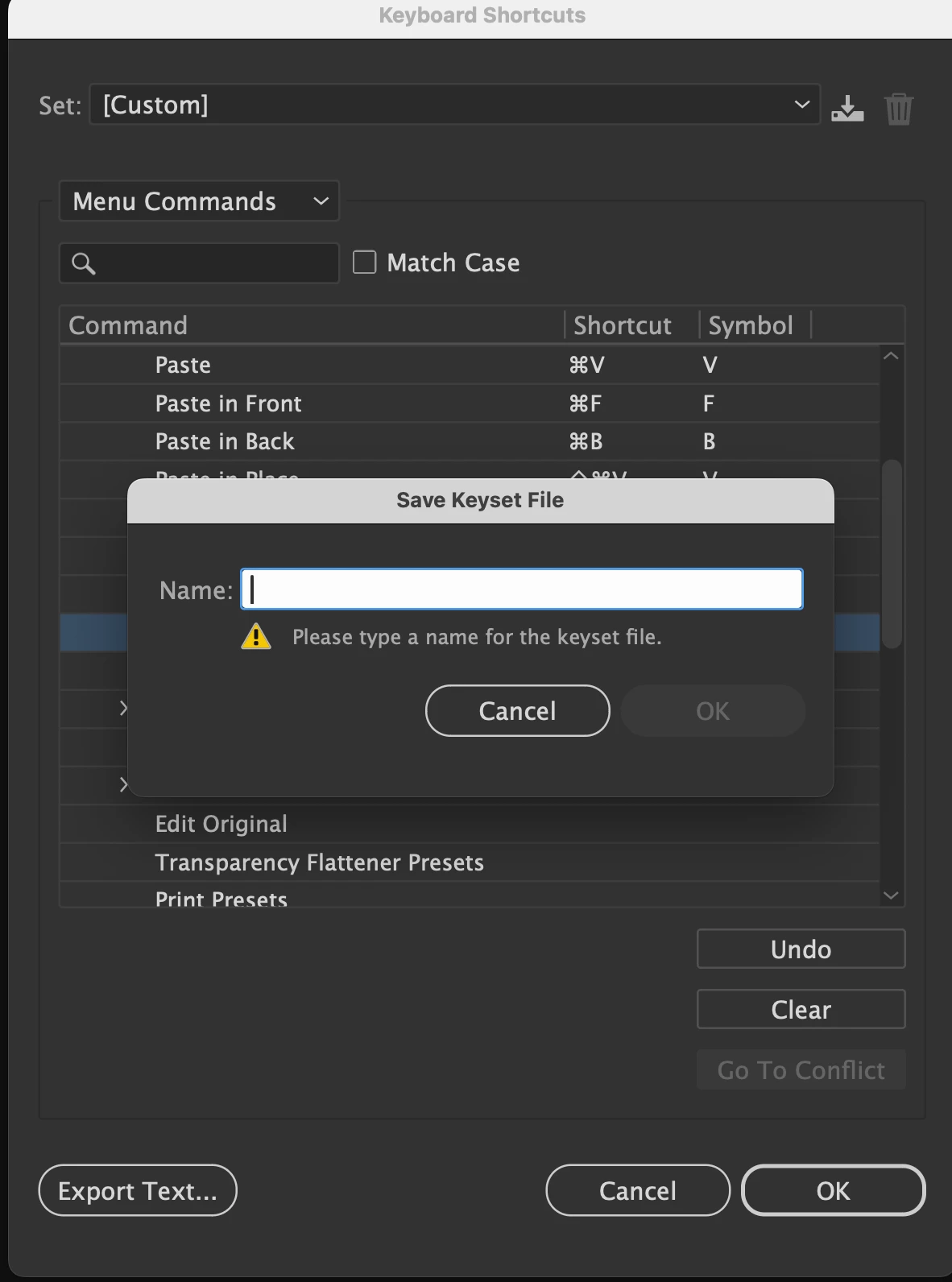
you will also be notified to save it as your keyset, just type your name
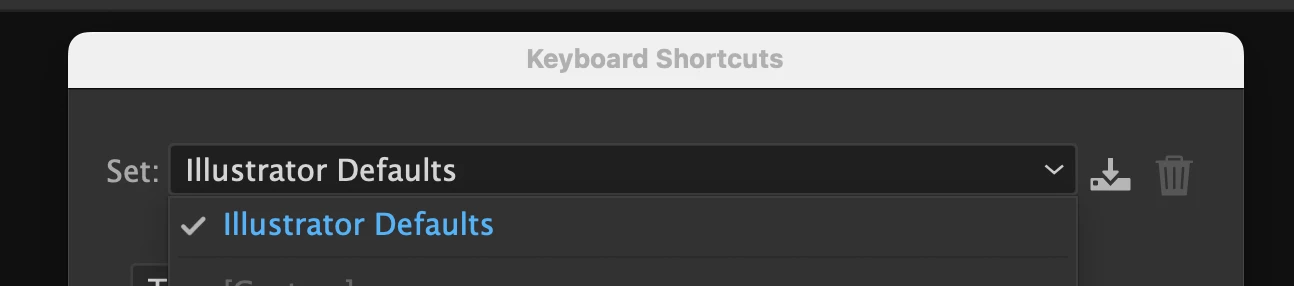
if you want to get back to illustrator default shortcuts, just select illustrator default from the set on the top
Already have an account? Login
No account yet? Create an account
Enter your E-mail address. We'll send you an e-mail with instructions to reset your password.


 AdChoices