November 25, 2025
Answered

FALLA EN PATRONES/ MOTIVOS

  • November 25, 2025
  • 2 replies
  • 324 views

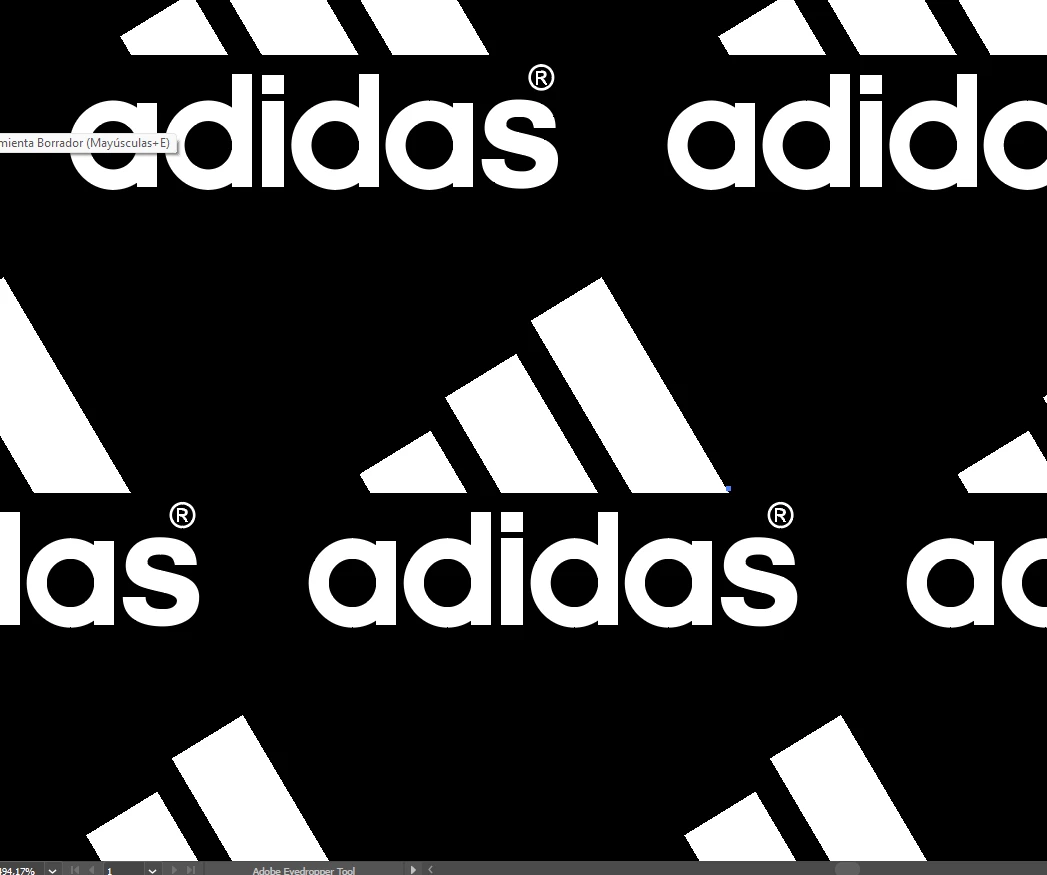
ESTOY HACIENDO UNOS PATRONES Y LO ESTOY HACIENDO CON EL PANEL DE MOTIVO, NECESITO DESPUES DE HACERLO PONERLOS EN 45 GRADOS Y ALLI ME SALEN UNAS PEQUEÑAS LINEAS Y SE NOTA AL MOMENTO DE IMPRMIR, HAY ALGUNA FORMA DE QUE ESTO NO PASE, O COMO LOS HAGO?, MUCHAS GRACIAS.

Correct answer Ton Frederiks

Try if it disappears if you change GPU Preview to CPU Preview (Cmd E or Ctrl E)

If it disappears it is caused by anti-aliasing and you can prevent it when exporting to an image by using Art Optimized anti-alliasing.

Use vectors in the pattern maker, if your logo is an image, vectorize it first without background.

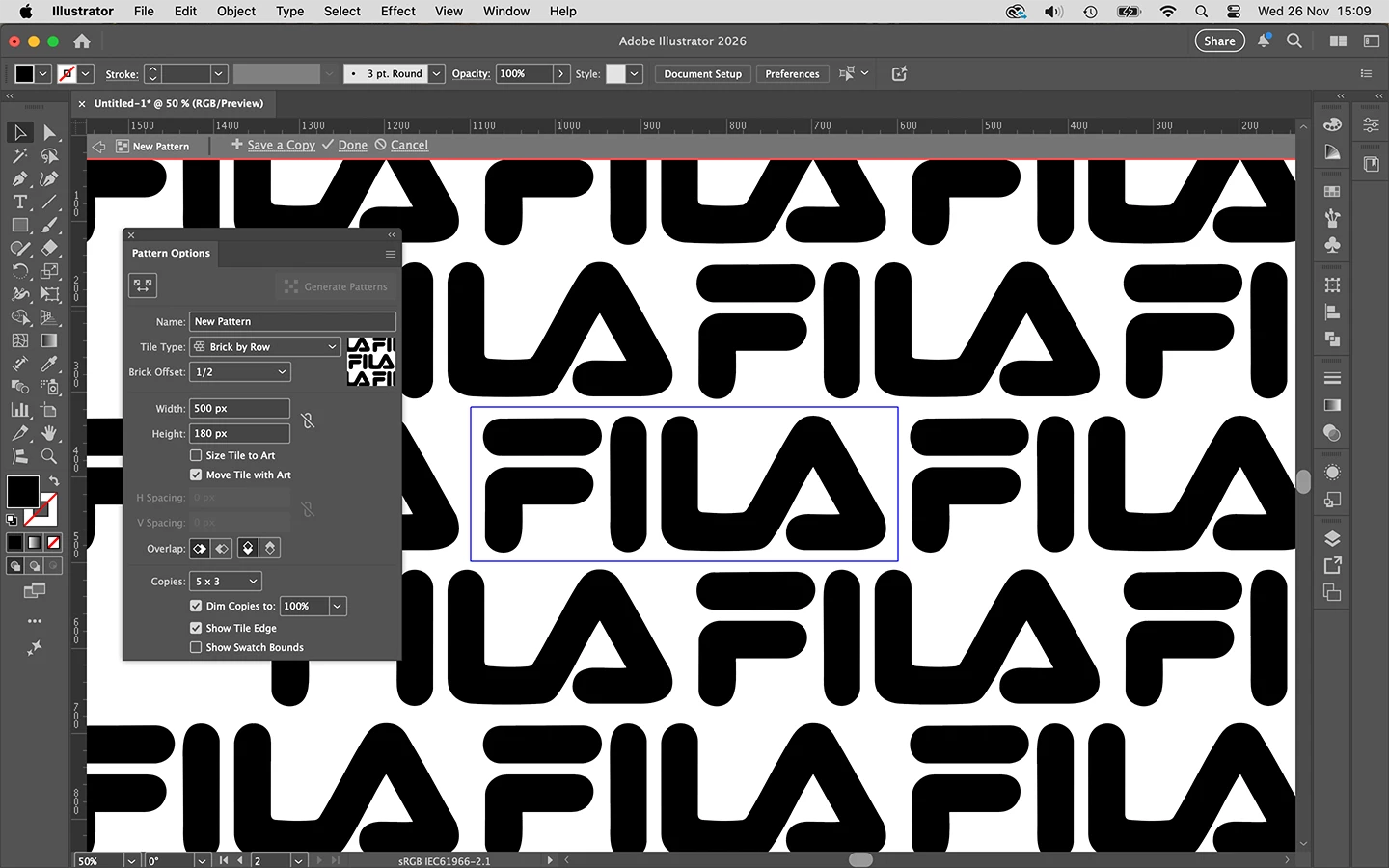
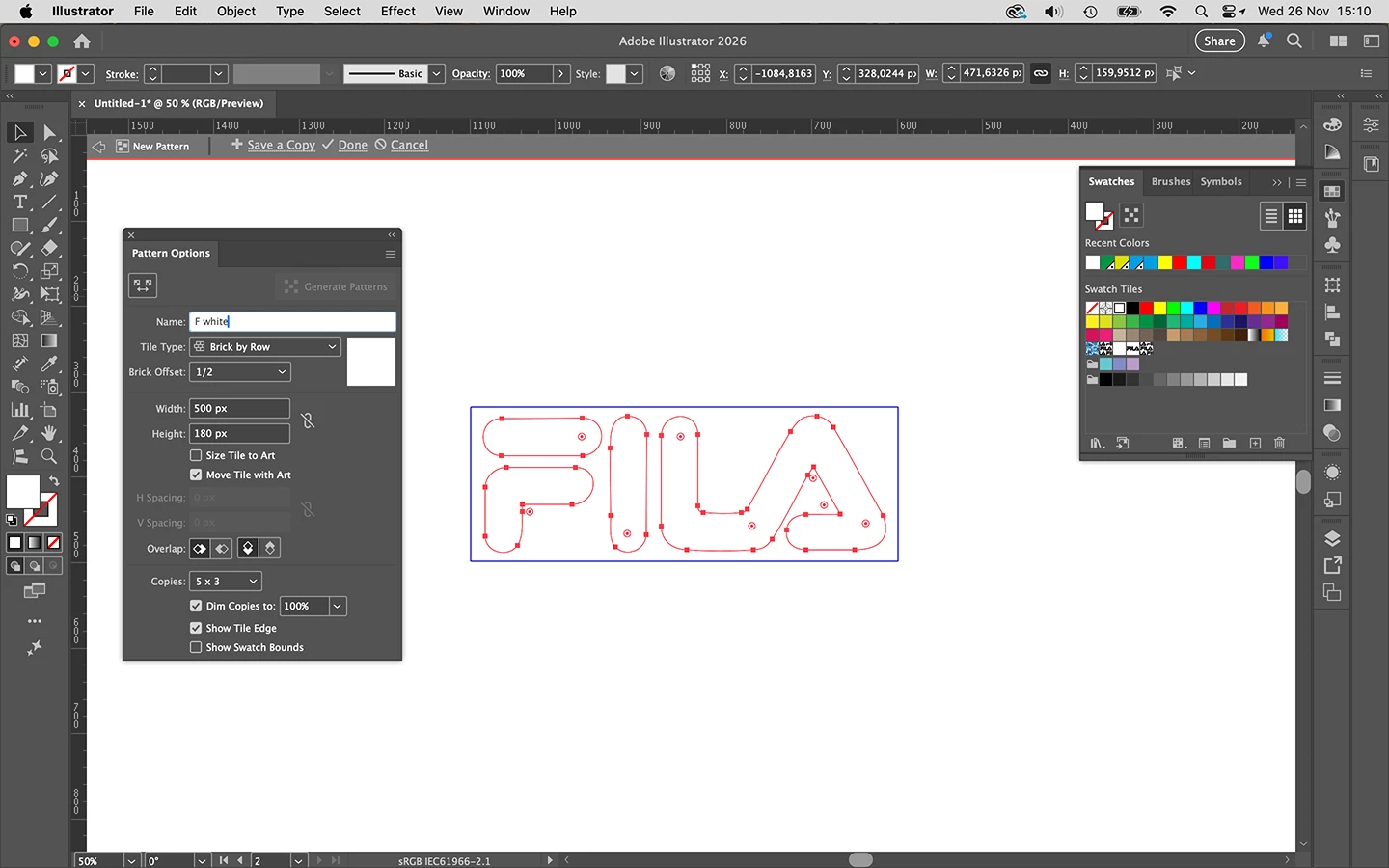
When creating the pattern, make sure you don't have fractional pixels in the Width and Heighth boxes in the Pattern maker. I started with a black version to get the position right and saved a copy with a white version.

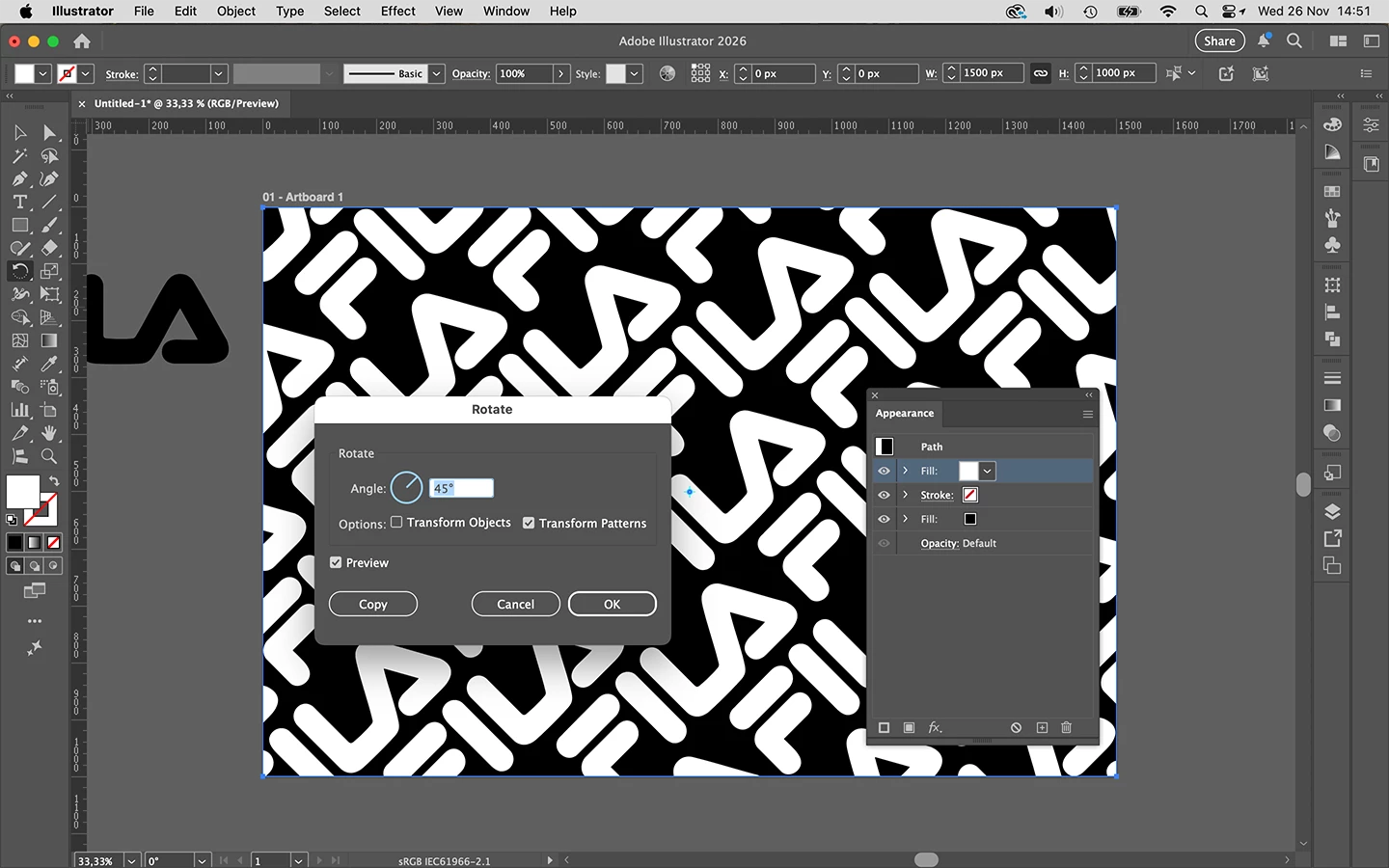
I filled a rectangle with the white version, rotated it 45 degrees and added an second black fill in the Appearance panel.
2 replies

Ton Frederiks
Community Expert
Community Expert
November 26, 2025

In addition to what Barbara said, don't use a black background as part of the pattern (you may have one temporarely during pattern making), but add a black fill to an object with the pattern applied in the Appearance panel.

JMBS10Author
November 26, 2025

acabo de probar como me dices y sigue dando la falla

Ton Frederiks
Community Expert
Ton FrederiksCommunity ExpertCorrect answer
Community Expert
November 26, 2025

Try if it disappears if you change GPU Preview to CPU Preview (Cmd E or Ctrl E)

If it disappears it is caused by anti-aliasing and you can prevent it when exporting to an image by using Art Optimized anti-alliasing.

Use vectors in the pattern maker, if your logo is an image, vectorize it first without background.

When creating the pattern, make sure you don't have fractional pixels in the Width and Heighth boxes in the Pattern maker. I started with a black version to get the position right and saved a copy with a white version.

I filled a rectangle with the white version, rotated it 45 degrees and added an second black fill in the Appearance panel.
barbara_a7746676
Community Expert
Community Expert
November 26, 2025

Have you tried rotating to 45 degrees before creating the pattern?

JMBS10Author
November 26, 2025

el problema es que hay figuras que son rectagulares y despues me quedan muy separas