
Participant
November 10, 2022
Answered

File goes "Text Import Options" after device got blue screen

  • November 10, 2022
  • 2 replies
  • 3520 views

So... it's few hours after I working on my illustration, suddenly a blue screen came on. I was worried and this happened. When I open the file, there's massasge "Text Import Option", and after click "ok" button, the file is blank
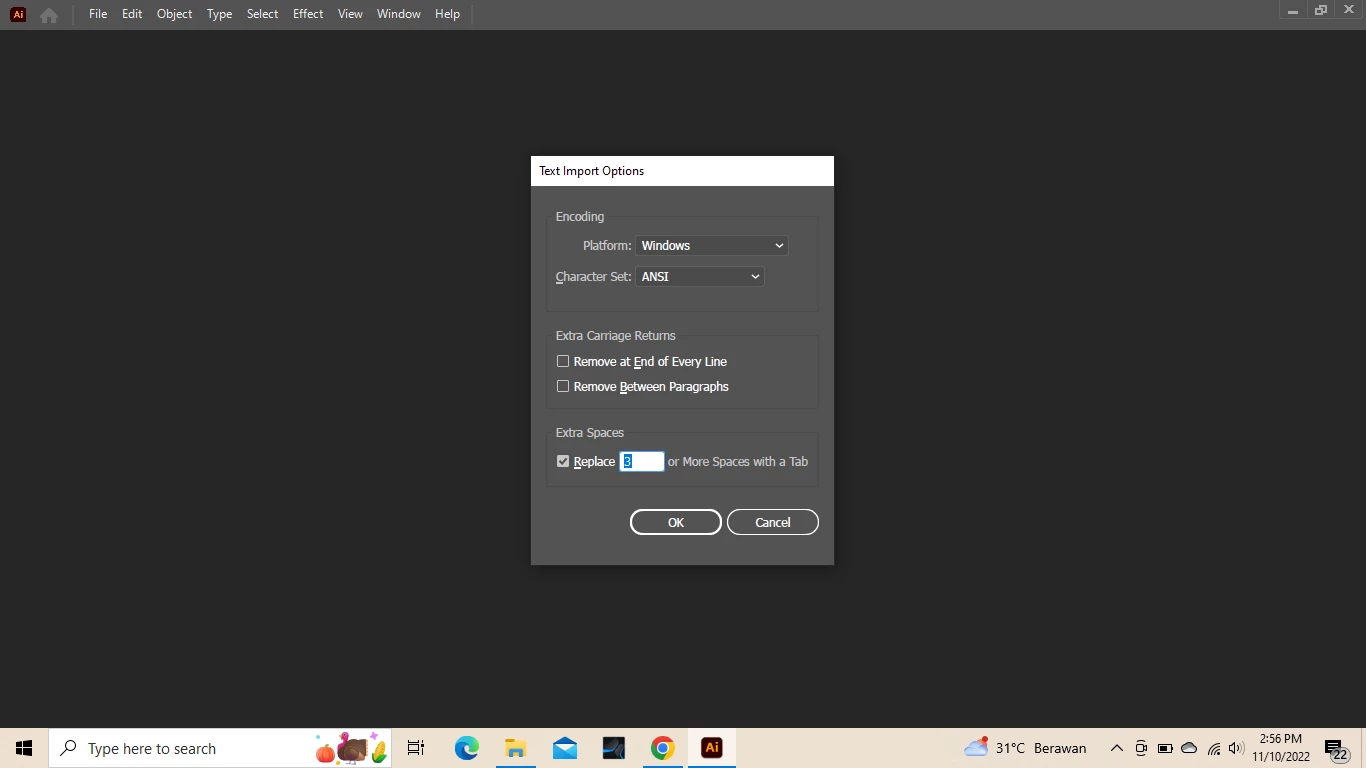


I was looking for similar problems on Adobe forums, but there is no definite answer. If there's any suggenstion, I'd be grateful!

This topic has been closed for replies.
Correct answer Anshul_Saini

Hi @Cucu27,


Thanks for reaching out. I agree with Mylenium. This error generally pops up when the file has gotten corrupted or opened directly from a network drive/ folder.


I would recommend saving more often and making multiple back-ups. Additionally, you may also try saving the files as Cloud Document, which gets saved automatically after every 5 minutes by default and have version histories.


Thanks,
Anshul Saini

2 replies

Anshul_Saini
Community Manager
Anshul_SainiCommunity ManagerCorrect answer
Community Manager
November 10, 2022

Hi @Cucu27,


Thanks for reaching out. I agree with Mylenium. This error generally pops up when the file has gotten corrupted or opened directly from a network drive/ folder.


I would recommend saving more often and making multiple back-ups. Additionally, you may also try saving the files as Cloud Document, which gets saved automatically after every 5 minutes by default and have version histories.


Thanks,
Anshul Saini

Cucu27Author
Participant
November 12, 2022

Hello Mr. Anshul Saini, I also agree with Mr. Mylenium
The size is 3Mb after some time working. I'm not sure if that can be recovered...

It turns out that it can certainly happen on my file... and seems there's no much I can do other than restore it by repeating my work

I learned a lot from you and Mr. Mylenium, thanks for the opportunity after spending your time here on my question. I appreciate it!

Mylenium
Legend
November 10, 2022

It's usualyl not worth wasting time trying to recover the files. Unfortunately AI's file format isn't very robust and once it's damaged most of the tiem it's gone for good. If at all something may show up in Acrobat or when importing the file in Photoshop, but of course that doesn't do you much good. It may be a better use of your time to just start over than wait for fixes.


Mylenium

Cucu27Author
Participant
November 12, 2022

Hello Mr. Mylenium, thank you for your answer and correction
Your information is easy to understand, and after knowing that... I wouldn't expect more, but it can improve me in the future. Because there's nothing I can do other than that

Then lastly, it will be a good experience, so I can be more careful in managing my AI files in the future.
I appreciate your time here! Thank you.