
Inspiring
November 26, 2019
Question

Fill colour not matching outline

  • November 26, 2019
  • 1 reply
  • 231 views

Hi,

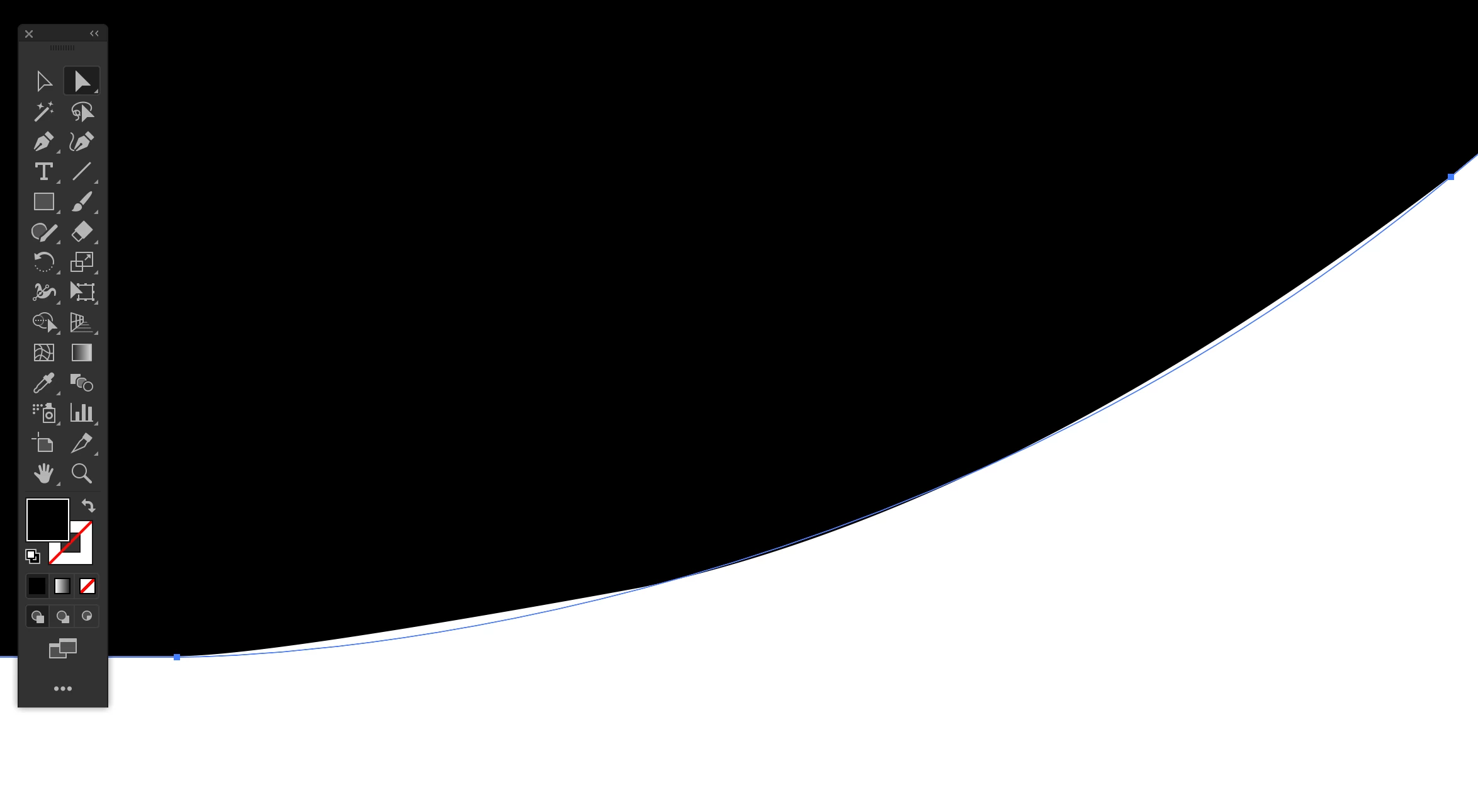
I have a logo with the fill colour inconsistently not fitting the outline.

There is no stroke and the 'bug' goes away if I check the overprint preview mode.

Attached a screen shot where you can see (if you look closely!) what I am talking about. Along the curve line sometimes the black fill is inside the outline, sometimes out side.

This effect is recreated if I draw a new curve from scratch.

Maybe its an issue with my gpu?


Macbook Pro 2017, Radeon Pro 560. OSX Catalina 10.15.1

Adobe Illustrator 24.0
This topic has been closed for replies.

1 reply

silk-m
Community Expert
Community Expert
November 26, 2019

Hi,

When "View using GPU" is selected and the display is enlarged greatly, a gap can be seen.

If “View using CPU” is selected, there will be no gap.

I think it's just a GPU issue, but I don't mind it.


--Susumu Iwasaki
Inspiring
November 26, 2019

Good idea @silk-m

I didnt think of switching the gpu preference off. Yes it fixed the problem. So I assume its a gpu problem.


Unfortunatly it bothers me. It isnt a consistent gap from the line so even when zoomed out and I can't see the gap, the flow of the curve is changed. It is very subtle but noticable when drawing typefaces.