vivekg17706440
Known Participant
August 12, 2020
Answered

Fill irregular-shaped object with gradient color

  • August 12, 2020
  • 1 reply
  • 1178 views

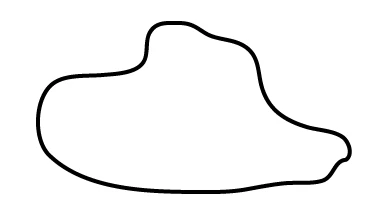
Hi all. I am using Illustrator CS6 and a beginner. I have an irregular-shaped object that I made with the pencil tool (image attached).
 

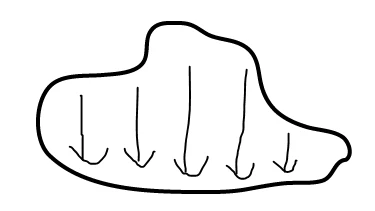
I can re-make the image using another tool if easier, and it doesn't really have to be exact. I want to fill the object with a gradient fill such that it starts off as one color (orange) and blends into another color (red). Ideally this would be along the arrows indicated below, but if this is too difficult or complicated it wouldn't be a big deal if the gradient is strictly vertical. 
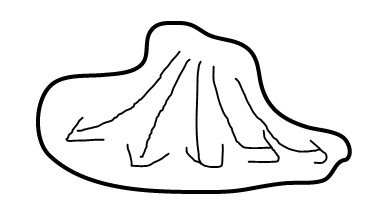
Can someone explain how to do this? Please let me know if anything is unclear. Thanks for all your help! 


This topic has been closed for replies.
Correct answer Monika Gause

A freeform gradient would be well suited for this, but it doesn't exist in your version. A linear gradient would achieve the vertically running gradient. https://helpx.adobe.com/illustrator/using/gradients.html

You could of course try a gradient mesh as well.

https://helpx.adobe.com/illustrator/using/meshes.html

1 reply

Monika Gause
Community Expert
Monika GauseCommunity ExpertCorrect answer
Community Expert
August 12, 2020

A freeform gradient would be well suited for this, but it doesn't exist in your version. A linear gradient would achieve the vertically running gradient. https://helpx.adobe.com/illustrator/using/gradients.html

You could of course try a gradient mesh as well.

https://helpx.adobe.com/illustrator/using/meshes.html