
Participating Frequently
December 3, 2017
Answered

Fill is applying to the stroke

  • December 3, 2017
  • 3 replies
  • 4700 views

Hi!

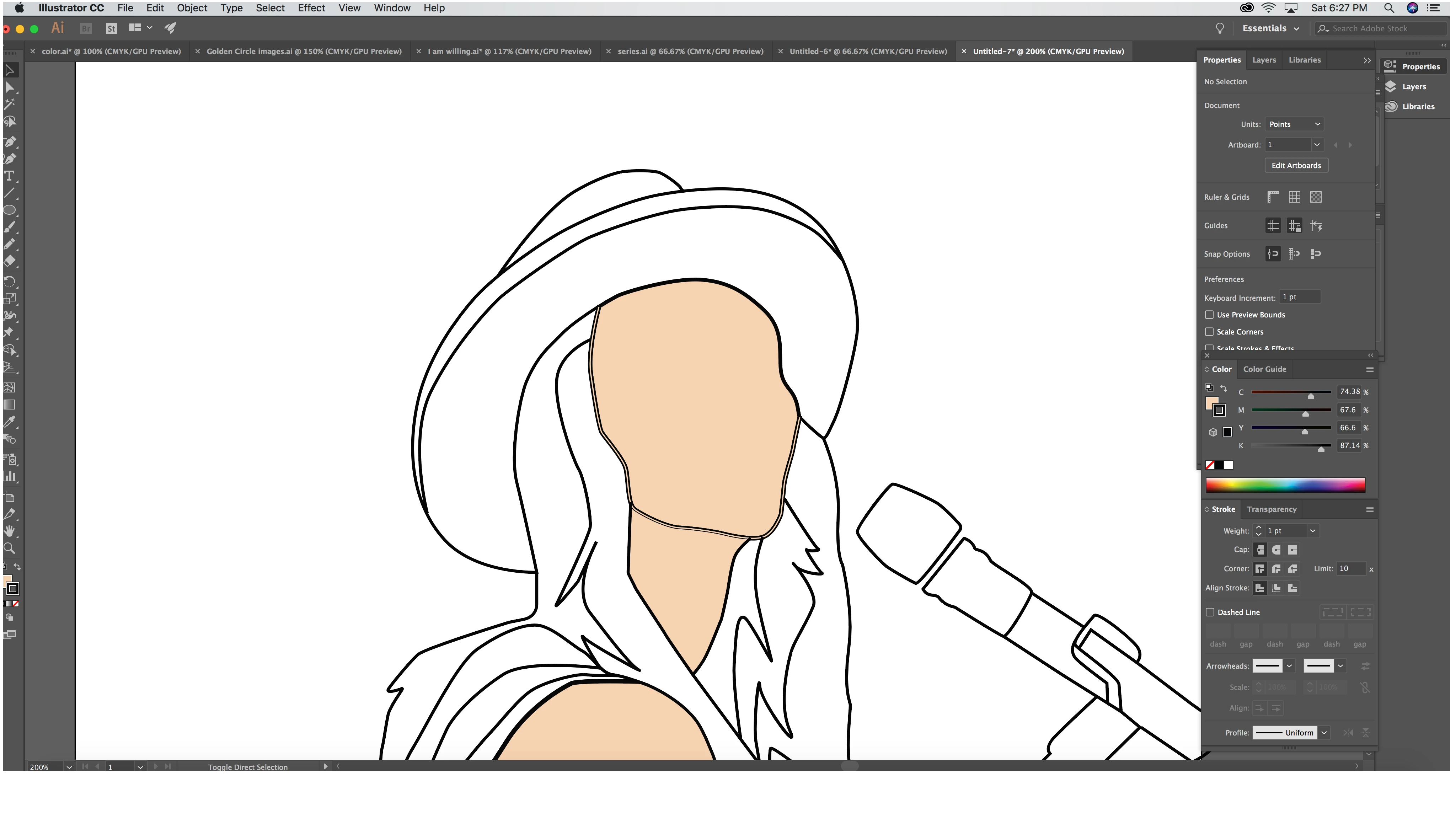
I am a relatively new Illustrator user and I keep running into the same issue. I have been creating shapes using the pen tool. When I begin to fill these shapes with color, the stroke also becomes filled when I need it to stay black as the outline. What am I missing? How to I keep my strokes while filling in the shapes?

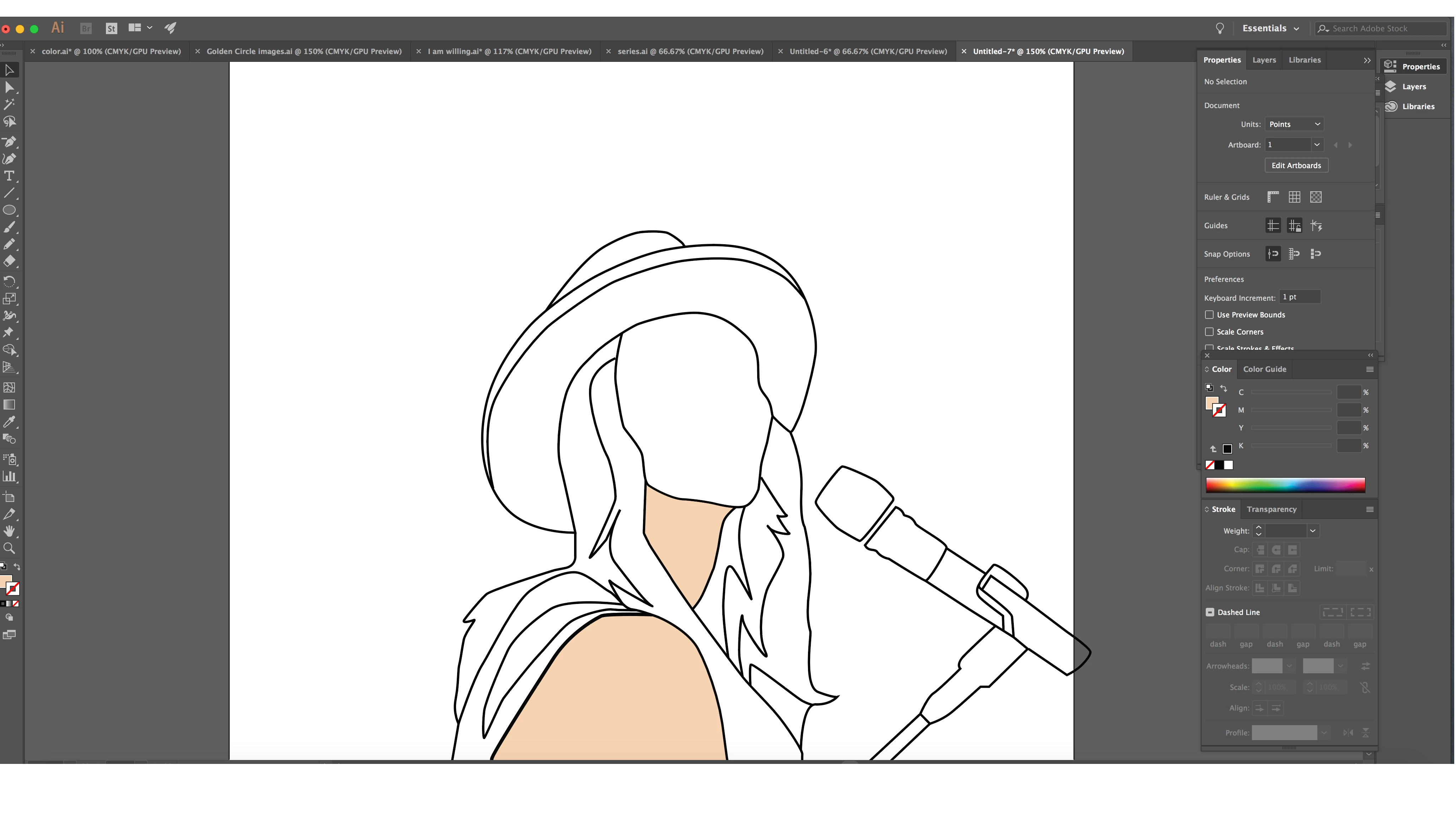
In this instance, I am trying to fill the face.

BEFORE:
AFTER:

Notice the stroke on the shape of the face.
Any suggestions would be greatly appreciated!

    This topic has been closed for replies.
    Correct answer cmgap

    Hi Meg -

    First select the line that is being filled as you draw it and change the fill to none in the Foreground/Background fill box... click on the flesh tone fill box and then tap the box with the diagonal red line below it to make the Fill change to None. It's right above the bar with the color spectrum.

    3 replies

    Monika Gause
    Community Expert
    Community Expert
    December 3, 2017

    Please show the appearance panel with the object selected.

    barbara_a7746676
    Community Expert
    Community Expert
    December 3, 2017

    I can't tell for sure, but it seems like what appears to be two black strokes with a flesh-tone fill inside is actually a closed shape with flesh tone fill and black stroke.

    Did you by any chance select the stroke and choose Object > Path > Outline Stroke? That command would change a stroke into a closed path.

    We may be able to tell better what's going on if you choose View > Outline and show a screen capture of outline view.

    Participating Frequently
    December 3, 2017

    I actually did select the stroke and choose Object > Path > Outline Stroke and to be honest I'm not sure why I did that

    lol. Do you know If there is a way I can undo that command?

    here's the outline view:

    Monika Gause
    Community Expert
    Community Expert
    December 3, 2017

    megm69366604  schrieb

    Do you know If there is a way I can undo that command

    There are only workarounds.

    Did you close the file in the meantime? If not you can just Cmd + Z a few times.

    cmgap
    Community Expert
    cmgapCommunity ExpertCorrect answer
    Community Expert
    December 3, 2017

    Hi Meg -

    First select the line that is being filled as you draw it and change the fill to none in the Foreground/Background fill box... click on the flesh tone fill box and then tap the box with the diagonal red line below it to make the Fill change to None. It's right above the bar with the color spectrum.

    Participating Frequently
    December 3, 2017

    Wow, I feel very silly because I've tried that before but instead of changing the fill to "none" I changed it to black. Changing it to "none" worked! Thank you!!