kavindas,
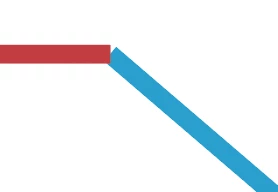
Presuming you wish to have the paths meet at an oblique angle without one overlapping the other, you may (remember to save a copy of the original artwork with stroked paths), Smart Guides being your friends:
1) Select all the lines and set the Cap to Projecting;
2) Object>Path>Outline Stroke;
3) With the Line Segment Tool, ClickDrag between the outside and inside intersections where the paths meet and overlap (Smart Guides say intersect) for each corner and Object>Path>Divide Objects Below;
4) Select everything and Ctrl/Cmd+Shift+G to Ungroup (maybe more than once) so you have independent separate paths;
5) Delete the unwanted paths (the overlapping/underlapping/outlying bits); you may select, group, and lock, all the wanted (main) paths, then ClickDrag across everything and press Delete, then unlock the paths group.

 AdChoices