
Question
Fitting text on same path in different ways?
Hi,
a) I am trying to fit text on the same path, in different ways. The numbers on each bulletpoints, are the objectives.
- The 'Streetline Defence' Text; 1) Centered Exactly
- The 'ESTD' '1994'; 1) Kept horizontal, 2) Kept parallel 3) within both circular strokes
- The 'BOXING CLUB' 1) Not upside down, 2) Centered
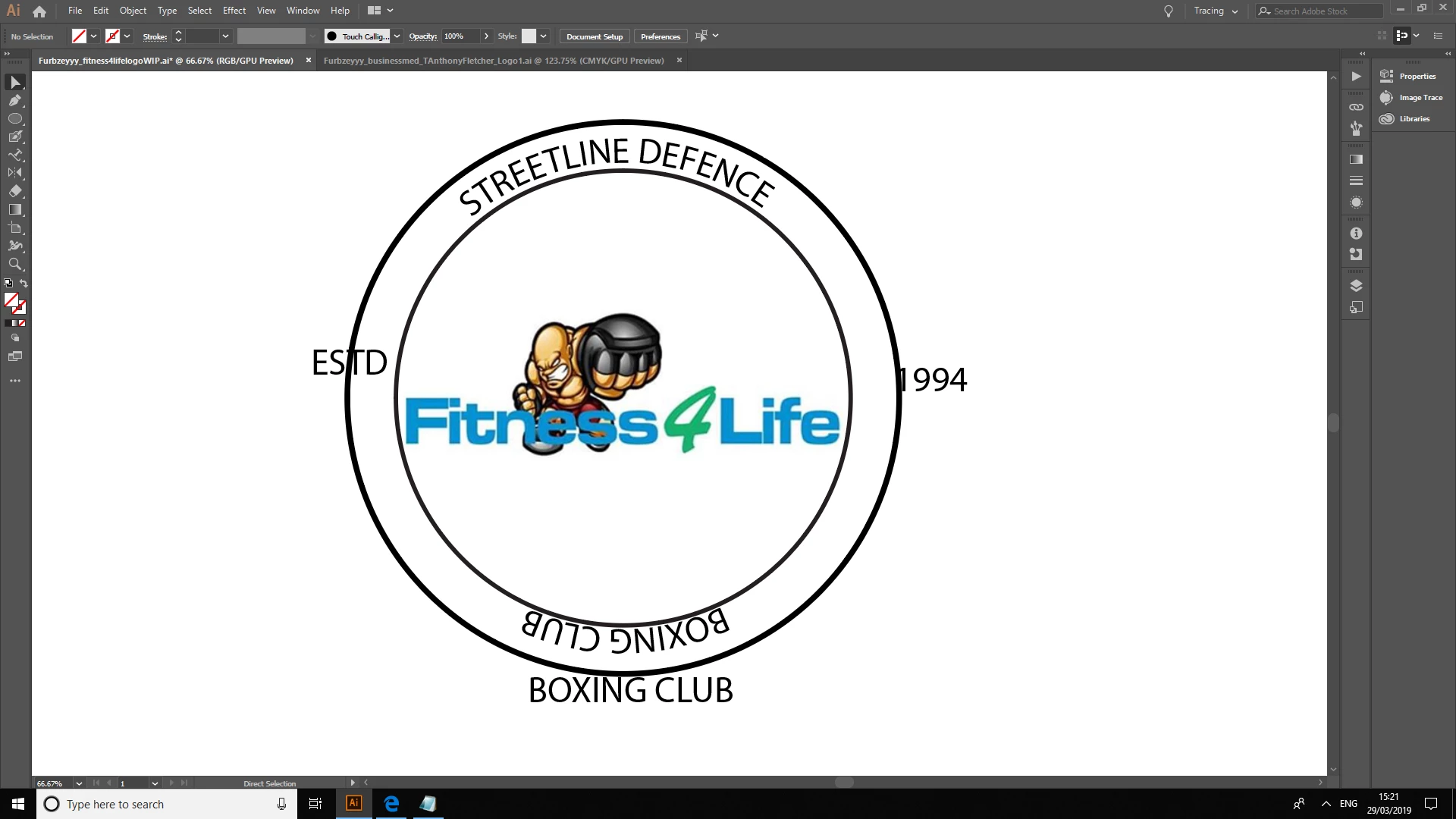
Please answer with annotation and text.
B) How to avoid this 'You must click on a non-compound, non masking path to create text along a path'?
 AdChoices