

Flattening Color Issue?
I'm running the latest version of Adobe Illustrator, v27.0 on Winidows 11.
I want to explore the way colors are flattened relative to Photoshop.
Here's the download link to the document :
https://1drv.ms/u/s!AkD78CVR1NBqm58DskuU-rcOLZCwaQ?e=ZmfAe1
The trouble I'm running into is the difference I am getting when I compare my "manual flattening" to those of Illustrator. As you can see, I'm working in sRGB :
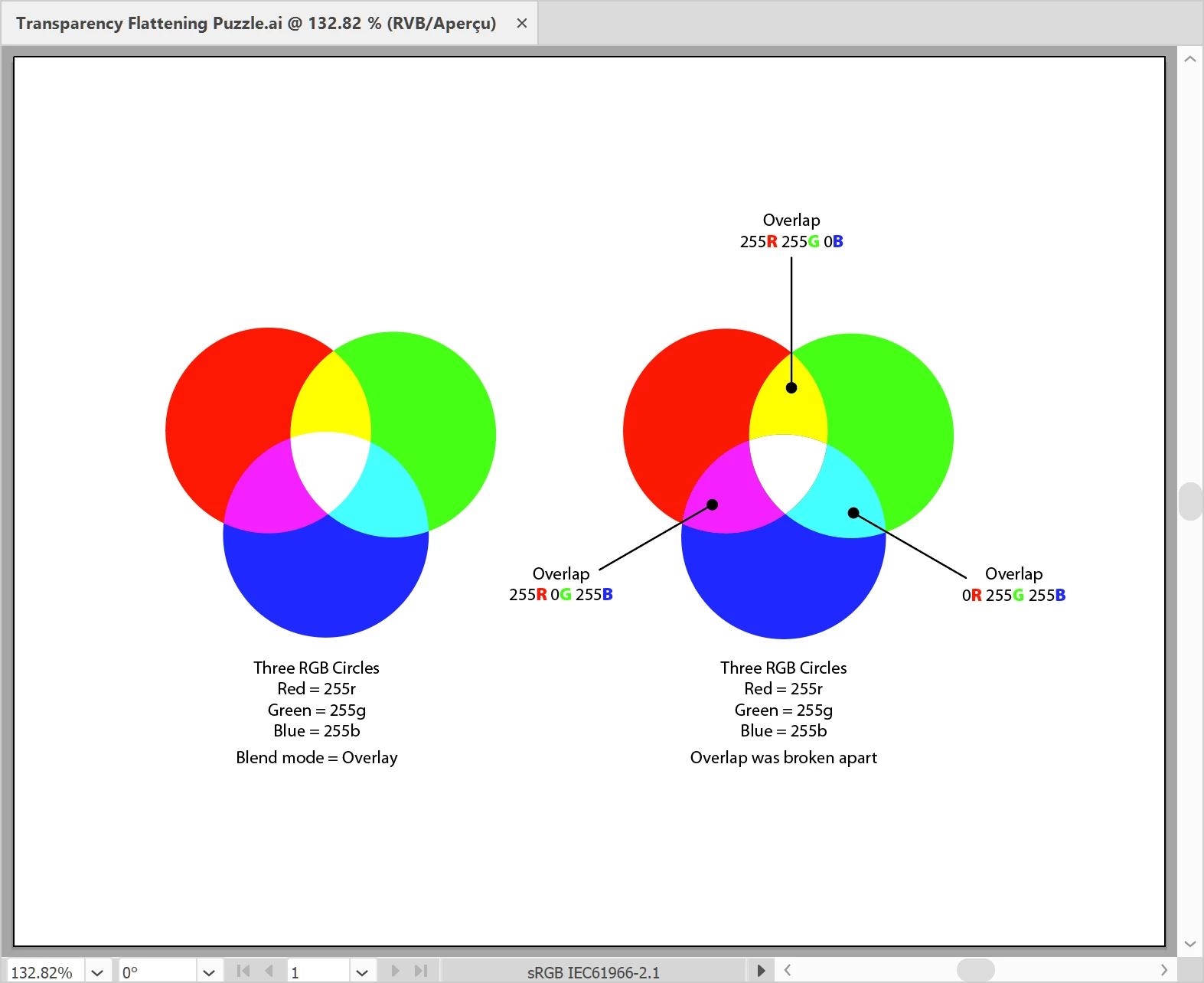
So the three circles on the left are simply "Red", "Green" and "Blue", and their overlap colors were obtained off the Overlay Blend mode. Nothing fancy.
On the right, are the same three circles separated into their individual areas, with the help of the Divide Pathfinder.
Here is where the limit of my understanding about flattening and color conversion hits a wall, regardless of the CMYK Destination ICC profile used, when I activate "Proof Colors", I get this weird difference between my humble manual conversion and Illustrator's own conversion :
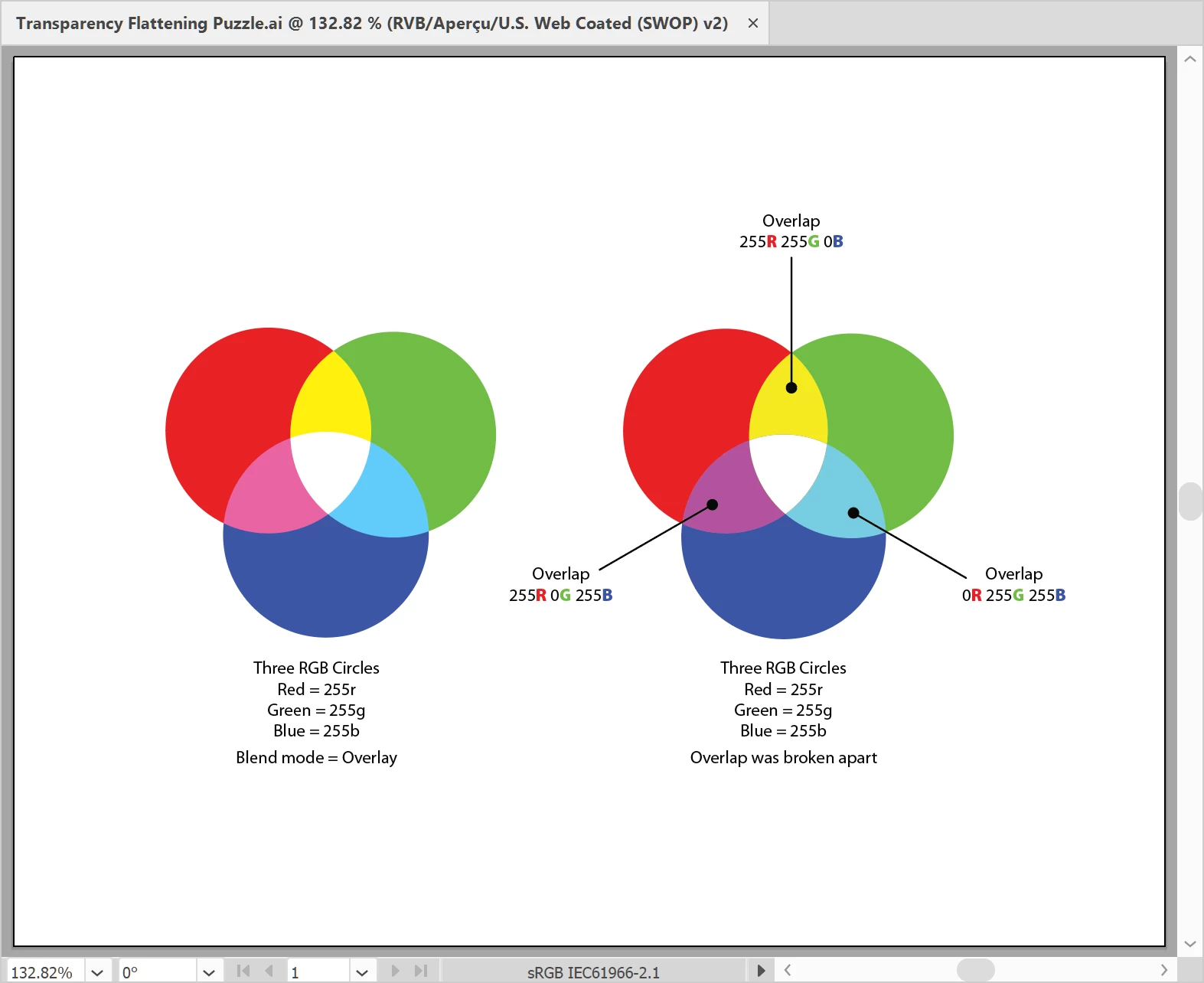 As you can see, the Red, Green and Blue elements converted identically but not their overlap?
Weird thing is, when I create the same artwork in Photoshop, in RGB, I get this resuilt :
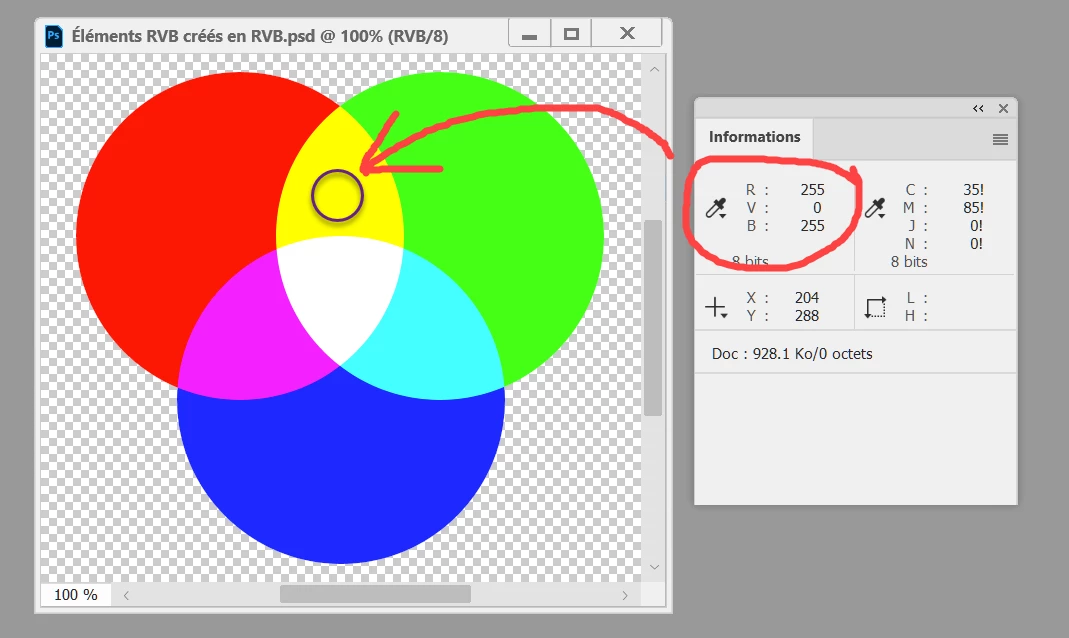
As you can from Photoshop's screen capture, "Overlay" seems to result in exactly the "overlap" of each primary color to yield the expected color build, i.e. yellow is 255r 255g 0b, magenta is 255r 0g 255b and cyan is 0r 255g 255b.
I am puzzled by the results of the Overlay blend mode flattening.
And I get the same exact result in InDesign.
What could possibly be going on that I am missing? Any clue is appreciated.


 AdChoices