
Inspiring
June 6, 2021
Answered

Folder alias in extendscript

  • June 6, 2021
  • 2 replies
  • 788 views

var folderAliasName="untitled folder alias"
var folder=new Folder(Folder.desktop+"/"+folderAliasName)
alert(folder.exists) //true
alert(folder.alias)  //true
alert(folder) //~/Desktop/untitled%20folder%20alias
//does not appear to do anything..
alert(folder.resolve()) //~/Desktop/untitled%20folder%20alias
//- despite there being few files
alert(folder.getFiles("*")) //""


I am trying to access folder through alias(aka shortcut) in extendscript with no success.

I am under macOS.

What I am doing wrong? 


Thanks in advance!
This topic has been closed for replies.
Correct answer dolce5EC2

So it seems, in Illustrator resolving folder aliases is broken 😞

2 replies

Charu Rajput
Community Expert
Community Expert
June 7, 2021

Hi,

See below snippet. 

var folderAliasName = "untitled folder alias"
var folder = new Folder(Folder.desktop + "/" + folderAliasName);
if (folder.exists) {
    var newFolder = folder.resolve();
    alert(newFolder instanceof File) //returns true in Illustrator and false in Indesign
    $.writeln(newFolder.getFiles("*"));
}


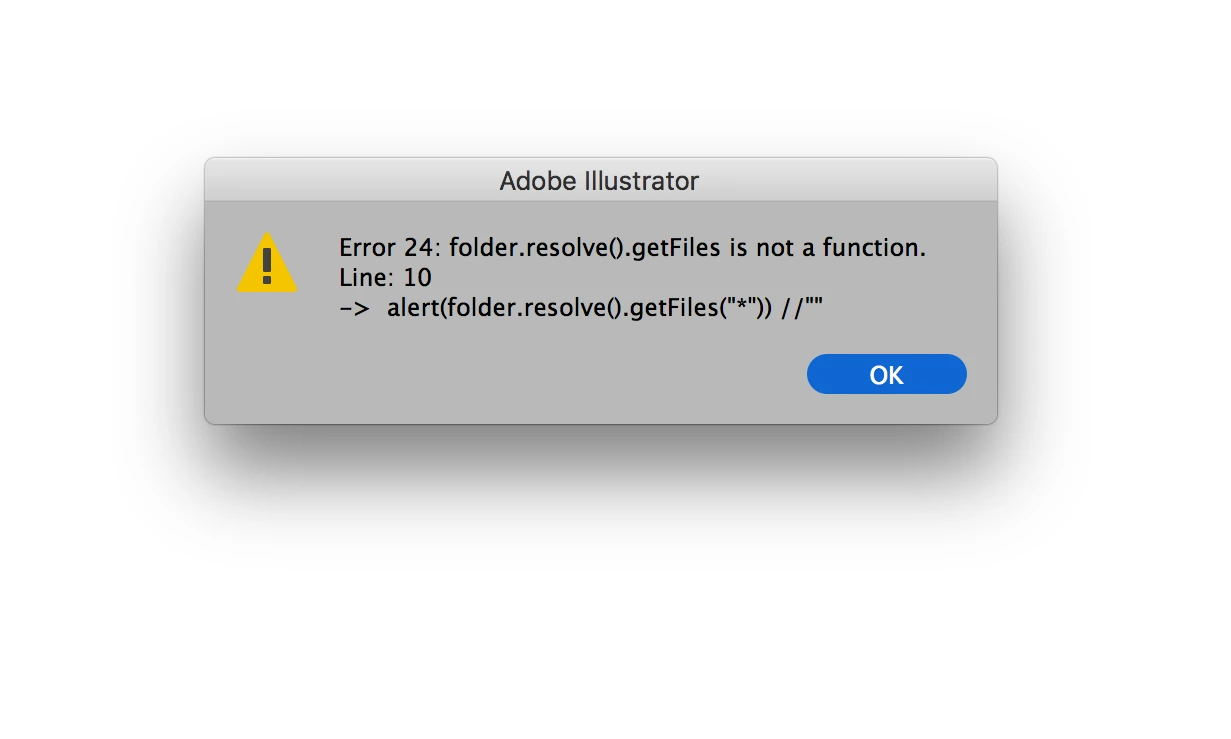
I run this code in Indesign and Illustrator, It runs perfectly fine in Indesign but in Illustrator, it gives an error by saying getFiles is not the function. This is happening because, newFolder is a instance of File in Illustrator which is a wrong but it return false in Indesign which is correct.


Best regards
dolce5EC2AuthorCorrect answer
Inspiring
June 7, 2021

So it seems, in Illustrator resolving folder aliases is broken 😞

Charu Rajput
Community Expert
Community Expert
June 8, 2021

Yes, it seems because here type of the alias folder returns as a File and File object does not have the getFiles function attached to it.


Best regards
m1b
Community Expert
Community Expert
June 6, 2021

I think you have to resolve the alias.

folder.resolve().getFiles()

In my quick test I did (Big Sur) the path

Folder.desktop + "/" + folderAliasName + "/" + fileThatExists

didn't work unless I switched the resolved folder name for the folderAliasName.