Inspiring
June 30, 2022
Question

Font appears visually as Myriad Pro in PDF, but in AI file its set to Open Sans

  • June 30, 2022
  • 2 replies
  • 1437 views

I received an AI file along with a PDF from a client.

When I open both files and view them side by side, I see that some fonts are displaying differently.

Both AI and PDF say the font is Open Sans (top line in image below)

But visually, in the PDF it looks like Myriad Pro (bottom line in image below)
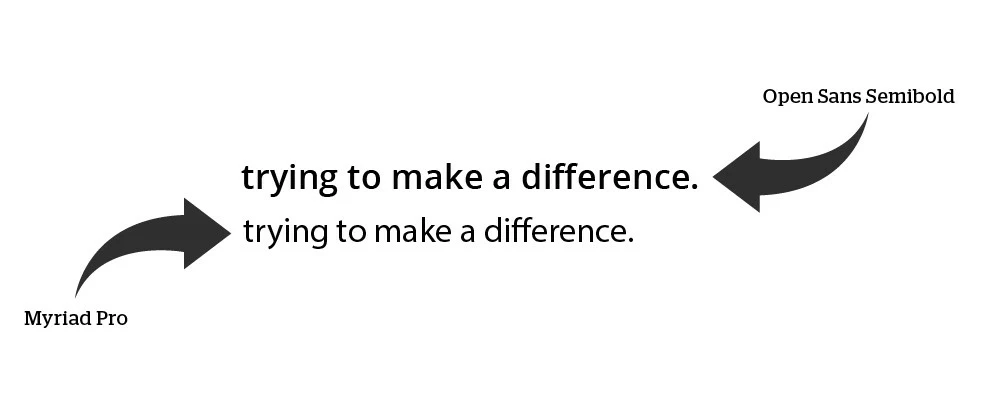
I can't figure out what is causing this.

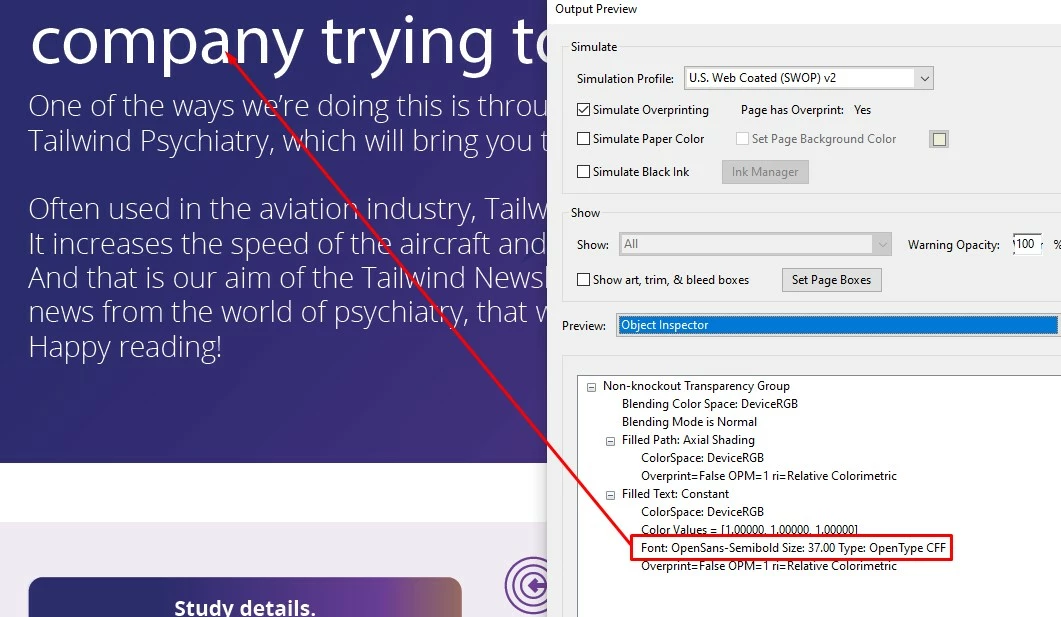
The weirdest thing is that if I examin the text in the PDF, even though it looks like myriad Pro, Acrobat says it's Open Sans
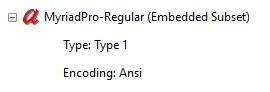
In the PDF Properties both Myriad Pro and Open Sans Semibold are listed under Embedded Fonts
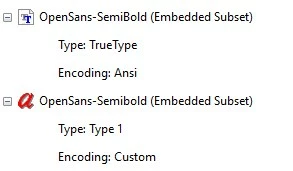
 

Does anyone maybe have any ideas why this is happening?

Thanks

This topic has been closed for replies.

2 replies

Ton Frederiks
Community Expert
Community Expert
June 30, 2022

Did you try yourself to save as PDF from Illustrator with the default settings?

Inspiring
June 30, 2022

Just did that.

So, it seems that with OpenSans deactivated on my system, Illustrator is defaulting to Myriad Pro. When I save as a PDF, Acrobat will say that the font is OpenSans, but it's actually Myriad Pro. That's what threw me off. I would have expected Acrobat to say it's Myriad Pro, since, well.... it is.

Ton Frederiks
Community Expert
Community Expert
June 30, 2022

I cannot reproduce that but when I tried I got a slightly different description of the embedded fonts (encoding) and you seem to have 2 different versions (truetype and type1) of Open Sans.


Met1
Legend
June 30, 2022

Deactivate Myriad and see what happens... (or both, and see what Illy asks for...)

Ton Frederiks
Community Expert
Community Expert
June 30, 2022

Difficult to deactivate Myriad Regular because it is part of the Illustrator app install.