


Answered
font in Mac and Windows
Hi,
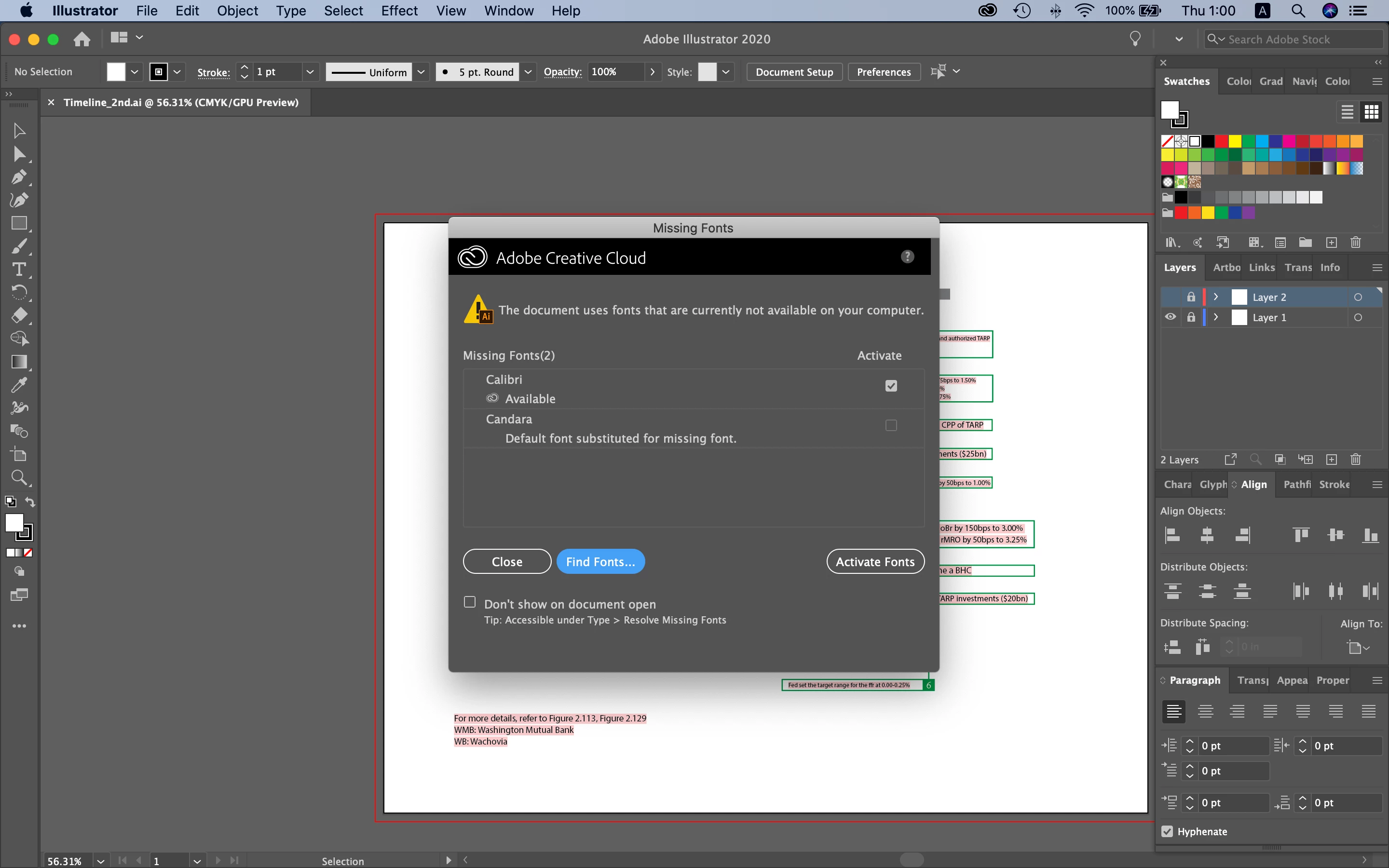
I made a file on Windows and opened it on Mac.
Now, I see the message below about a missing font.
When I open the file on Windows, I see no font issue.
Would you tell me how to do?
Hosun Kang

Hi,
I made a file on Windows and opened it on Mac.
Now, I see the message below about a missing font.
When I open the file on Windows, I see no font issue.
Would you tell me how to do?
Hosun Kang
There are some kinds of type fonts that need separate versions for use on either a Mac or PC. The only true cross platform fonts are called Open Type. You can tell Open Type fonts by the extension ".otf". True Type fonts (extension .ttf) may work correctly on both platforms (the kind made for Windows is supposed to be cross platform but the ones made for Mac are not). Postscript Type 1 fonts (each font needs two separate files—A screen font and a printers font) are rapidly being phased out as they were made in separate versions for Mac and PC. If the font you are having an issue with is not a cross platform one then that is the likely reason for your problem.
Already have an account? Login
Enter your E-mail address. We'll send you an e-mail with instructions to reset your password.
 AdChoices