
Inspiring
January 25, 2023
Answered

Font is installed, shows in Illustrator, won't let me use it

  • January 25, 2023
  • 6 replies
  • 3085 views

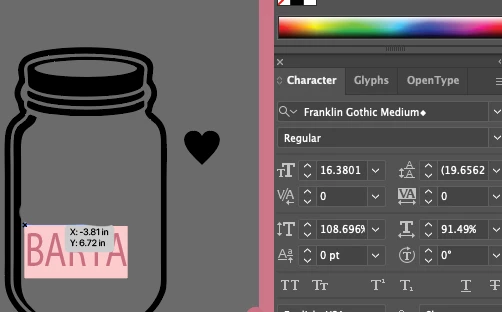
I'm trying to install and use the Franklin Gothic Medium font, and I've downloaded/installed it from various websites with the exact same result - if I open a .pdf file using that font, it highlights it and puts an asterisk (*) next to the font name in the Character panel, indicating that it doesn't exist even though it most certainly is installed. What is going on? Thank you!
This topic has been closed for replies.
Correct answer Holton Recorder

I found them, thanks! I've got them installed, but for some reason, the font in the document that was sent to us is a lot thicker. And the above issue still persists. I changed the font to the official Adobe one, but it's a lot thinner than the one the client sent. But I guess I can just switch that out. muhahahaha

6 replies

Met1
Legend
January 26, 2023

Do you need to make text changes?

If not, tell your client to save the file with fonts outlined.

Or instead of opening in Illy, just place in Illy.

Community Expert
January 25, 2023

Hi Holton,


Were these Franklin Gothic fonts purchased commercially? Or did they come included with a graphics application? Do you know which company made the fonts (Linotype, ITC, URW, etc)? I have a couple or so different "flavors" of Franklin Gothic in my collection and have never seen styles fail to show up in the Illustrator font menu.


As others have mentioned, Postscript Type 1 fonts are no longer supported in Adobe applications. That could be a source of the trouble.


Another factor: moving an Illustrator AI or PDF document from one computer to another. If an AI or PDF document is opened on a different PC and doesn't have the exact font files installed that were used in the document font substitution errors can occur.


Are you running any font manager applications and/or other graphics applications at the same time as Illustrator? Example: I've personally seen conflicts between Adobe Illustrator and CorelDRAW when both are running at the same time on the same PC. Some styles in multiple type families will disappear from the font menu in Illustrator. Documents using those missing styles will show errors similar to your screen shots. When I shut down CorelDRAW and re-launch Illustrator any fonts that were missing are restored in the fonts menu.

Inspiring
January 26, 2023

I'm not using any other programs, and I got the fonts via various free websites like Onlinewebfonts, Fontsgeek, Fontmeme, etc. Every single one has the same result. I know that .otf files are no longer supported (at least, I kept getting a popup toward the end of 2022 saying they wouldn't be allowed after Jan. 1), so all my fonts are also .ttf files.


I just opened Font Book and did Cmd+I, and I see no mention of Postscript Type 1. It says version 2.20 and this info:

Unique name Monotype - Franklin Gothic Medium Regular

Manufacturer International Typeface Corporation

Designer Victor Caruso

Here is everything I got from Font Book:

Doug A Roberts
Community Expert
Community Expert
January 26, 2023
quote

I know that .otf files are no longer supported...


By @Holton Recorder


I'm probably responding to a typo, but just in case, support for OTF files isn't changing.

Participating Frequently
January 25, 2023

Can you check and see that the font is not a Type 1 font.

Community Expert
January 25, 2023
Holton RecorderAuthorCorrect answer
Inspiring
January 25, 2023

I found them, thanks! I've got them installed, but for some reason, the font in the document that was sent to us is a lot thicker. And the above issue still persists. I changed the font to the official Adobe one, but it's a lot thinner than the one the client sent. But I guess I can just switch that out. muhahahaha

Ton Frederiks
Community Expert
Community Expert
January 25, 2023

Does Type > Find/Replace Font help?

Mylenium
Legend
January 25, 2023

Soem fonts are blacklisted due to licensing kerfuffle behind the scenes with legacy fonts. You may need to install the official Adobe version (if available) or switch to another font.


Mylenium