Participant
December 3, 2024
Question

Font Missing In Menu Bar

  • December 3, 2024
  • 1 reply
  • 283 views

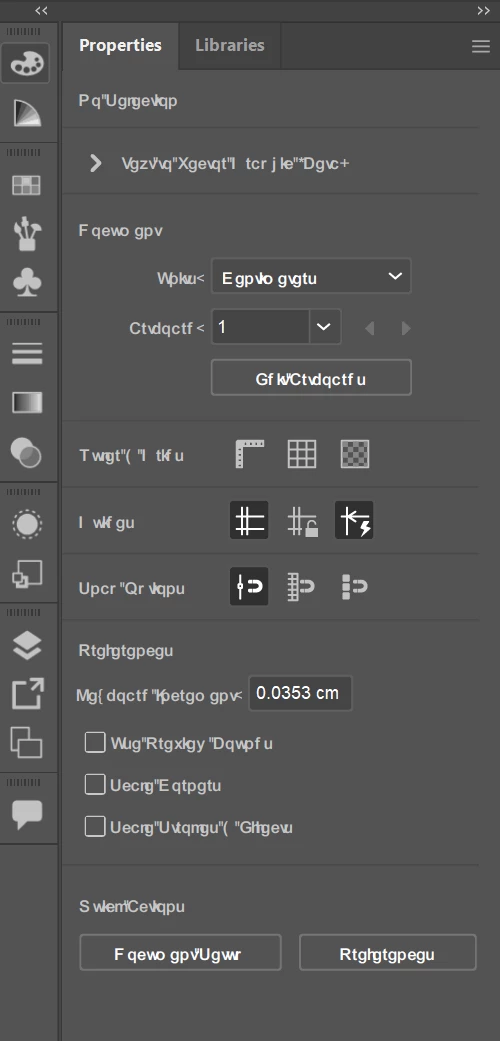
Hello! I delete some fonts in Window Then this problem will create.
In below Image you see Menu Bar & Laye Panels text font will be crash how i will set it?


This topic has been closed for replies.

1 reply

Anubhav M
Community Manager
Community Manager
December 3, 2024

Hello @Power Carton36494999stc7,

I'm sorry to hear about your experience. Would you mind trying to reset your current Workspace or switching to one of the defaults to see if it helps?

Also, try to reset Illustrator's preferences as described in this article (https://adobe.ly/3Bc5JhM) and share your observations.


Disclaimer: Please note that renaming preferences folders will remove all the custom settings, and Illustrator will launch with default settings. You can also save a backup of the folders, the location of which is mentioned above.


Looking forward to hearing from you.


Anubhav

Participant
December 3, 2024


Still not Change? How Can i fix it?


Anubhav M
Community Manager
Community Manager
December 3, 2024

Hello @Power Carton36494999stc7,

I'm sorry to hear the suggestions did not help. Would you mind trying the following steps and checking if they help:


- Close all Adobe applications.

- Rename the UXP folder to UXP.old from the following location:

(Windows) Navigate to C:\Program Files\Common Files\Adobe\UXP


- Relaunch Illustrator


If the problem persists, try a clean reinstall of Illustrator using the Creative Cloud Cleaner Tool (https://adobe.ly/3B6XrI9) and share your observations.

Looking forward to hearing from you.


Anubhav