Participant
April 24, 2018
Answered

Font order in type window?

  • April 24, 2018
  • 2 replies
  • 713 views

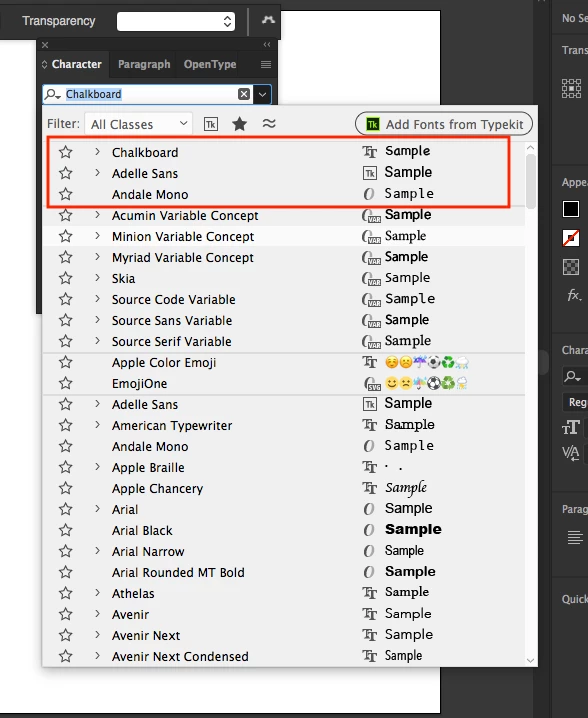
In CC 2014, when you selected copy in your document, it would highlight that font in the type window in it's appropriate alphabetical location. You could then scroll up or down alphabetically to get to other fonts. Now, when you select copy in a CC 2018 document, it moves the font to the top of the list and you have to start from the top every time to look for other fonts. Is there a preference that will prevent it from moving to the "most recent fonts" at the top of the window? I like to scroll through the fonts as I'm designing logos and having to start at the top every time is a pain in the neck!

    This topic has been closed for replies.
    Correct answer Vishu_Aggarwal

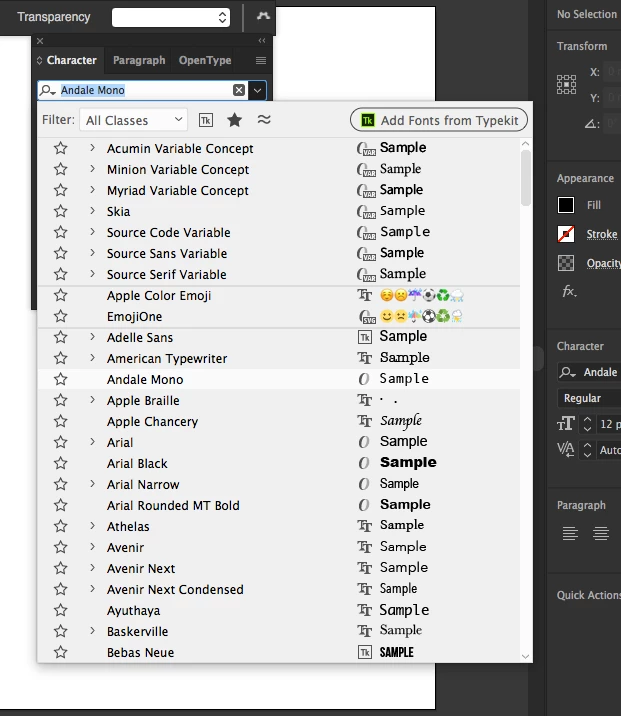
    You can do so by changing recent fonts to 0 in type preferences of Illustrator cc 2018.

    Before -
    After Setting Recent font to 0 -
    2 replies

    Vishu_Aggarwal
    Vishu_AggarwalCorrect answer
    Participating Frequently
    April 24, 2018

    You can do so by changing recent fonts to 0 in type preferences of Illustrator cc 2018.

    Before -

    After Setting Recent font to 0 -

    Vishu AggarwalAdobe Certified Instructor, Professional and Expert
    Bill Silbert
    Community Expert
    Community Expert
    April 24, 2018

    Unfortunately, changing the number of recent fonts still does not leave you with a font list that "picks up where you left off" each time you want to try another font. I agree, it is annoying. I would second Monica's suggestion that you make your voice heard about this at the link that she provided.

    Monika Gause
    Community Expert
    Community Expert
    April 24, 2018

    I think that someone has already posted this issue on http://illustrator.uservoice.com

    So you can add your voice there.