Known Participant
Jul 13, 2022 11:09 AM UTC
Answered

Fonts—iPad and desktop

Hello,

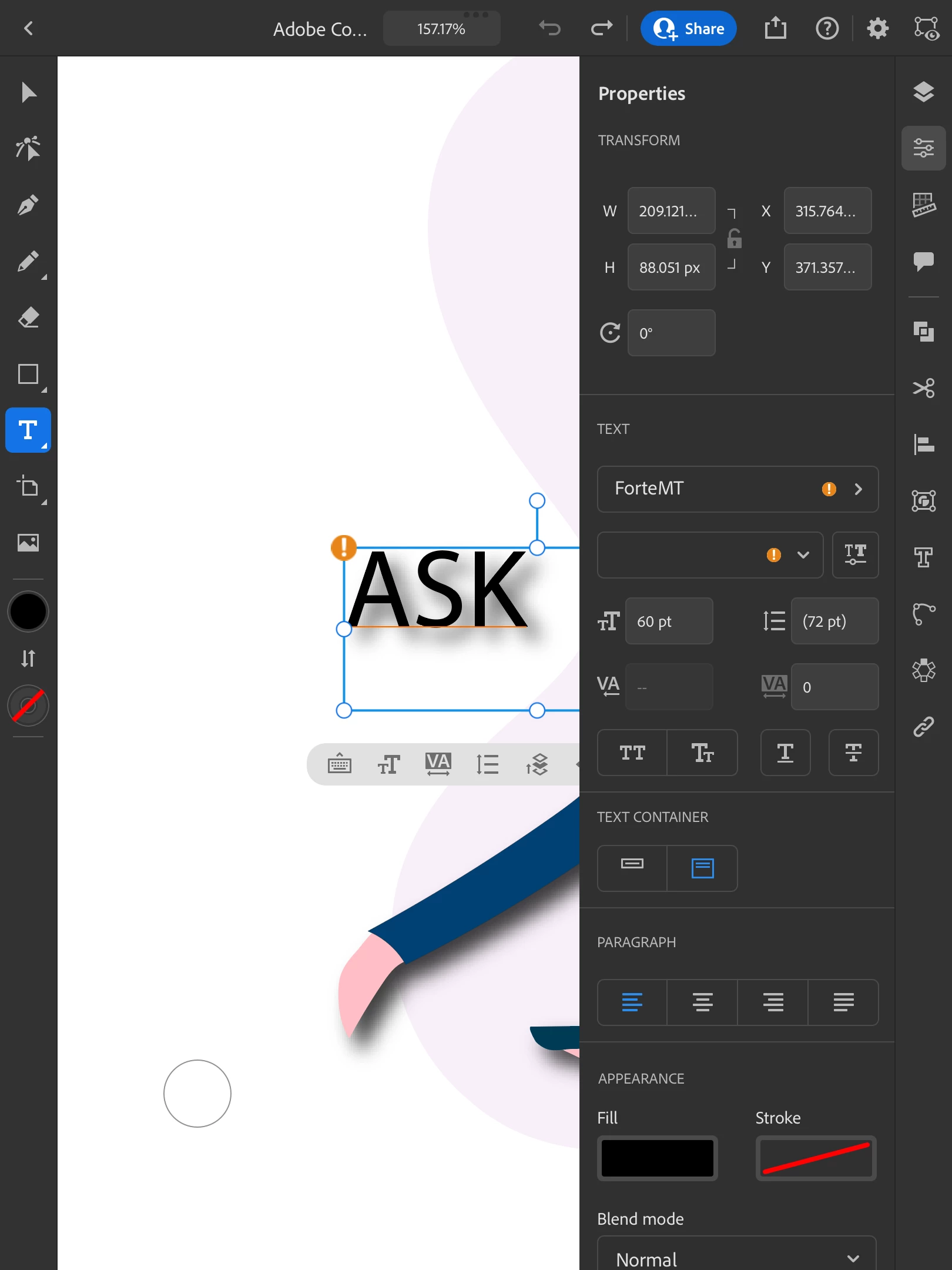
If I start a document on the desktop and then continue it on the iPad Pro: the fonts don't match. How do I create a document on one device and continue it on another app AND have the fonts remain the same? Thanks much!

Dave

This topic is closed to new replies. Start a new post to keep the conversation going.
Anubhav M
Anubhav MCorrect answer
Community Manager
Jul 13, 2022 2:15 PM UTC

Hello @davidj1954,


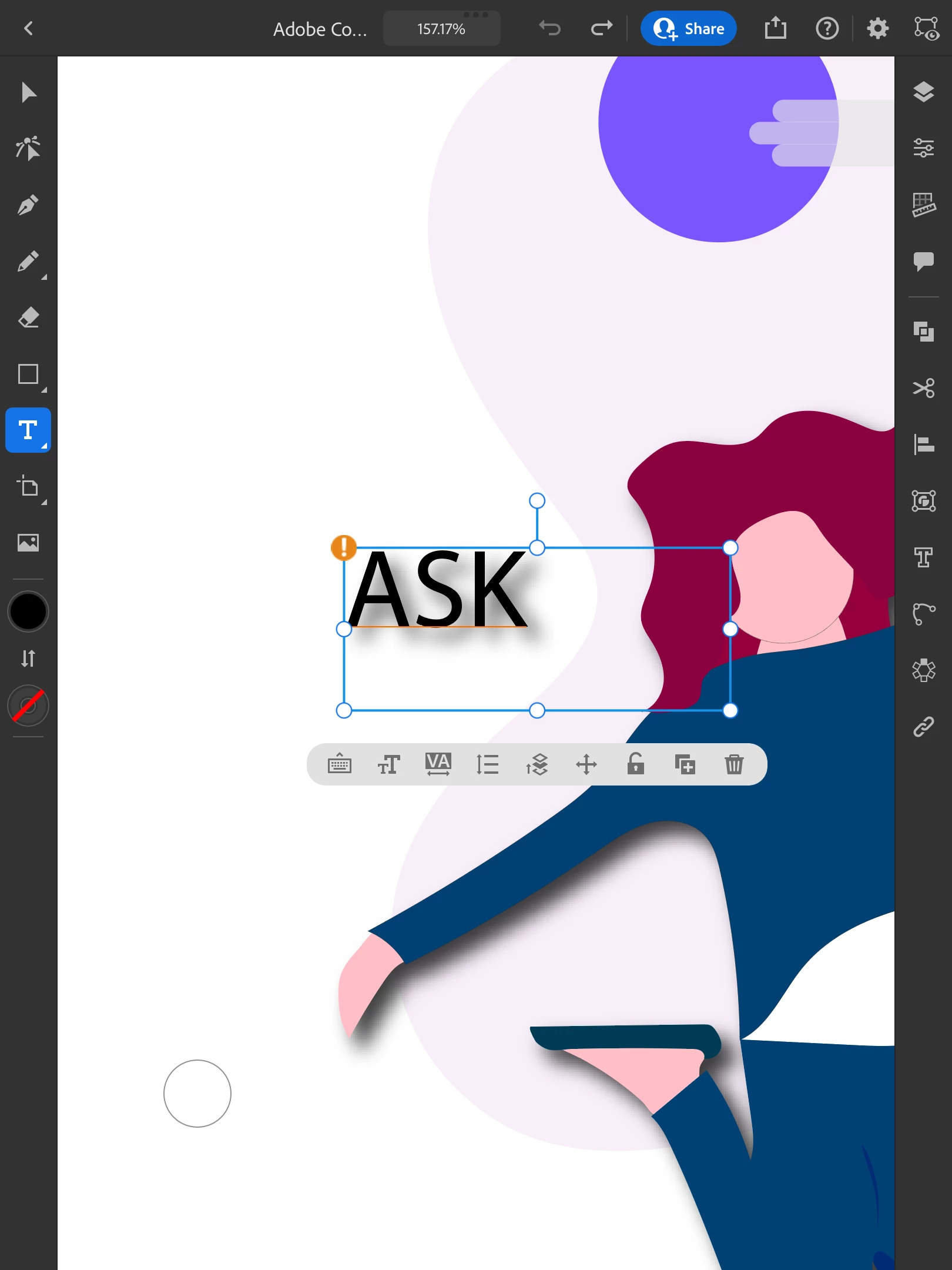
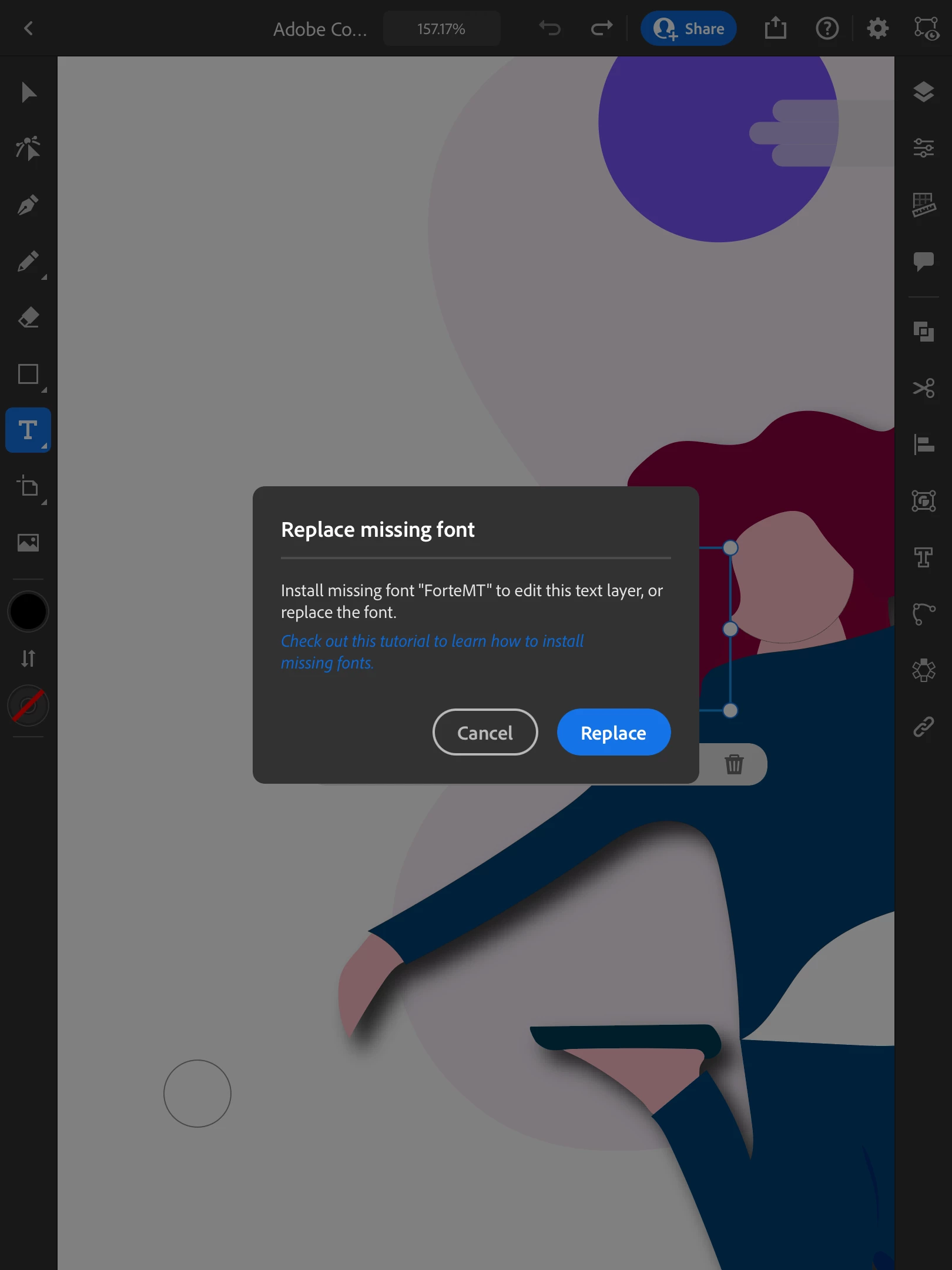
Sorry to hear about this experience. As suggested by Monika, the font might not be installed on the iPad. You can double-check this by tapping on the text and then tapping on the keyboard icon. Illustrator will prompt you to replace the font.


Kindly update this thread if you need further assistance. We'd be happy to help.


Thanks,

Anubhav


4 replies

Monika Gause
Community Expert
Community Expert
Jul 13, 2022 12:35 PM UTC

The fonts need to be installed on the iPad. Are they?

Translate
Known Participant
Jul 13, 2022 12:46 PM UTC

I think so. I will double check, though. Thanks much!

Translate
Anubhav M
Community Manager
Anubhav MCommunity ManagerCorrect answer
Community Manager
Jul 13, 2022 2:15 PM UTC

Hello @davidj1954,


Sorry to hear about this experience. As suggested by Monika, the font might not be installed on the iPad. You can double-check this by tapping on the text and then tapping on the keyboard icon. Illustrator will prompt you to replace the font.


Kindly update this thread if you need further assistance. We'd be happy to help.


Thanks,

Anubhav


Translate