Hi, my recommendation is to use Adobe Express. Adobe Express is a web-based editing tool. Your client must have an account in Adobe but no need to have a paid subscription. Most of the time, food labels should have the same font as set by the branding guidelines so using Adobe Express is my best recommendation.
Let me guide you
1. Export your Ai file in 150 or 300 dpi JPG or PNG file
2. Open Adobe Express: https://new.express.adobe.com/
The account log-in details are the same across all Adobe subscription
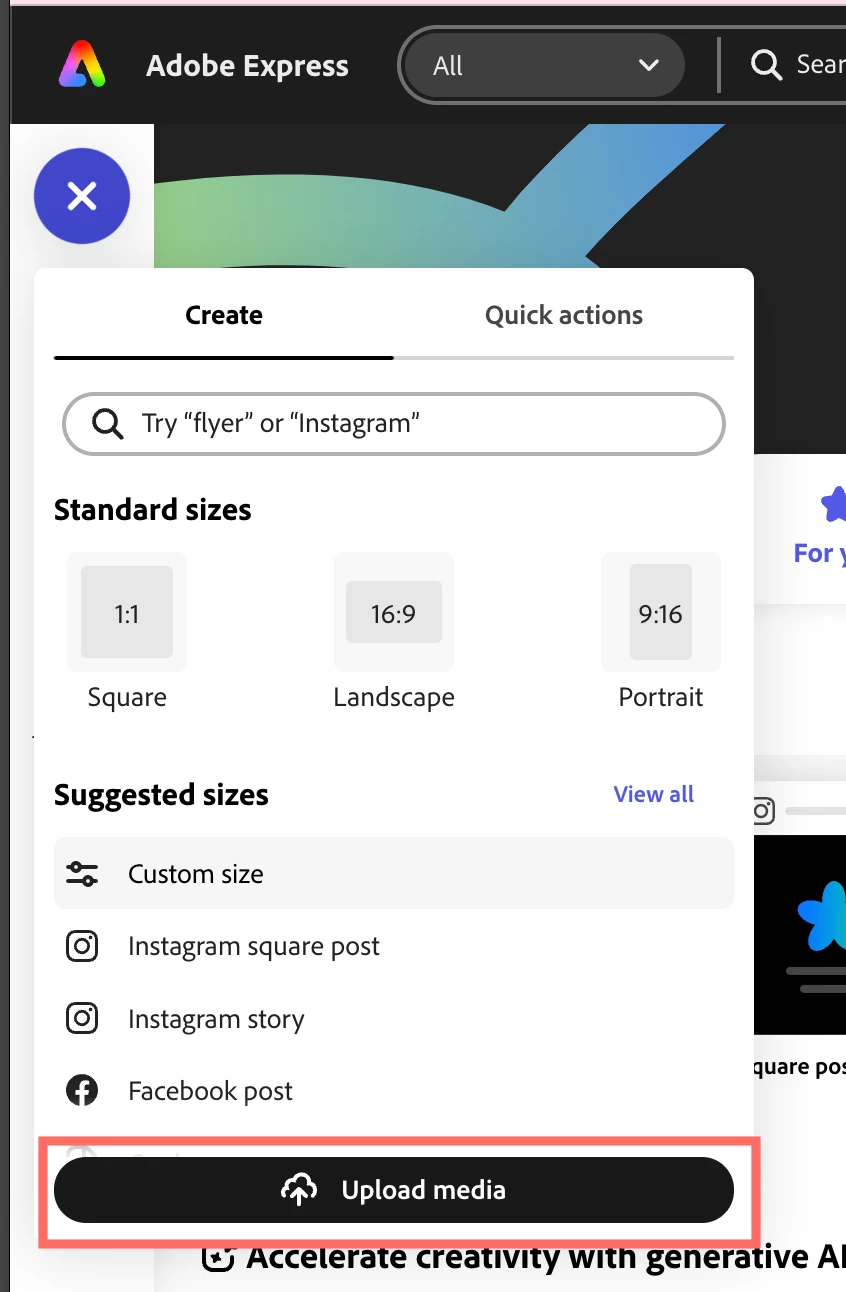
3. You will see a + button in white color inside a purple round shape, click it then Click "Upload Media" Then choose your exported blank label PNG or jpg file from Ai
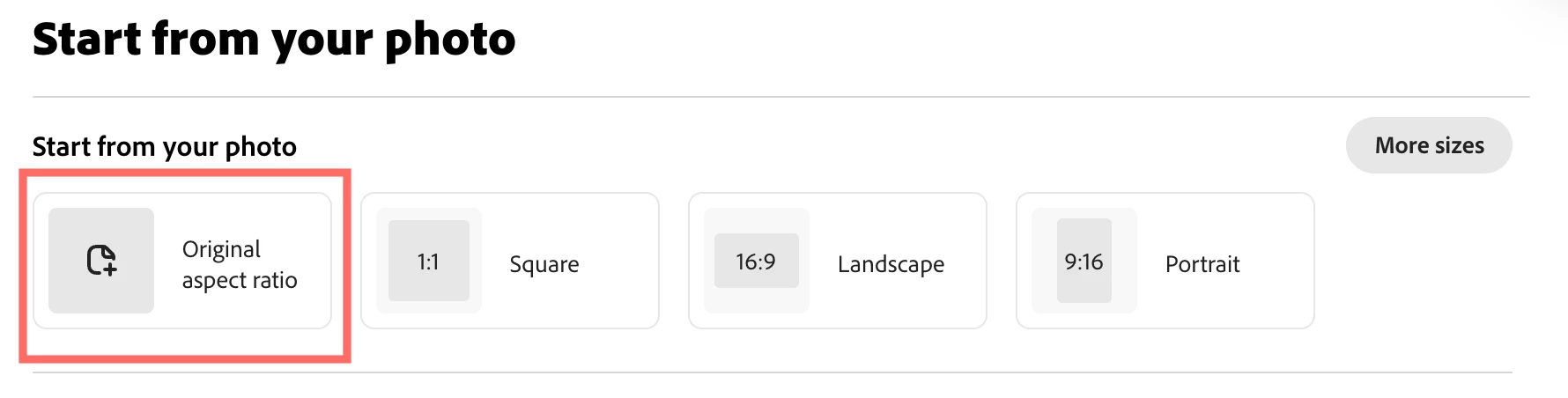
4. Click "Original Aspect Ratio"
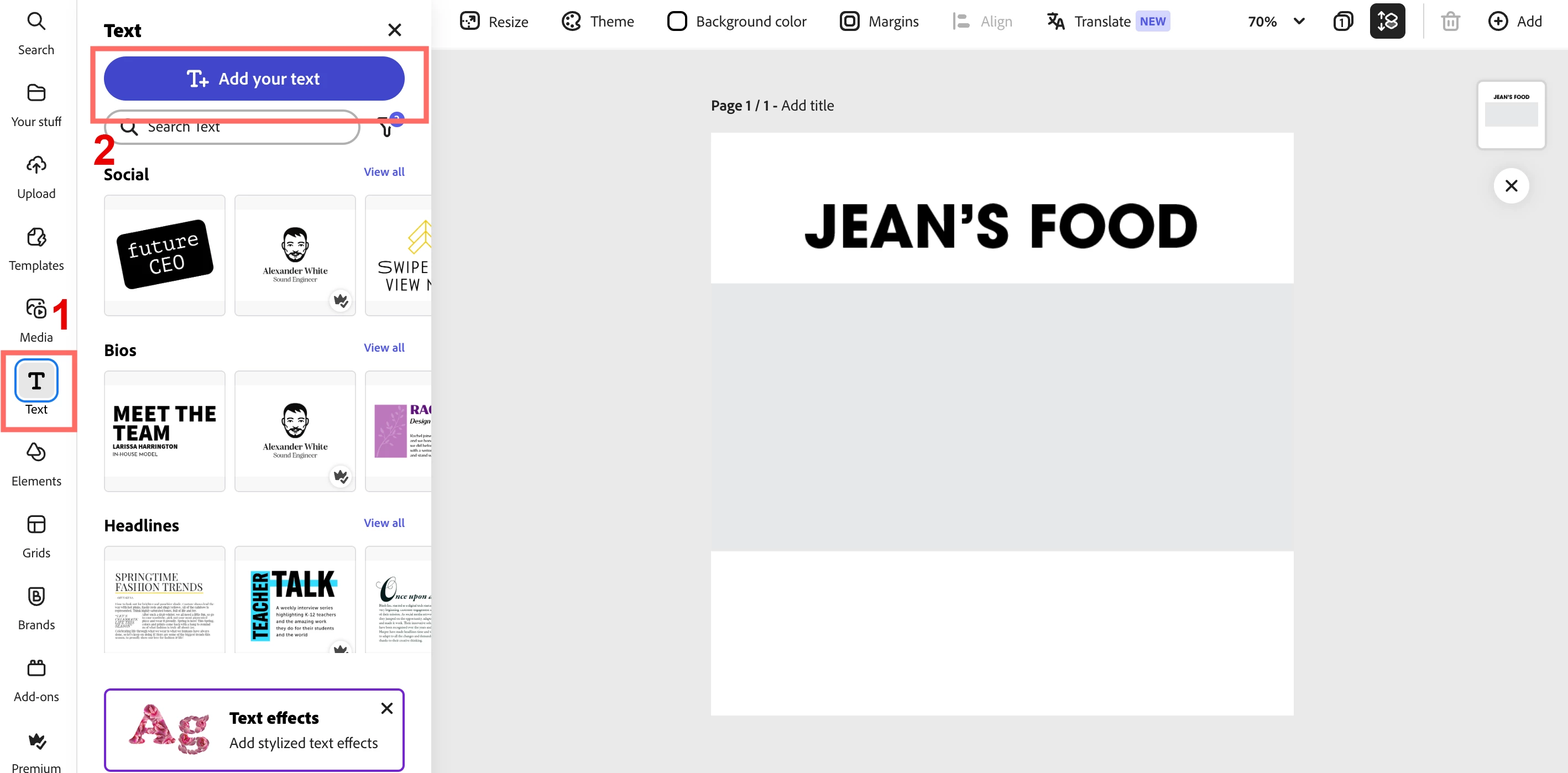
5. You can now click the text icon button and then add a text box there. This is where your client will change food labels
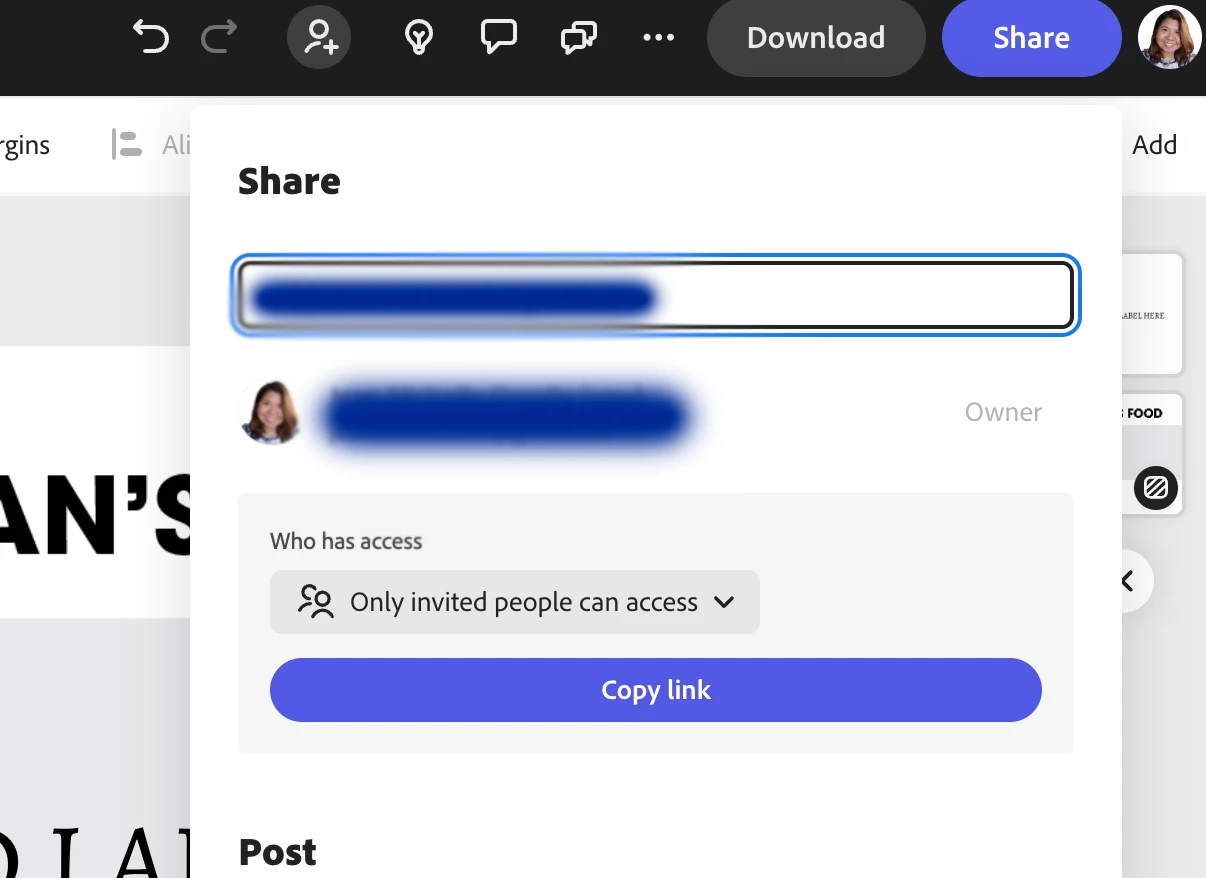
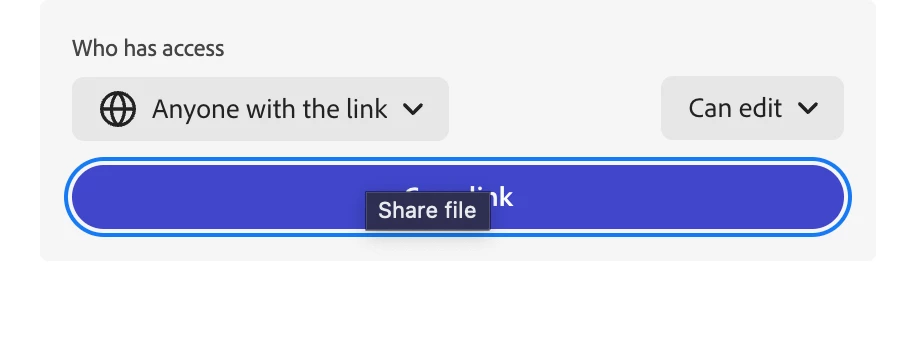
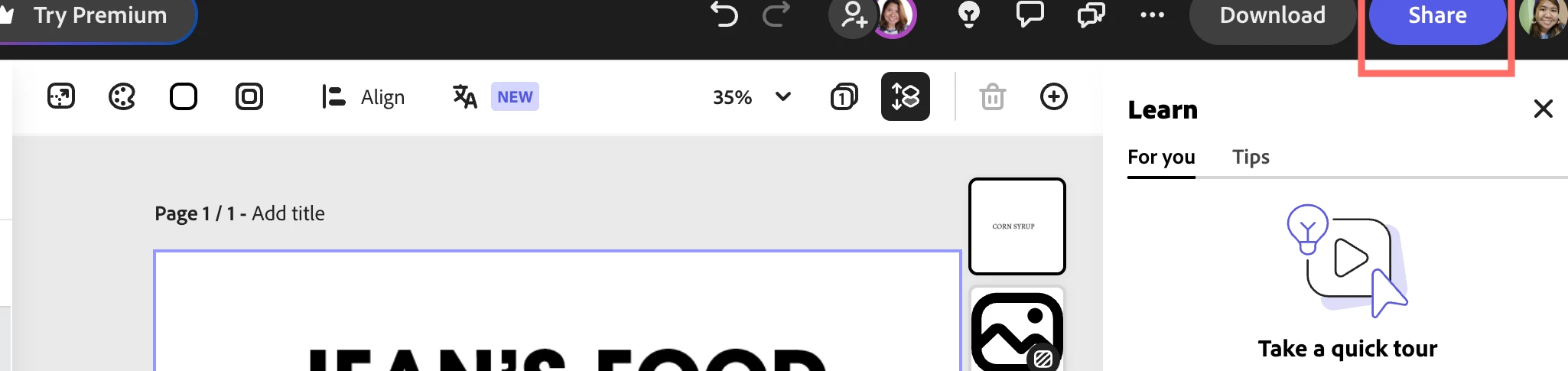
6. After you finish adding the textbox placeholder, you can now share it by clicking the Share button on the top-most right. Make sure it is shared either via the email of your client or via anyone with the link and set to "Can Edit"
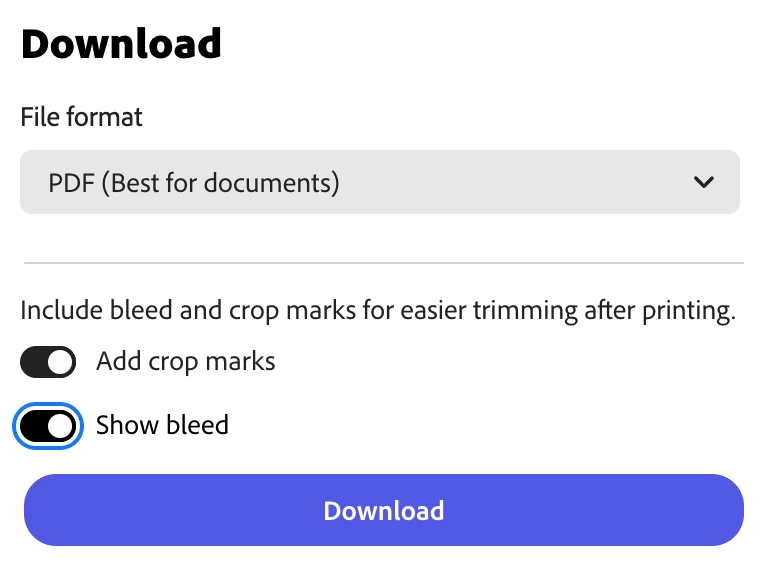
7. When your client is done with adding texts and is good for the next steps. you can now download it. Since this is a printed product, when you download this which you can also find on the top-most right beside Share button, use PDF File Format. You also have the option to include bleed when you choose this export option
I'm attaching the sample shared link for your reference:
https://new.express.adobe.com/id/urn:aaid:sc:AP:1f6c6ecd-fc0f-4a22-901b-b7a81999846f?invite=true&promoid=Z2G1FQKR&mv=other
I'm also attaching the exported pdf document here for your reference as well.
Hope this helps you!

 AdChoices