Participant
May 19, 2019
Answered

For Loop - No such Element

  • May 19, 2019
  • 1 reply
  • 931 views

Hi,

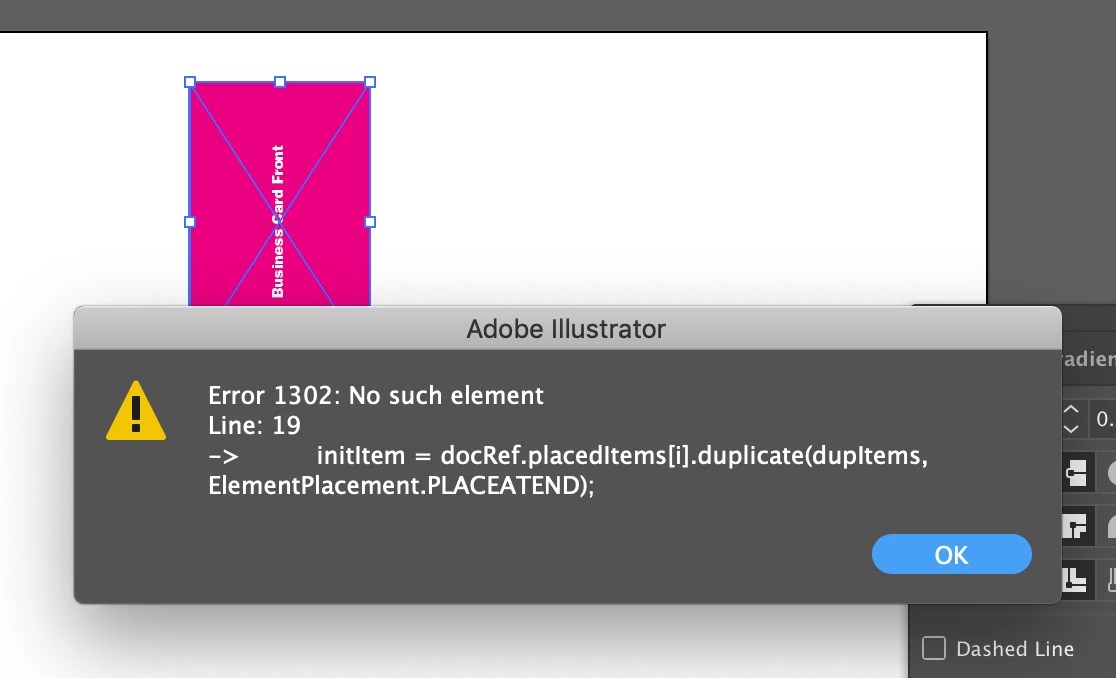
First-time poster and new to scripting. I'm simply trying to create a step and repeat script. I have managed to duplicate my placedItem but need to move it by its own width each time it duplicates.

When I try to assign the movement to i. I receive a No such Element found. Is this due to illustrator not knowing which placedItem to move after the first one? I am confident there are better ways to do this. Any help is much appreciated.

Please see my code below.

// PlaceItem Duplicate

var docRef = app.activeDocument;

var selectArt = docRef.artboards[0];

var initItem;

var dupItems;

var transItems;

var unitMultiplier = 2.834645 // Convertsv pixels to mm.

var deltaX = 55 * unitMultiplier;

var deltaY = 0;

var length = deltaX * 4

StepRepeat()

function StepRepeat () {

    for (var i = parseFloat(0); i < parseFloat(length); i+=parseFloat(deltaX)){

        initItem = docRef.placedItems.duplicate(dupItems, ElementPlacement.PLACEATEND);

        transItems = docRef.placedItems.translate(deltaX+i, deltaY, true, false, false, true);

        }

   };
This topic has been closed for replies.
Correct answer CarlosCanto

I was hoping this would allow me to move each duplicate by its width before it creates another one, with 'deltaX+i'.

When I use a simple 0,1,2,3,4 counter, it duplicates each placedItem and only moves one. However, when I use the following code:

    for (var i = 0; i < 4; i++){


        initItem = docRef.placedItems.duplicate(dupItems, ElementPlacement.PLACEATEND);

        transItems = docRef.placedItems.translate(deltaX+i, deltaY, true, false, false, true);

        }

It moves each duplicate to the right by one, not by its width.

Is this the wrong way to go about achieving this?


the variable used as loop counter can be used in your procedure for example to reference objects i.e. placedItems. Initially, i=0, so first item processes fine. On next pass, you're changing the variable to i+=parseFloat(deltaX), resulting in some number that will be used to find the next placedItem let say 100.8. The script is trying to find placedItem 100.8 and raising an error if it doesn't find it.

if you want to move a copy of an item by it's width, just assign the width of it to a variable. Then make a duplicate and move your original item.

here's a sample of how to move the selected object

var idoc = app.activeDocument;

var sel = idoc.selection[0];

var deltaX = sel.width; // get item's width

var a; // this variable's purpose is to keep count only

for (a=0; a<4; a++) {

    // variable "a" can and should be used inside the loop, but it's not necessary for simple tasks

    sel.duplicate(idoc, ElementPlacement.PLACEATEND); // both the duplicate and the selected object are in the same position

    sel.translate(deltaX);  // move selected object by it's width, keep duplicate in the same place

}

1 reply

pixxxelschubser
Community Expert
Community Expert
May 19, 2019

Your counter i is "wrong".

There is no element

initItem = docRef.placedItems

initItem = docRef.placedItems[parseFloat(length)]

initItem = docRef.placedItems[467.716425]

Participant
May 19, 2019

Hi Pixxxel, thanks for the response. Would you mind elaborating a bit further? Still not sure where I'm going wrong here. It loops once then gives me an 'No Such Element' error.

pixxxelschubser
Community Expert
Community Expert
May 19, 2019

Your counter is not: 0 -> 1 -> 2 -> 3 …

Your counter is: parseFloat(length)+=parseFloat(deltaX)  --> 0 -> 155.905475 -> 311.81095 -> 467.716425