
Participant
May 25, 2022
Question

Free distort on linked artwork not working

  • May 25, 2022
  • 1 reply
  • 182 views

Hello, I am trying to free distort a linked artwork that I've made and been using from my library to a box shape, see the picture below. 
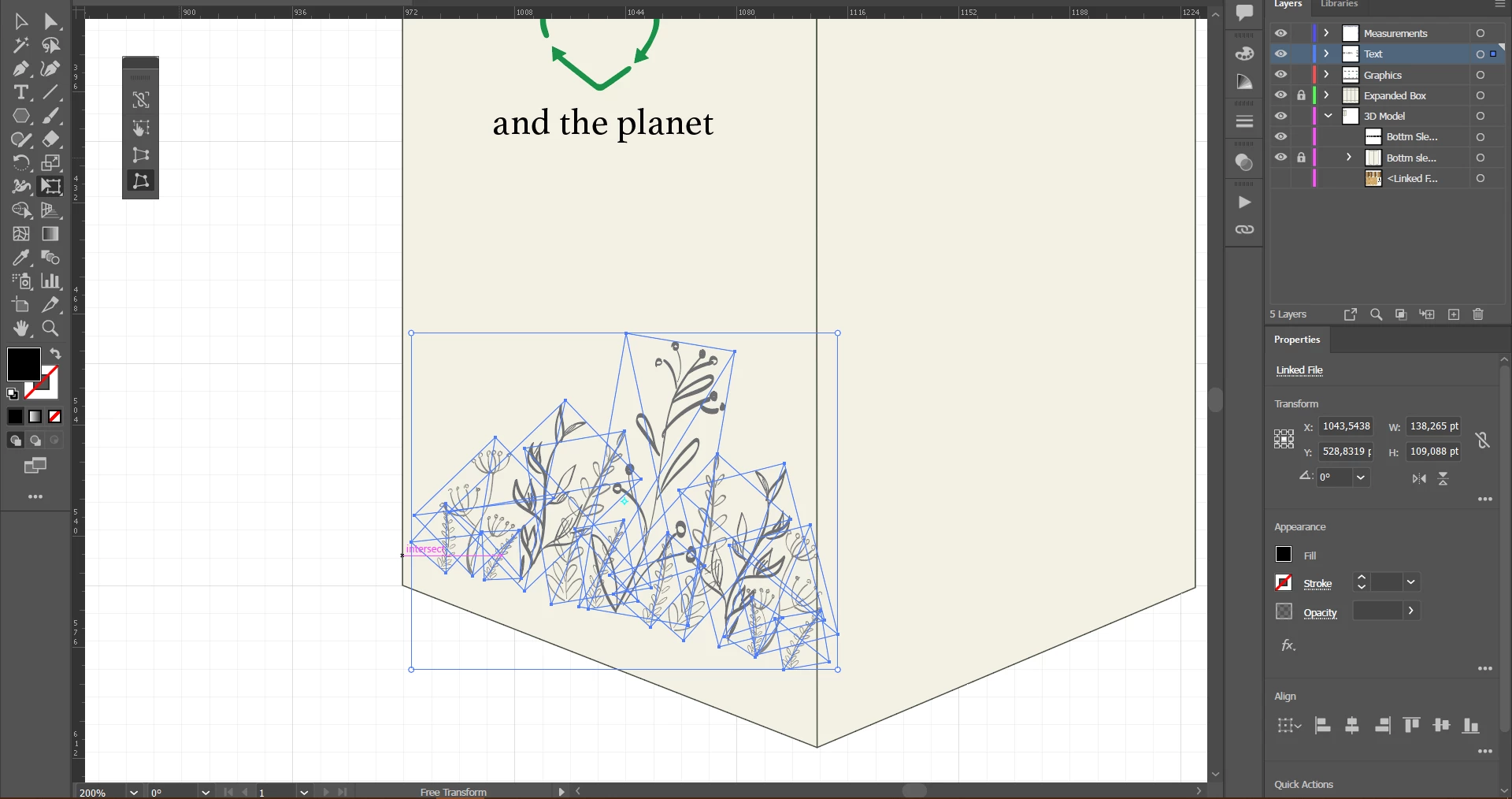
When I move the corner points to the ones of the box, it automatically reverts the corners and the artwork doesn't distort. I am quite new at using Illustrator, so it might be an obvious reason why it doesn't work, but I couldn't figure it out by myself. Any help is appreciated!


This topic has been closed for replies.

1 reply

Myra Ferguson
Community Expert
Community Expert
May 25, 2022

Use Envelope Distort with the Free Transform tool using Free Distort on embedded raster images. Here's how:

  1. Select a placed image and in the Control bar, click Embed
  2. Repeat Step 1 for each of the placed images
  3. Group the embedded images
  4. Go to Object > Envelope Distort > Make with Mesh
  5. In the Envelope Mesh dialog, you can use the default or set it to 1 row and 1 column
  6. Select the Free Transform tool and use Free Distort to distort the content