
Parts4Arts
Inspiring
December 11, 2021
Question

Free Javascript for scaling with Golden Ratio

  • December 11, 2021
  • 4 replies
  • 1626 views

What does the script do?
The script creates copy(s) of a selected object and reduces it with 68.2 % (figure for the golden ratio).


Where to find the Javascript ScalingGoldenRatio.jsx?

See https://www.behance.net/gallery/133015265/Javascript-for-Illustrator-Scaling-with-Golden-Ratio 


How to use Javascript ScalingGoldenRatio.jsx

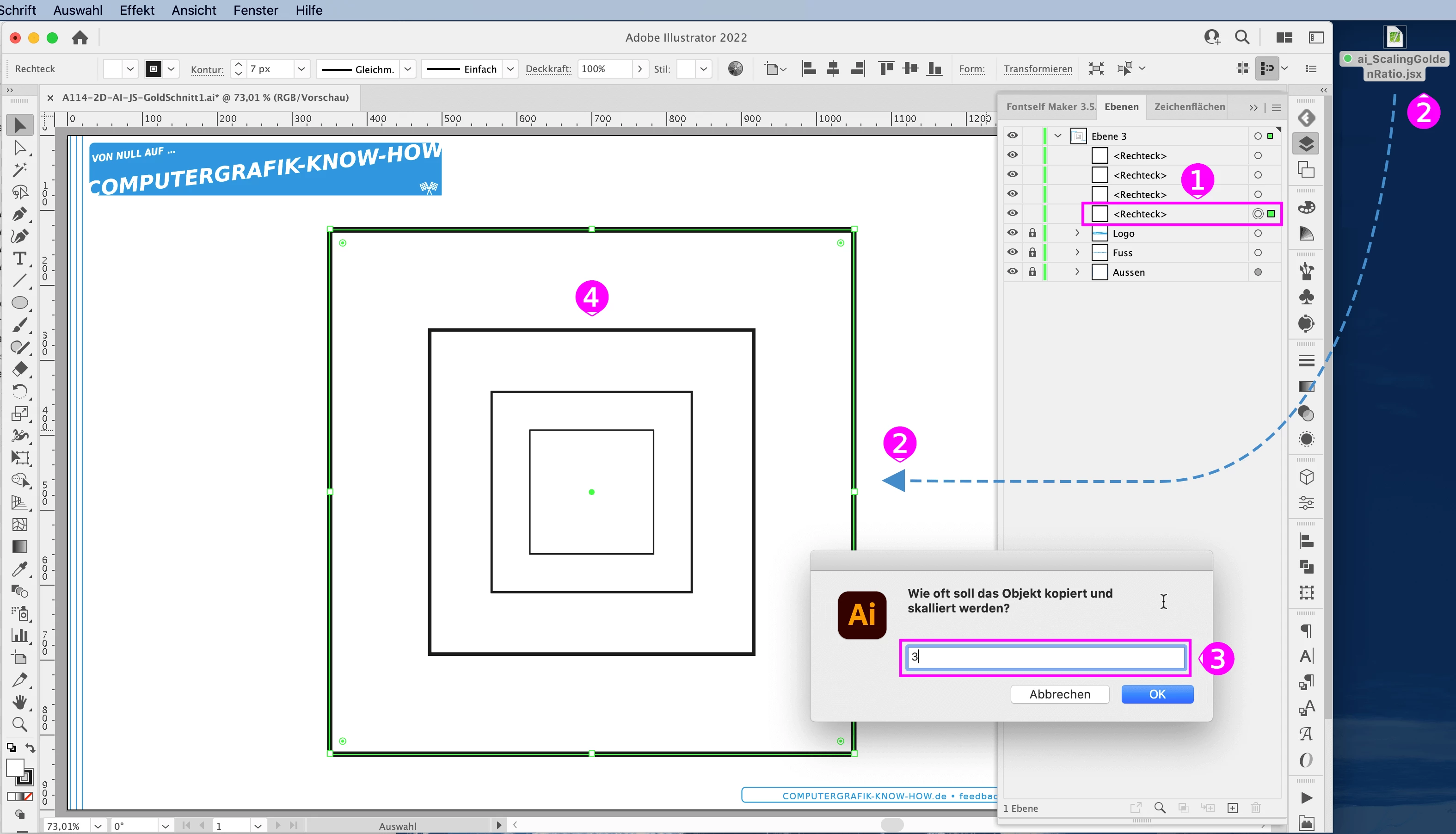
(1) Select exactly one object or group in Illustrator.

(2) Start the script e.g. by dragging it onto the Illustrator.

(3) Enter the number of copies you want, e.g. "2", then you will get the object reduced twice with the factor 0.682.


Have fun with it.

– Jens

This topic has been closed for replies.

4 replies

Kurt Gold
Community Expert
Community Expert
December 16, 2021

Can you see the difference now, Doug?


The script - unlike the Transform effect and despite some daring fake news claiming that the golden ratio is just a myth - finally led to the irrevocable insight that the golden ratio is there and of course true, just as Ton's striking proof shows.


Jacob Bugge
Community Expert
Community Expert
December 16, 2021

Jens,


As far as I know, the Golden (reduction) Ratio is 0.618034, rather than 0.682, in other words about 10% less. I believe you can also use 2 divided by 1 + the square root of 5 to have/keep it as close to exact as possible.


Parts4Arts
Inspiring
December 16, 2021

Hi Jacob,

your are right. I have changed the value to 61.80339887 %. In the new user interface, any other value such as 50 % can also be entered.
Link: https://www.behance.net/gallery/125369255/Javascript-for-Illustrator-RotateArtboard 

Kurt Gold
Community Expert
Community Expert
December 15, 2021

Well, Doug, I can imagine that it is just a harmless offer that may be useful sometimes.


On the other hand, there are a lot of scripts that do things that can also be done with built-in tools. Or bumpy actions.


Doug A Roberts
Community Expert
Community Expert
December 16, 2021

Of course I wouldn't mean to discourage such things Kurt. I'm more interested in the possibility that I am being dense.

Parts4Arts
Inspiring
December 15, 2021

New version 2.0 with user interface for all options. Link see above.

Have fun.


Doug A Roberts
Community Expert
Community Expert
December 15, 2021

Forgive me if I'm being dense, but what is this doing that the transform effect doesn't already?

Parts4Arts
Inspiring
December 16, 2021

It is an exercise in programming in Javascript for Illustrator.

My script can also lighten the area colour per step and reduce the thickness of the edge per step.