



andreisantos
Participant
June 25, 2026
Answered

Free Transform Gradient Not Working

  • June 25, 2026
  • 3 replies
  • 50 views

Hello! I’ve been encountering this issue with Illustrator whenever I make a gradient--this only happens with the Free Transform Gradient. When I click on the Free Transform Gradient, all of the points do not fill-in and doesn’t make the gradient at all. It’s only appears blank. I’ve tried Rasterizing it to see if it would work, but it still doesn’t fill. I even made sure that the gradient isn’t applied to the stroke. I’ve also restarted my computer multiple times and still nothing. Can someone please let me know how to fix this? Thank you so much!
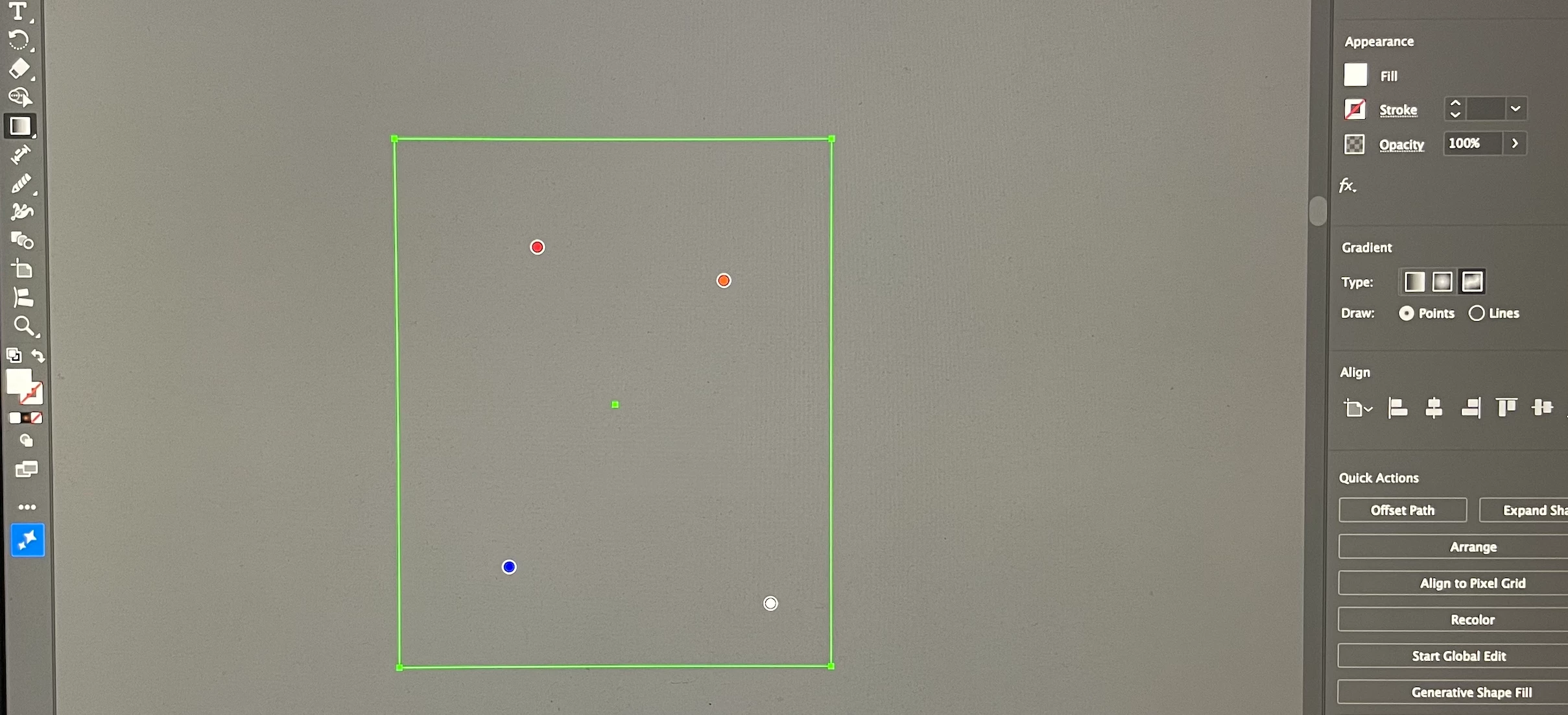
Gradient points not showing


    Correct answer andreisantos

    It happens with all of my files that are saved on my Adobe Cloud. I eventually figured it out from a different post. I used Save As and saved the file locally on my computer instead, and now it's working!

    I'm not sure why it's only happening with files saved on Adobe Cloud, though. I still have plenty of storage space available, so I don't think it's a cloud storage issue.

    3 replies

    Ton Frederiks
    Community Expert
    Community Expert
    June 26, 2026

    @andreisantos Good to hear you’ve got it working. If you can repeat the problem, can you mention it on UserVoice?

    https://illustrator.uservoice.com/

    Ares Hovhannesyan
    Community Expert
    Community Expert
    June 25, 2026

    it does not work for stroke. Free form gradient would be hidden. Select fill.

    andreisantos
    Participant
    June 26, 2026

    It was already set to Fill, but it still wasn't working. I eventually figured it out from another post. Apparently, Freeform Gradient doesn't work when the file is saved to Adobe Cloud (at least in my case). I used Save As and saved the file locally on my computer instead, and now it's working!

    Ton Frederiks
    Community Expert
    Community Expert
    June 25, 2026

    @andreisantos Does that happen with all your files? Can you share an example .ai file here?

    andreisantos
    andreisantosAuthorCorrect answer
    Participant
    June 26, 2026

    It happens with all of my files that are saved on my Adobe Cloud. I eventually figured it out from a different post. I used Save As and saved the file locally on my computer instead, and now it's working!

    I'm not sure why it's only happening with files saved on Adobe Cloud, though. I still have plenty of storage space available, so I don't think it's a cloud storage issue.