
Participant
November 11, 2021
Question

Free Transform not working for some layers

  • November 11, 2021
  • 2 replies
  • 385 views

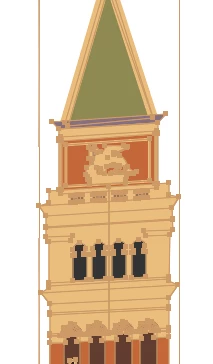
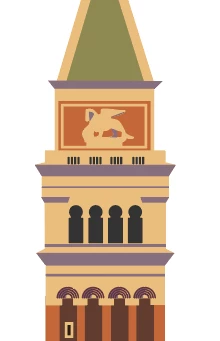
I am trying to add perspective to a tower I created, but when I use the free distort tool, I loose my shadow layer.  It is some shapes and lines that I have tried expanding but that didn't help.  The layer is not targeted and has no appearance attributes beyond a single fill and a single stroke, but so do 2 others.

Any help is much appreciated!  The layer is actually empty after I make the adjustment

Thanks Barry
This topic has been closed for replies.

2 replies

Kurt Gold
Community Expert
Community Expert
November 12, 2021

Thanks for the file.


I did some tests with the Free Transform tool and cannot reproduce the issue you reported. The group called "BrokenPiece" behaves fine and it does not disappear or get deleted.


Did you something very specific while transforming the tower?


bfochaAuthor
Participant
November 13, 2021

Kurt

Thanks for you help.  I was working in a large file and it kept breaking.  After you asked for the AI file and created one with just the tower, I was able to get it and the shadow side to work properly and bring it back into my main scene.  

Kurt Gold
Community Expert
Community Expert
November 11, 2021

Barry, can you share this file (.ai)?


Also, which version of Illustrator are you using?


bfochaAuthor
Participant
November 11, 2021

I am using the most recent version.  I am just a beginner so I am pretty baffled by this problem.  Thanks for taking a look!  I put the file in there, it is only 326 kb, but it disappears when I hit post??