


Participant
March 29, 2023
Question

Free Transform Tool Handles - Illustrator

  • March 29, 2023
  • 3 replies
  • 1039 views

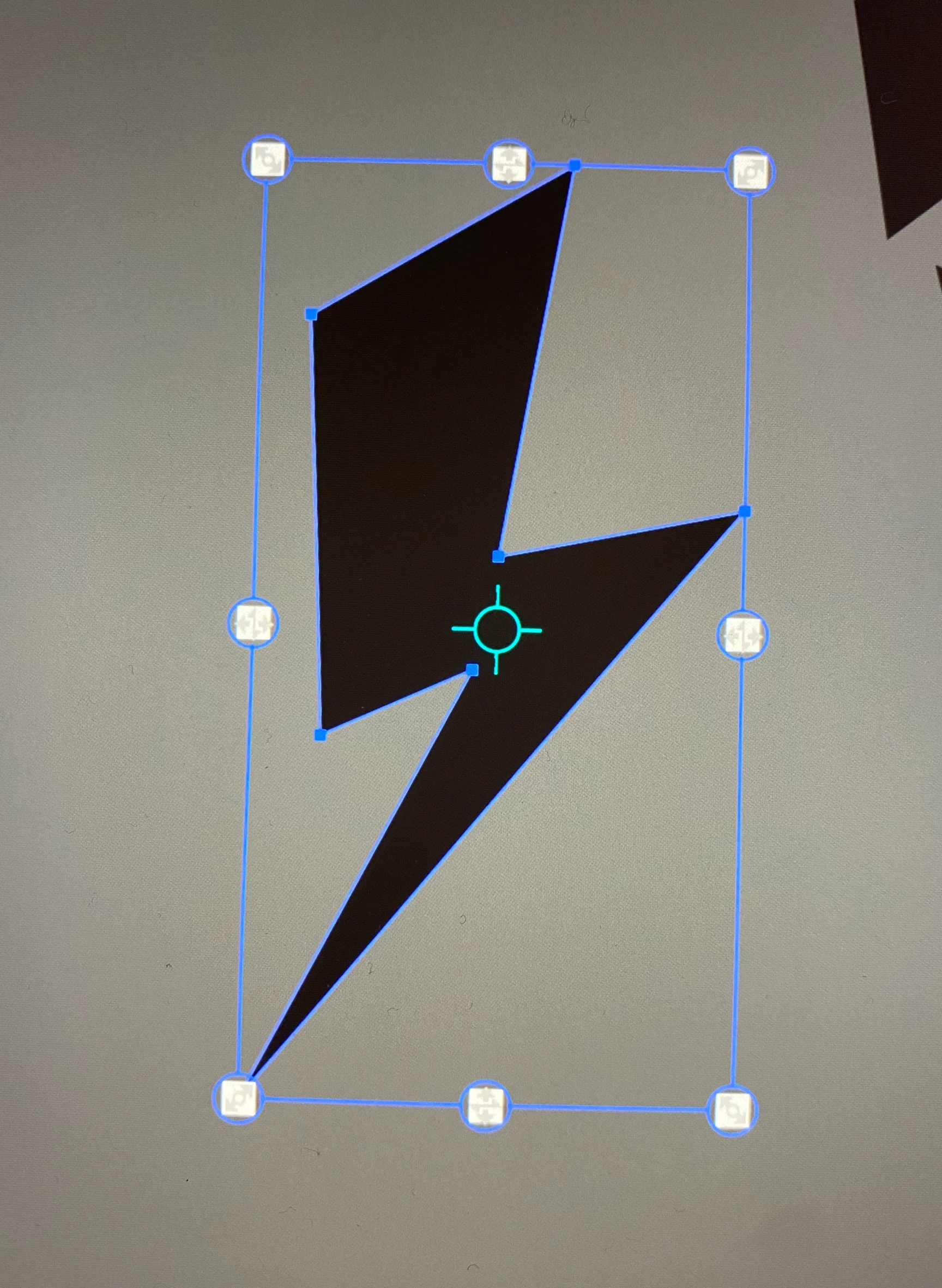
I'm getting these really weird free transform handles on my objects and I want to just see the simple white dots. Does anybody else see these / know how to remove them?
I feel like I've checked everywhere and they're not there on my other computer. I've compared preferences on both machines and it all matches but I just can't find the way to not show these enlarged versions

Thanks!!
This topic has been closed for replies.

3 replies

Monika Gause
Community Expert
Community Expert
March 31, 2023

What kind of computer hardware is this? Touch sensitive screen?

Participant
April 3, 2023

I am using a Mac Studio with a Wacom Cintiq but cannot seem to find anywhere where the cintiq could be causing the problem shown above

Monika Gause
Community Expert
Community Expert
April 3, 2023

Nobody else in this thread is seeing those handles, so they must be caused by something in your system.

barbara_a7746676
Community Expert
Community Expert
March 30, 2023

The default is small handles. However, on your computer you may have Preferences > Selection & Anchor Display set to Max instead of Default.

Participant
March 31, 2023

My handles are currently set to default but still showing the oversized free transform handles

Ton Frederiks
Community Expert
Community Expert
March 29, 2023

Do you have any plug-ins installed?

Participant
March 31, 2023

I removed all plug-ins, uninstalled and re-installed illustrator

Ton Frederiks
Community Expert
Community Expert
March 31, 2023

Maybe someone has a similar experience, I have never seen those.