
From "Encoding: Ansi" convert to "Encoding: Identity-H"
Dear all, thank you for reading my dilemma in advance.
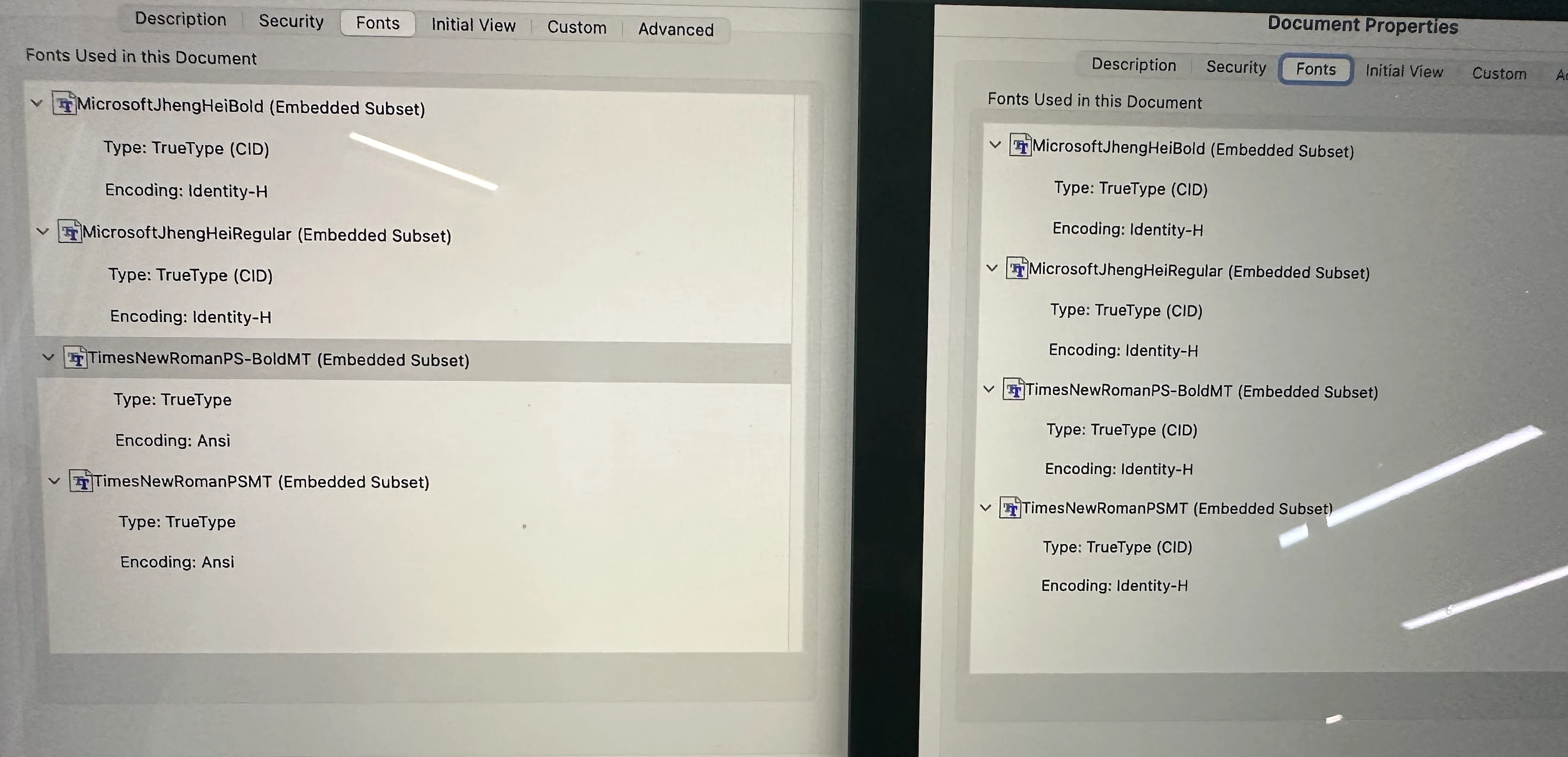
Basically, I have a pdf file that has four fonts which is all in (Embedded Subset) Truetype (CID); encoded in Identity-H.
As I am editing it in Illustrator and converting it into a pdf, I see two of the font changed to (Embedded Subset) Truetype; encoded in Ansi.
I have further explored if I view the orginally pdf in Illustrator, even if I did not edit anything, whenever I save it us pdf, the font will automatically change to Ansi. I am wondering if anyone could provide me a solution so that even after I edited in illustrator and saved as pdf, the font will stay embedded, cid and Identity- H.
please find attached a comparison, the left hand side is the current status after I saved it as pdf and the right hand side is a screenshot of the orginal document properties. Please enlight me on this thank you so much for your time


 AdChoices