
Frustration Continues: Preferences changed during recent update, hours of work lost because of crash
- Software version 29.6.1 (64-bit)
- OS: Windows
- Version: 11.0
- Process Architecture: x86_64
- Built-In Memory: 32482 MB\
As the title says, a recent software update has made changes to my preferences that have resulted in the loss of four hours of work. Preferences>File Handling>Turn off Data Recovery for complex documents was turned on, and as a result, well... I'm sure you get what happened.
I didn't want to post because I get how difficult it can be to address issues in a complex software application and not disrupt performance or functionality, but I am beyond frustrated with how, after every update, there seems to be some minor change in function or features that have long been established. Even though this specific issue has cost me hours of work, it's still what I would consider a minor issue, but as we all know, a singular minor issue is easy to overlook, but a string of them soon becomes a major issue that can't be overlooked.
We have approached the latter condition.
I use Illustrator exclusively. I have been using the software for years, and I have been satisfied with the functionality and performance that have been provided in the past, but it seems that the focus on Generative AI features being added to the software has complicated things beyond where I am comfortable. I don't need a bunch of popups that hang on the screen after moving across the toolbar, but I have them. I don't need software that generates artwork for me; I know how and what I want to draw. I just need software that does what I want it to do, in the way that I am accustomed to doing it, and doesn't crash unexpectedly, losing hours worth of work because a setting got changed without my knowledge.
This is beyond ridiculous. Especially considering how much the yearly subscription costs, to have to deal with the loss of work because a basic feature, designed to ensure that the impact of a program crash was minimal, was turned off.
And you want to know what makes it worse?
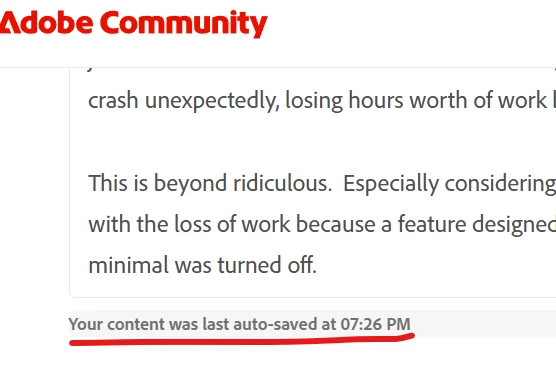
The feature is considered so basic that it included in the Adobe Community post page, automatically.


 AdChoices