



jy_BAS
Participating Frequently
August 18, 2025
Question

Fun in 29.7.1: "The document "" is currently getting saved. Try again after the process is complete"

  • August 18, 2025
  • 26 replies
  • 5331 views

Since updating Illustrator to 29.7.1, I've run upon several issues that are affecting productivity, but the two that are the biggest losers are the randomly-appearing-on-save "The document "" is currently getting saved. Try again after the process is complete" issue and the Preferences > Keyboard Increment change.
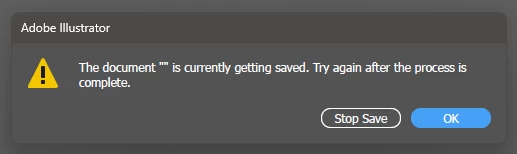


This random save issue is probably the Gold Medal Winner winner of the Frustration Olympics from my angle as when it pops up, the only way I can get around it is to set Paste Remembers Layers, copy all the elements I'm working with to a new document, check that all colors,layters, etc are correct, save it as a new working file, close/reopen the app then delete the original file so I don't get it mixed up with the new one. This is, as they say, no bueno por caca. Oh, and not to mention the poor grammar of "getting saved."


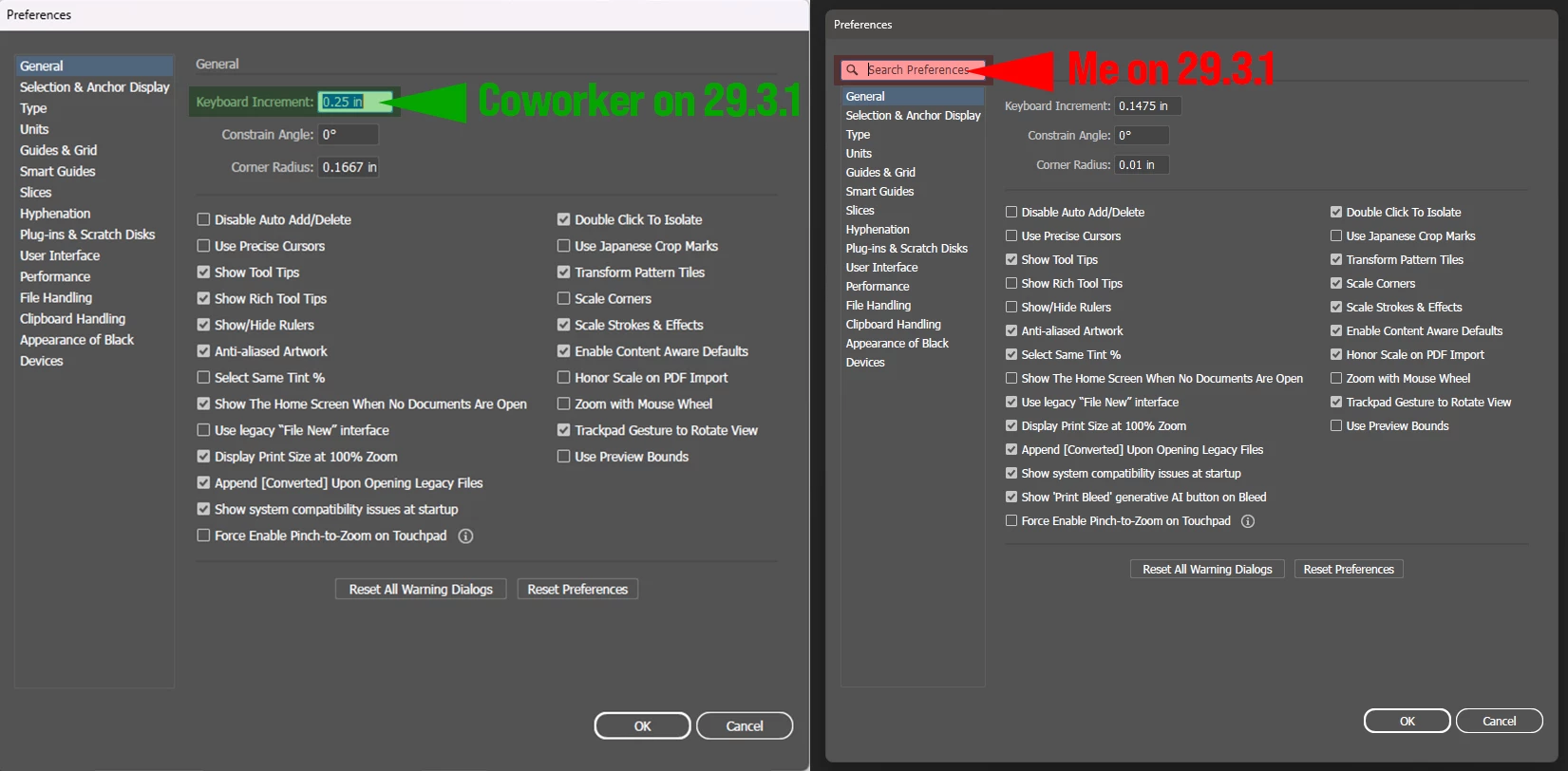
Runnerup is a lil guy who doesn't seem like much of a contender, but he packs a punch... After years of the preferences window defaulting to Preferences > Keyboard Increment being active upon opening (thus my being used to hitting Ctrl+K, entering a value for the keyboard increment and tapping <return> without really looking,) in 29.7.1, it now defaults to the Search Parameters field being active. So now it's Ctrl+K, 4x tab, enter value and hit return 2x. I realize this is not a dealbreaker but more of a "dammit, Adobe, don't fix it if it ain't broke" annoyance.


This update is also chock full of surprises like weird redraw issues, commands not completing or even recognizing being called and other oddball save issues that I've only seen randomly a couple of times, therefore not documentable (yet). Anyone else?

System info:
Intel Core i5-14500 2.60 GHz w/32.0 GB RAM
Windows 11 Pro 24H2 Build 26100.4202

26 replies

Abhishek Rao
Community Manager
Community Manager
August 25, 2025

Hi everyone,


Thanks a lot for sharing your experiences and details here. I understand how disruptive this issue is and really appreciate the updates you've been providing. Could you please confirm if this happens consistently with all files or only certain ones, and whether you're saving them locally, to a network drive, or to a cloud-synced location like Dropbox or Google Drive? It would also help if you could confirm the exact OS version you're running.

In the meantime, please try restarting your Mac or Windows machine in Safe Mode (steps here: Windows: https://adobe.ly/4p6lJWW, macOS: https://adobe.ly/4oQThYX), avoid connecting through VPN, and save the file locally to check if the problem persists. If possible, test this with a large file as well and let me know if the behavior continues.


Looking forward to your updates, so we can dig deeper with the team.


Best,
Abhishek

Participant
August 25, 2025

I’m experiencing this issue with all files. I reverted to the previous version, but there are still many errors here and all my workspaces are gone. The saving problem also continues.

When opening files, the “Reading Illustrator File” window gets stuck for a long time.

The saving issue started yesterday.

MacOS Sequoia, Version 15.6.1

jclark645
Participant
August 25, 2025

Having the same issue since the update.

Participant
August 25, 2025

I'm having the same issue. Files aren't saving. I've wasted so much time. This is unacceptable.

Participant
August 26, 2025

I also noticed something else. These errors occur in older AI files that were not created with the latest version, but when I create a file for the first time in this version, I don’t experience the issue. I’m not sure if it’s the same for everyone, but I wanted to mention it.

Participant
August 29, 2025

THIS!! Every file I have opened was created before I updated. I just copied everything over to a new file and I'm able to save now after making changes. And the other file I copied from still says "Saving..." - I can't close it - but I can continue to work on the new file just fine. 

Participant
August 22, 2025

Since I upgraded Illustrator I keep having this problem where after Illustrator has been running for awhile when I try to close a file it asks me if I want to save it. I can tell it 100 times to save it, but every time I try to close it, it asks me if I want to save and won't close the file.


I just had an issue where I designed something and I saved it with a new file name. When I looked at the file name in the window tab it was the old file name. It did save out a file though with the new file name. When I went to open that file it said it was in use or read only. Which it's not... and the file is 0kb. So it's obviously a completely empty document. 


I mean what can I do here? How can I work if I can't save my work and it's just lost to oblivion. I already tried turning of 'save in background' and it hasn't changed anything in how Illustrator is behaving. 

creative explorer
Community Expert
Community Expert
August 22, 2025

@defaultwspufbjdbleu it sounds it's like corrupted preferences. Use the keyboard shortcuts to reset the preferences. Before you do save your special settings like brushes, etc because these will be wiped. But, double check you have enough RAM and disk space. A lack of resources can cause an application to crash or behave weird sometimes.

For resetting prferences, Hold Ctrl Alt Shift (PC) or Cmd Option Shift (MAC) immediately after launching Illustrator. You will be prompted to reset your preferences. I would restart the computer after doing so for good measure and also when Illustrator is restarted it generates a new set of preferences

m
Participant
August 22, 2025

Exactly the same issue here, absolutely infuriating and of course has the potential to lose a huge amount of work - Adobe have not done a good job with this update, looking to roll back maybe?

jy_BAS
jy_BASAuthor
Participating Frequently
August 22, 2025

My coworker was updated automatically when he received a new PC this morning. I had to give him the lowdown on what's up, he's already looking into downgrading.

This is about the stinkiest Illustrator update I've seen in many, many years.

Participant
August 22, 2025

Having the same issue since I updated

Participant
August 21, 2025

Same issue!  Very frustrating.  I have had this on files saved to network locations as well as to local files.  I am going to install the previous version until this gets resolved.

matthew_gallagher
Participating Frequently
August 21, 2025

Having the same issue since I updated on my iMac running 15.6.1 (24G90). Had to just force-quit the application at this point and lost a bunch of work. 

タイト姜35460330
Participant
August 21, 2025

I have been frequently experiencing the same error. Before the update, there were no such issues, and I was able to work in Illustrator without any problems. However, ever since the update, this error keeps appearing and prevents me from saving my files. I would greatly appreciate it if you could provide a solution to this issue.

hopeful_sharpness5C27
Inspiring
August 20, 2025

J'ai exactement le même problème et message depuis la mise à jour, je suis obligée de forcer à quitter et le logiciel récupère bien, le fichier. Par sécurité, je fais un copier coller sur un autre nouveau document qui s'enregistre parfaitement.
Au début, il n'y a aucun problème d'enregistrement et je ne saurais dire ce qui provoque ce bug. Je travaille avec les calques, beaucoup de "coller sur place" et de produit.
Info : Apple M4 24Go RAM Sequoia 15.5

hopeful_sharpness5C27
Inspiring
August 20, 2025

The English translation may be confusing : product  is overlay