
Question
Gaps/Lines in Raster Custom Pattern Brush
I'm trying to create a brush to draw the trim of garments. When I create a brush from the raster image, it has these white lines in it. If I image trace it, there is no issue except for the downgrade in quality. Is there a way to make a vector brush in illustrator that doesn't have the line issue? The empty rectangle behind the image technique does not work here. I have made sure it is 1000 px or less as well. Anti- aliased artwork has been checked yes and no. I've tried jpeg, tiff, pdf, png, etc. I've read all the forums, and not come up with a solution. Please help!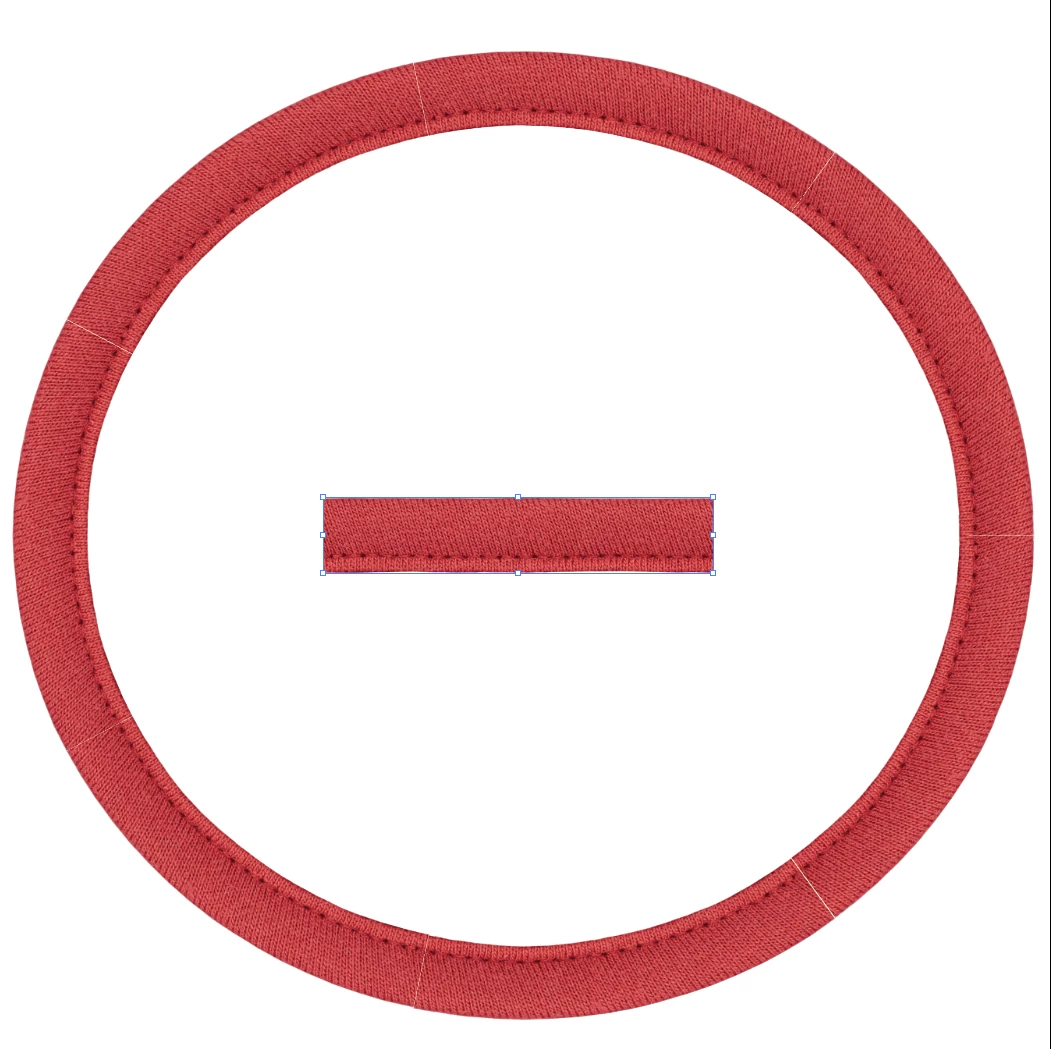
 AdChoices