


Known Participant
November 1, 2017
Answered

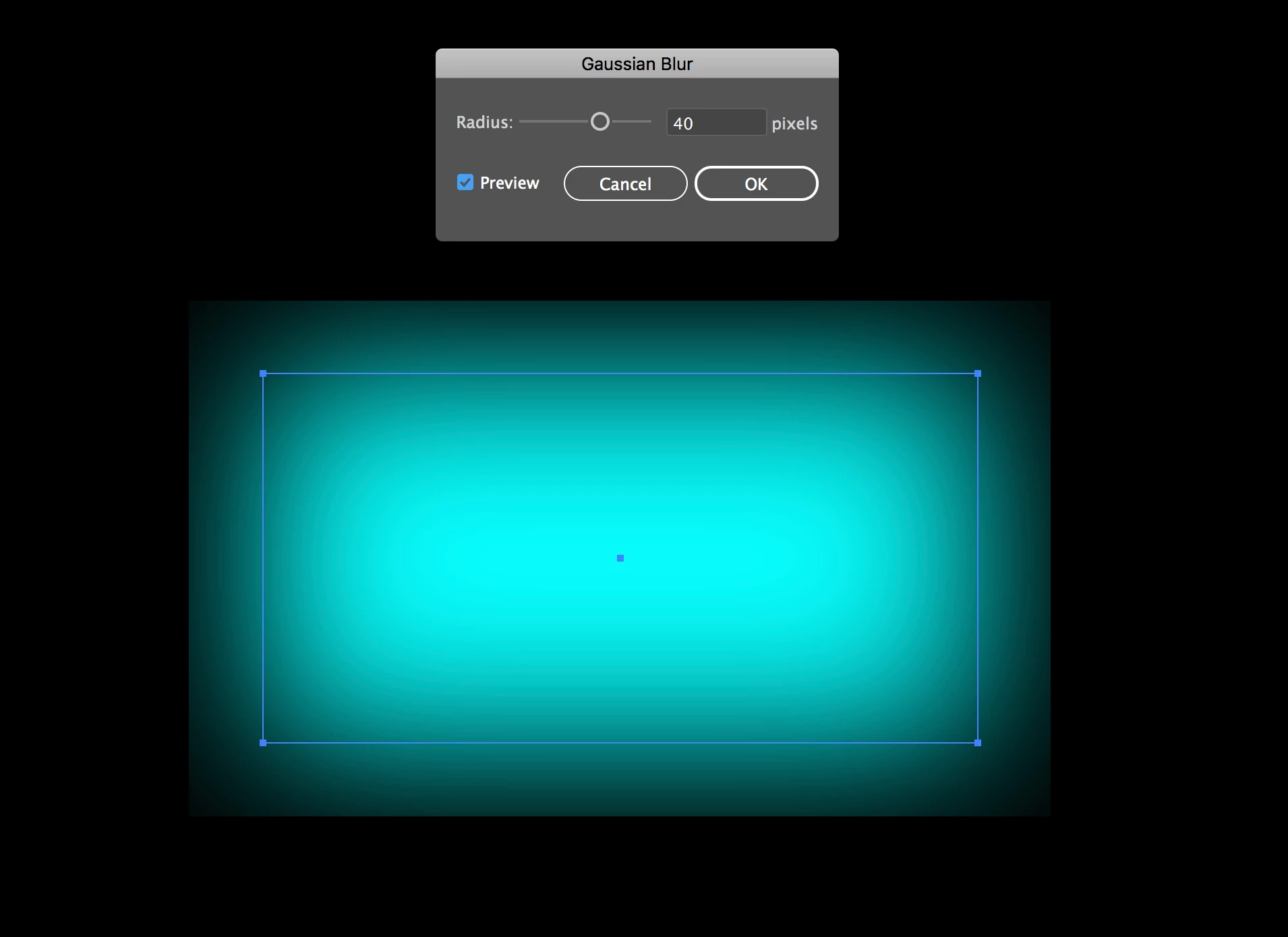
Gaussian blur has a box around it

I've encountered a problem with a gaussian blur that I've never seen before in the new update of Illustrator. When I put a blur on an object there's a border that cuts off the effect. You can see in my screenshot here.

Monika Gause
Monika GauseCorrect answer
Community Expert
November 3, 2017

In the Document Raster effects options there is a setting "Add"

Try to increase it.

15 replies

Participant
July 27, 2025

Additional information:

In the 'Document Raster effects settings', make sure to select the Transparent option under Background - do not choose 'White'.

Translate
Participant
April 11, 2026

Thank you for that. Mine is set to transparent and it’s still generating a white box around the text instead of just the blur area. :(

Translate
Anubhav M
Community Manager
Community Manager
April 13, 2026

Hello ​@Sawyervg4 


I’m sorry to hear you’re having similar trouble with Illustrator. Could you confirm the exact version of the OS/Illustrator installed, and share a sample file along with screenshots of the problem, so we can better assist you?


Looking forward to hearing from you.
Anubhav

Translate
Participant
July 27, 2025

Additional Information:

In the 'Document Raster Effects Settings', make sure to select the Transparent option under Background — do not choose White.

Translate
Participant
April 13, 2023

I was having the same issue in Illustrator CC. I already had 'Transparent' selected and tried selecting 'Anti-Alias' but I was still running into the issue. Then I changed the 'Add _[36 px]__ Around Object'. I increased mine from 36 > ~200 px and it seemed to work for me.

Go to Effect > Document Raster Settings > Add ____ Around Object: increase the pixels until the edges don't show.


Translate
jane-e
Community Expert
Community Expert
March 16, 2023

For After effects users:

To remove the 'box limitation' when trying to add a gaussian blur to an object, unselect 'Repeat Edge Pixels'

By @Oli27331267afm6


This is the Illustrator forum. The question is not about how to do it in After Effects.


Jane


Translate
Participant
February 16, 2023

Solved : Go to Effects/ Document raster effect settings  - and select the 'anti-alias' box. 

Translate
Monika Gause
Community Expert
Monika GauseCommunity ExpertCorrect answer
Community Expert
November 3, 2017

In the Document Raster effects options there is a setting "Add"

Try to increase it.

Translate
luchababeAuthor
Known Participant
November 6, 2017

That doesn't seem to help. I don't want to rasterize my blurs because I always need to edit them. But even trying it, it's still cut off on the edges. This is a blue with adding 80px around the object

Translate
luchababeAuthor
Known Participant
November 6, 2017

*box, not blue

Translate