

Question
Get feedback from Collaborators and External Stakeholders
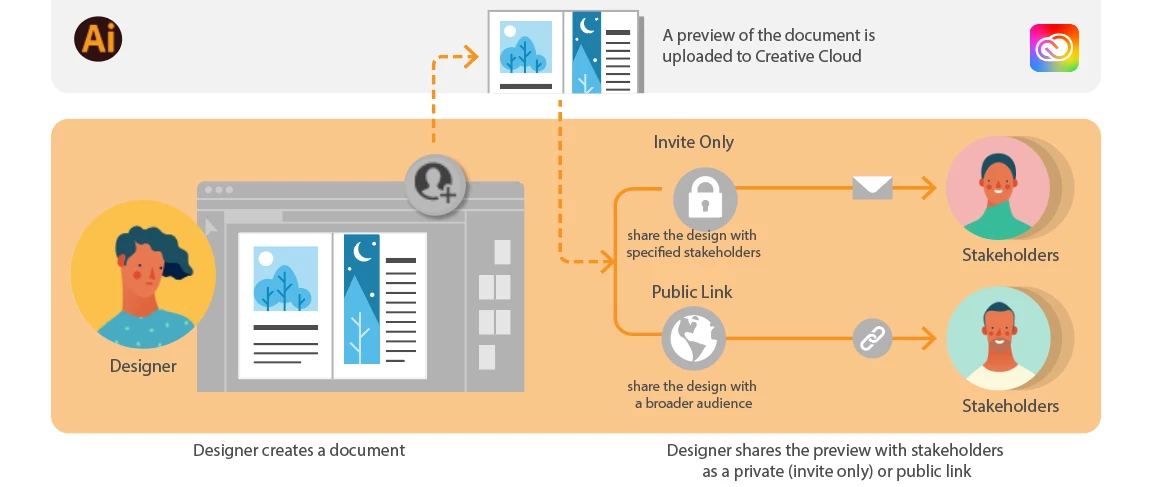
The collaboration experience gets even better in Illustrator 2022. Reviewers without an Adobe ID can now provide feedback on your documents.
Share your documents for review in 3 simple clicks.
- Click or tap the upper-right corner of the Illustrator app on the desktop or the iPad.
- Click the Change icon to control the link access.
- Click the Copy link to share a cloud document as a link with stakeholders for feedback.
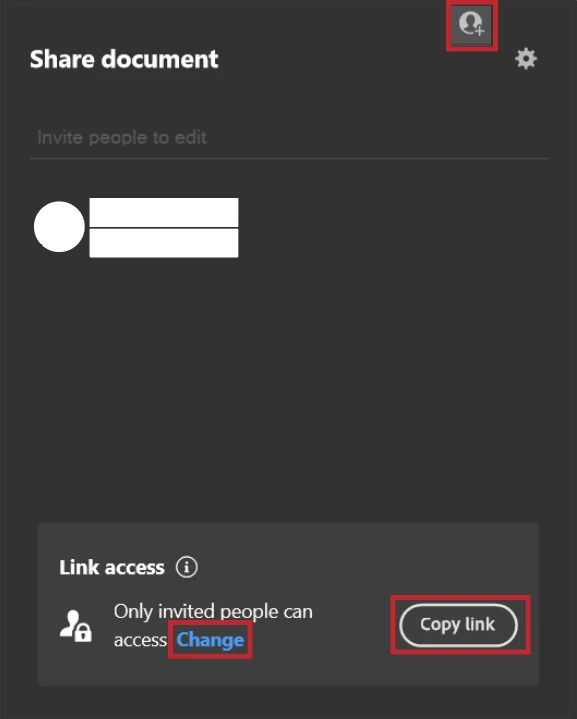
For detailed information on Sharing and collaborating Illustrator cloud documents, see this article.
Salient Features
- Use shared URL to provide feedback on artwork.
- You no longer require an Adobe ID for providing feedback.
- Reviewers can highlight relevant objects and Artboards using shapes or by pinning comments to objects.
- Email notifications are sent to the designer after the feedback is submitted.
- You can read, resolve, or reply to real-time comments from reviewers within the application (Window > Comments).
- Comments are mapped with Artboards for easy Navigation.
- By enabling the Save a copy option, reviewers will be able to save a copy of the document to their Creative Cloud.
Limitations:
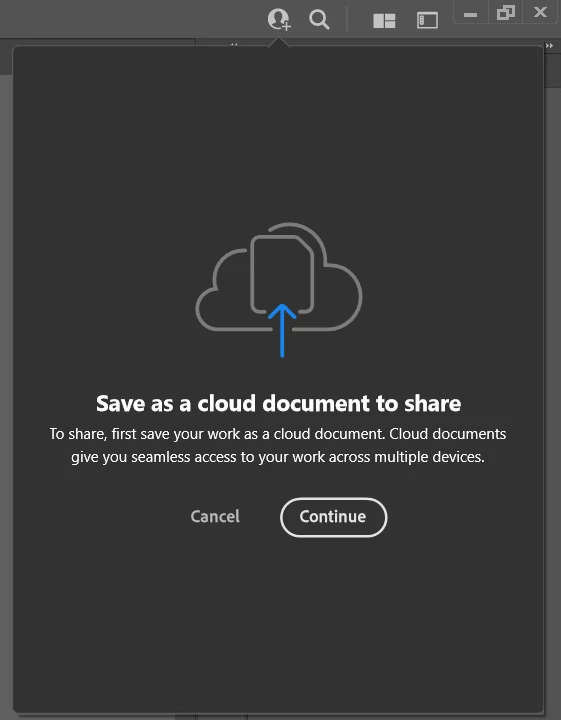
- Review link for local documents cannot be shared. When you click share, you are asked to save the file as a cloud document.
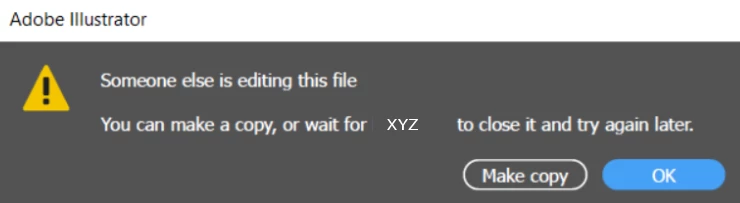
- Only one person at a time can open the file in Illustrator and edit it. The rest will receive this message: "You can make a copy or wait for <name of person editing the document> to close it and try again later."
- If you are unable to see shared documents on Home Screen, click the link in the email address.
We would love to hear from you about how you found this feature. Please reply to this post to share your observations with us.
- Srishti Bali
 AdChoices