Answered
Get Rid of 3D Drawing Guide?
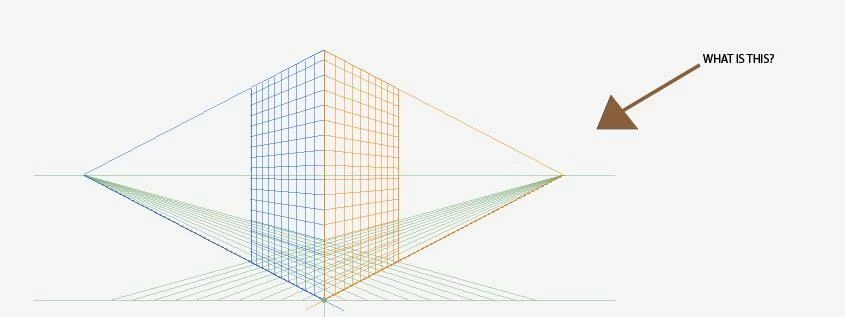
Hello! I don't know what this is or how I put it on my artboard; how do I get rid of it? Thank you!

Hello! I don't know what this is or how I put it on my artboard; how do I get rid of it? Thank you!
It's the Perspective Grid. Shift+Ctrl+I will toggle it on and off. View>Perspective Grid>Hide grid does the same and if your curiosity gets the better of you then the Help files will supply you with ways to make use of it. You may have accidentally clicked on the Perspective Grid Tool, just above the Mesh Tool
Already have an account? Login
Enter your E-mail address. We'll send you an e-mail with instructions to reset your password.
 AdChoices